Analysing multiple connections
You can carry out the structural analysis and code compliance checks for multiple connections modelled in the program. To do this, go to the "Model" tab on the program's main interface and use the tools in the "Analysis" section of the top toolbar.

These options allow you to automatically analyse multiple connections at once, without having to access the editing and analysis panel for each connection individually.
Calculate all connections
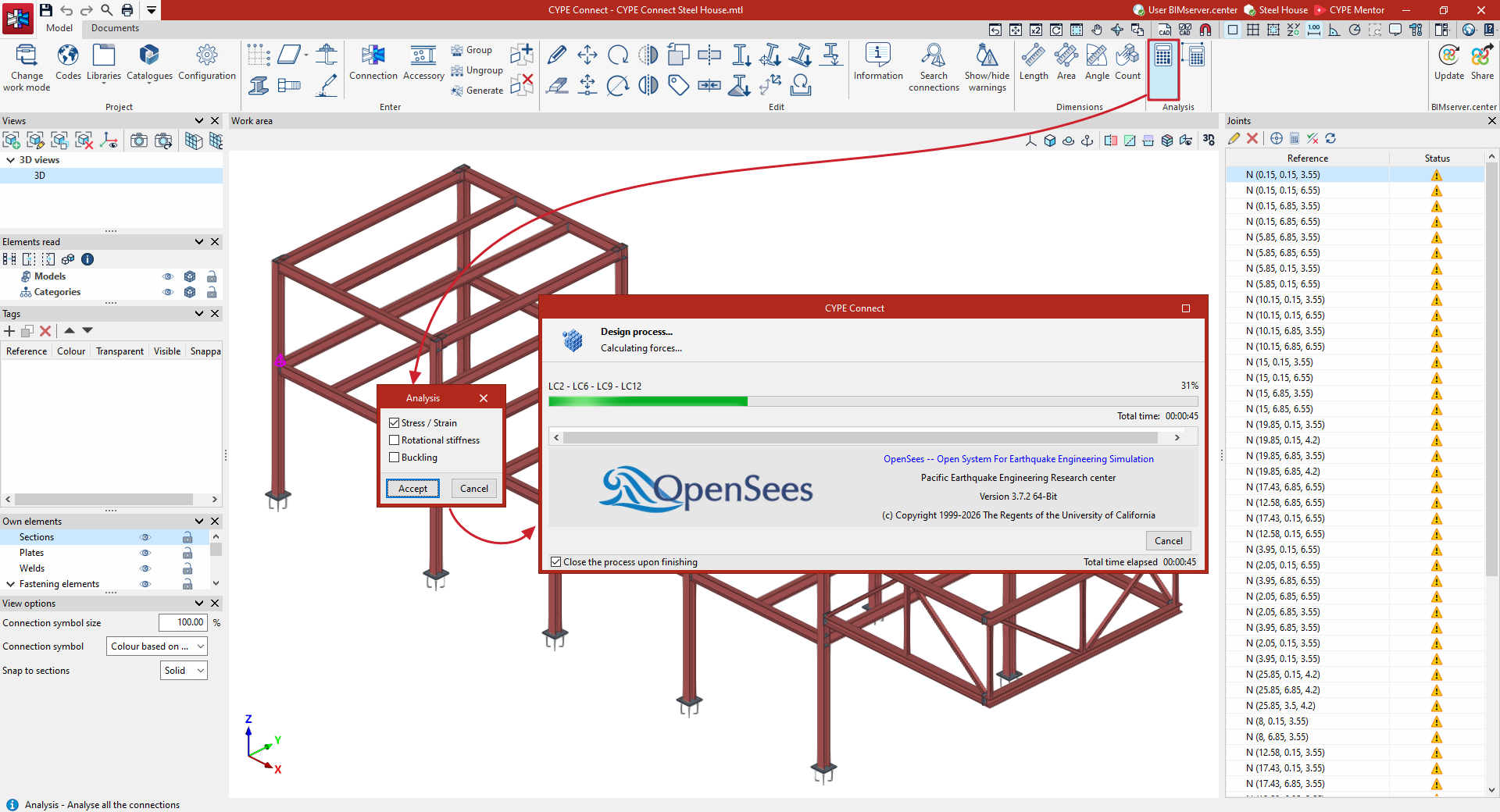
Firstly, you can "Analyse all the connections". After selecting this option, the window that appears allows you to specify the "Analysis" you wish to perform by ticking the "Stress/Strain", "Rotational stiffness" or "Buckling" boxes. Then, click "Accept".
The program then begins an analysis process, analysing all the modelled connections in the structure, one by one.
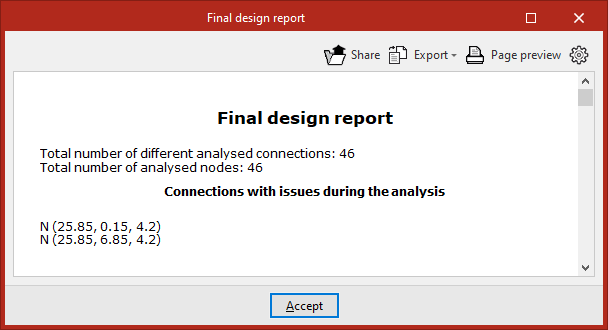
Once the analysis is complete, a "Final design report" is generated showing the results, including the "Total number of different analysed connections" and the "Number of analysed nodes", and highlighting any "Connections with issues during the analysis".
Analyse the selected connections
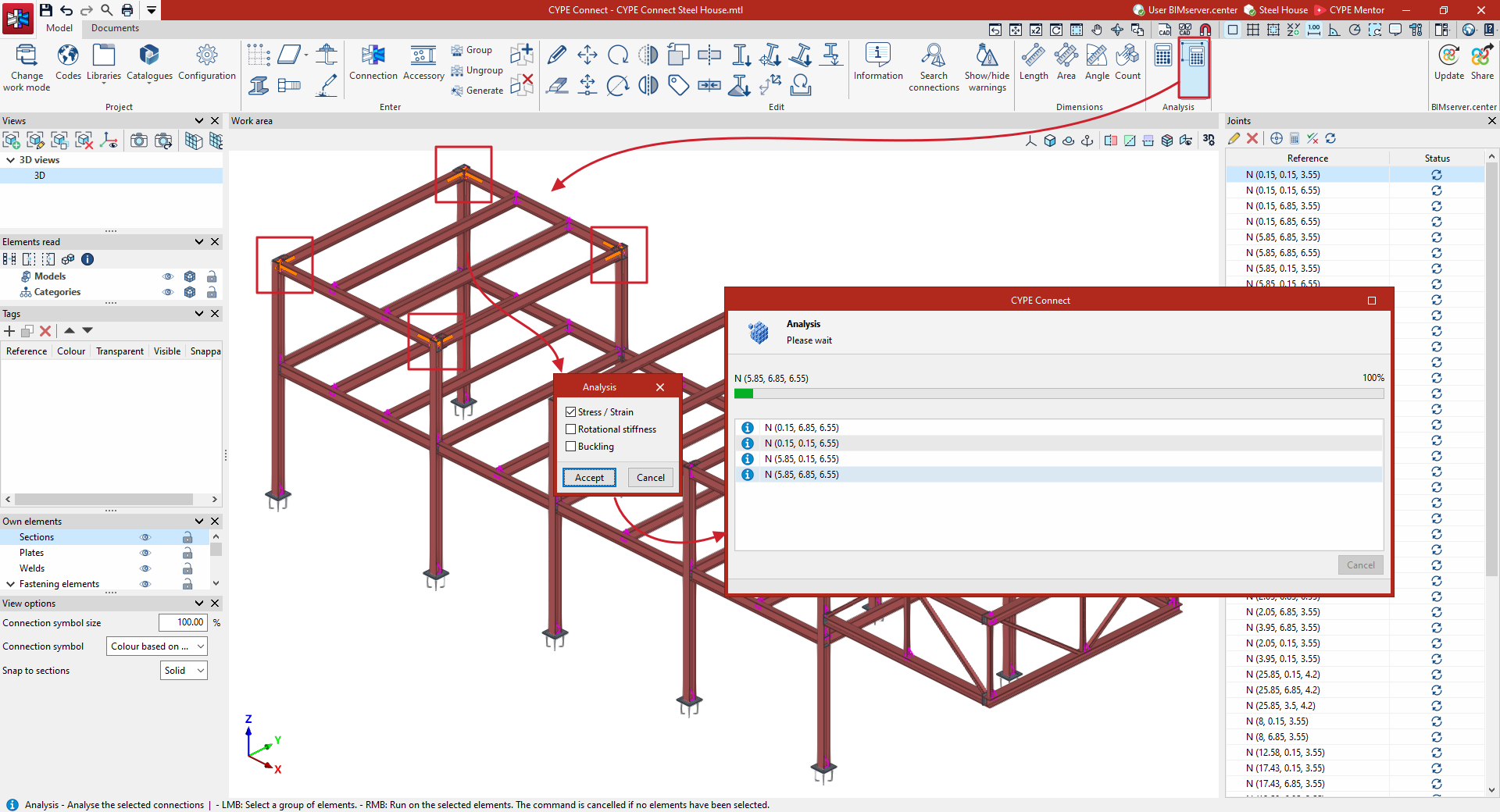
Secondly, you can "Analyse the selected connections". This option is useful for checking only those connections that have been modified.
After clicking on the option, select one or more connections with the left mouse button or with a selection area. Next, click the right-click button. In the window that appears, select the "Analysis" you wish to perform ("Stress/Strain", "Rotational stiffness" or "Buckling") and click "Accept".
The program begins the analysis process for the selected connections and, once completed, generates a "Final design report" containing the results.