Configuring codes
To configure the design codes in the program, go to the "Model" tab and use the "Codes" option on the top toolbar.

This code is used by the program if the connections are defined using the connection editor, allowing them to be analysed using a finite element model and checks to be carried out on the elements within each connection.
Codes
After clicking on this option, you can select the standards for different materials from the various tabs in the pop-up window:
| Note: |
|---|
| The standards implemented in CYPE's programs can be viewed via the following link. |
"Steel" tab
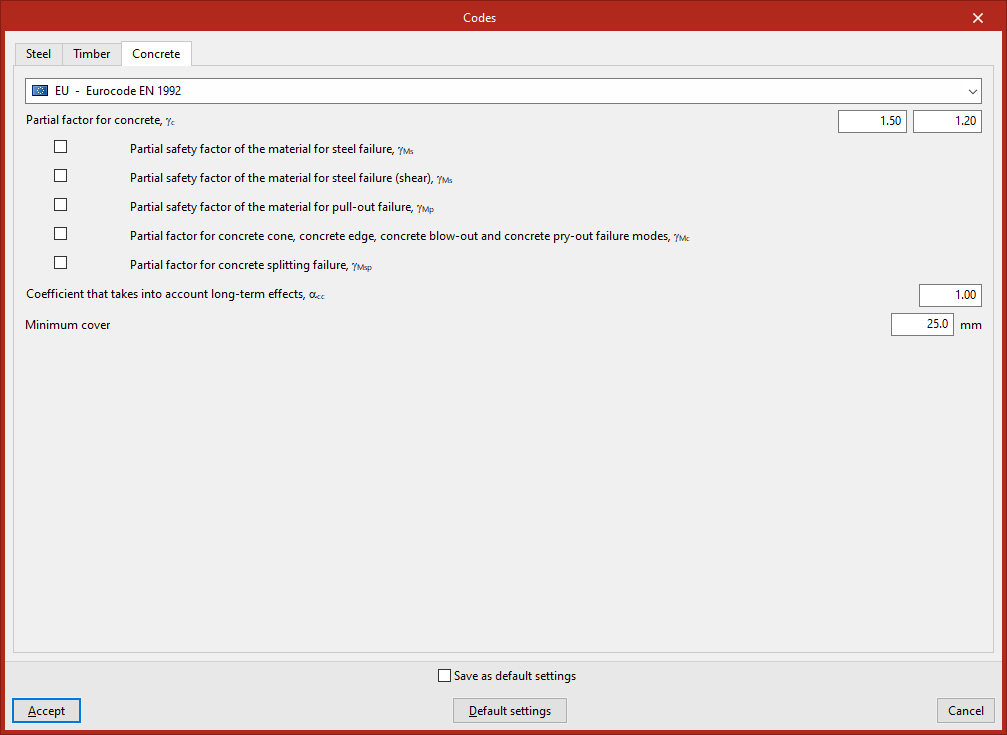
On this tab, you select the "Steel" standard from the drop-down menu.
When selecting a steel standard, you can customise its application by adjusting the values of various parameters associated with it at the bottom of the screen.
For example, if you select the EN 1993 Eurocode, you can review and/or modify the parameter values associated with this code, such as:
- The partial safety factors,
- The "Resistance reserve coefficient"
- The "Friction coefficient for prestressed bolts"
- In addition, the "Bolt hole layout (EN 1993-1-8, 3.5)" is selected.
Further on, various "Optional checks" relating to different sections of the codes can be enabled or disabled, such as the following:
- Length of fillet welds (EN 1993-1-8, 4.5.1)
- Effective throat thickness (EN 1993-1-8, 4.5.2)
- Maximum angle of the fillet welds (EN 1993-1-8, 4.3.2.1)
- Minimum angle of the fillet welds (EN 1993-1-8, 4.3.2.1)
The following factors can also be used to calculate the "Rotational stiffness":
- Limiting stiffness factor for moment connections, kb
- Limiting stiffness factor for pinned connections, kb
Finally, for the "Plastic strain", you can enter the "Plastic deformation limit" (%).
"Timber" tab
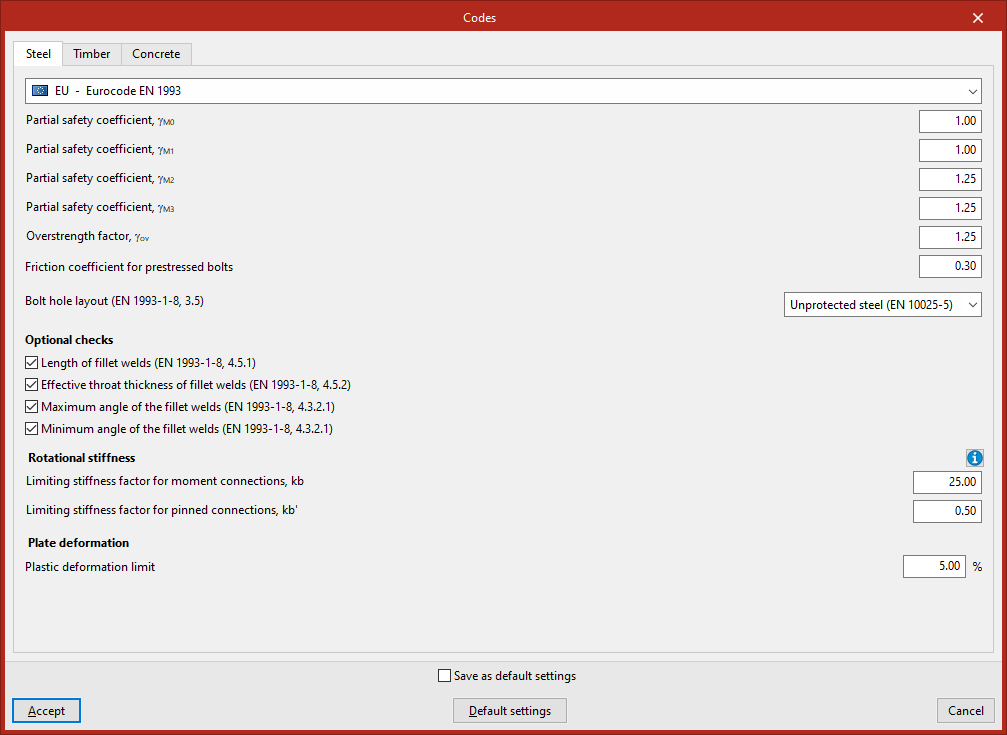
On this tab, you can select the "Timber" standard from the drop-down menu.
When you select a timber standard, you can configure its application at the bottom of the page.
For example, if the EN 1995 Eurocode is selected, various "Optional checks" relating to different sections of the standard can be enabled or disabled, such as the following:
- Construction details and control. Screws. Predrilling (10.4.5)
"Concrete" tab
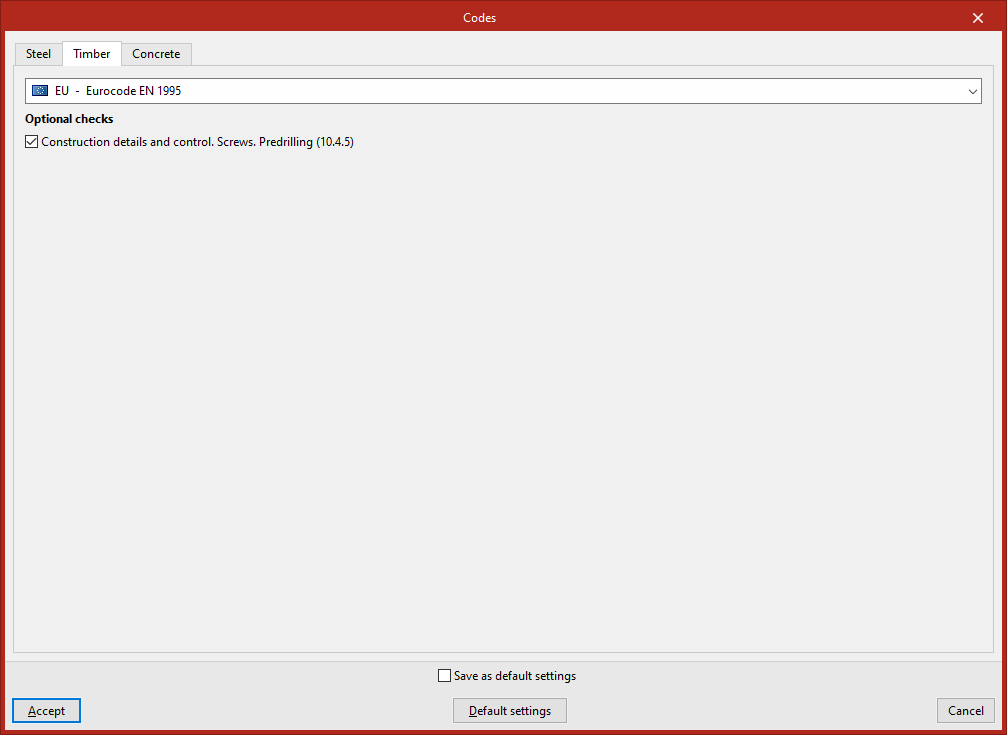
On this tab, you select the "Concrete" standard from the drop-down menu.
Once you have selected the concrete standard, you can configure how it is applied at the bottom of the screen.
For example, if EN 1992 Eurocode is selected:
- The boxes corresponding to the various partial safety factors are ticked or unticked, and their values are checked for steady-state, transient and accidental conditions.
- The "Coefficient that takes into account long-term effects" is entered.
- Furthermore, the "Minimum cover" for the reinforcement is specified.
To confirm the changes, click "Accept".