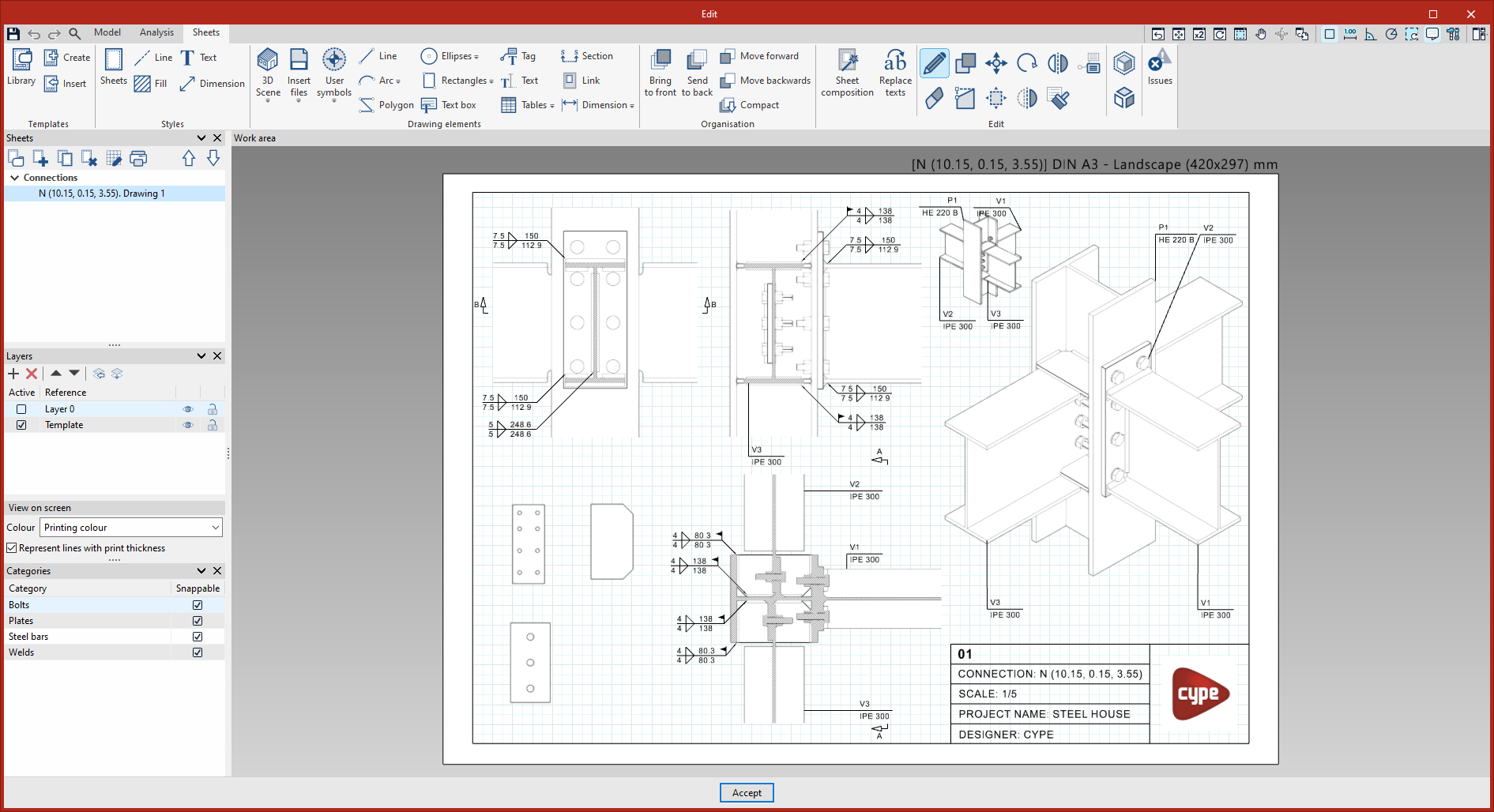
Connection editor
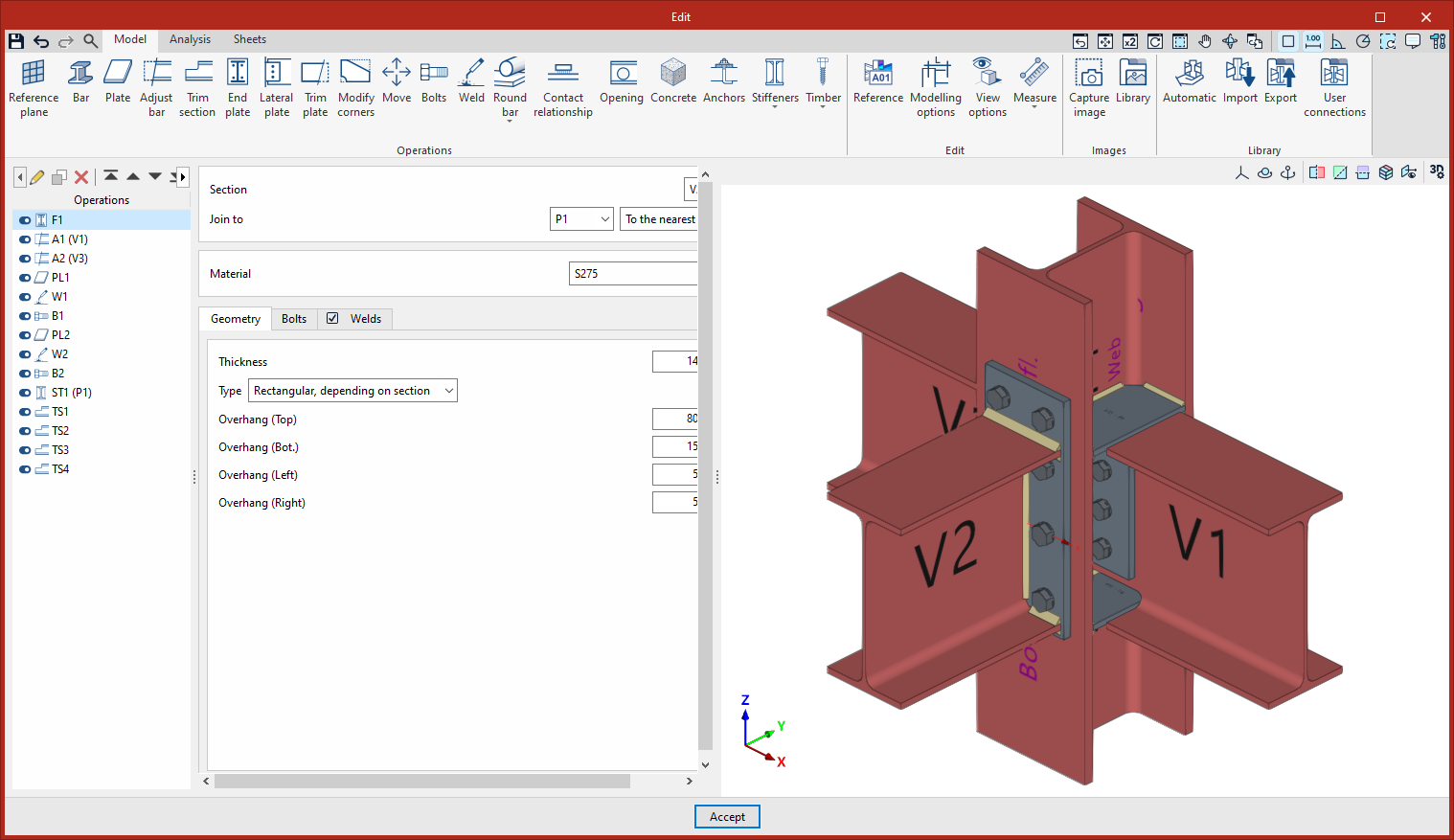
The connection editor features an interface with three tabs at the top: "Model", "Analysis" and "Sheets":
Model
On the first tab, "Model", you can carry out the complete modelling of the connection, adding and modifying its various components.
Connection elements can be entered or adjusted through a series of operations, as well as by importing connection types from the connection libraries or using parametric connections.
Calculation
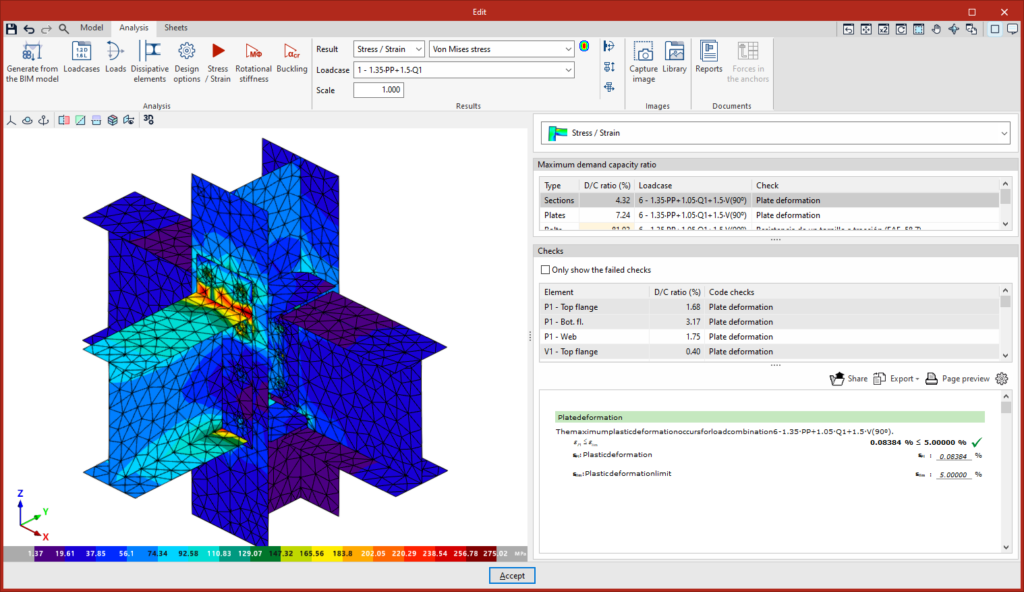
Once the model has been completed, you can access the "Analysis" tab, where the analysis and verification of the connection are carried out.
The available analyses include the stress-strain analysis, rotational stiffness analysis and buckling analysis. The program displays the analysis results in the built-in viewer and provides detailed lists of checks against standards.
This tab is not available when editing fittings.
Prints
Once you have modelled and analysed a connection, you can move on to the "Sheets" tab, where you will find the tools for creating detail drawings.
Alternatively, you can access this interface for working with connection sheets from the "Documents" tab in the main interface by selecting the "Connections" option from the "Sheets" section.
Here, you can create views of the connection model at the desired scale, which are dynamically linked to the model. The program also features traditional drawing tools and design tools.