Entering and editing text
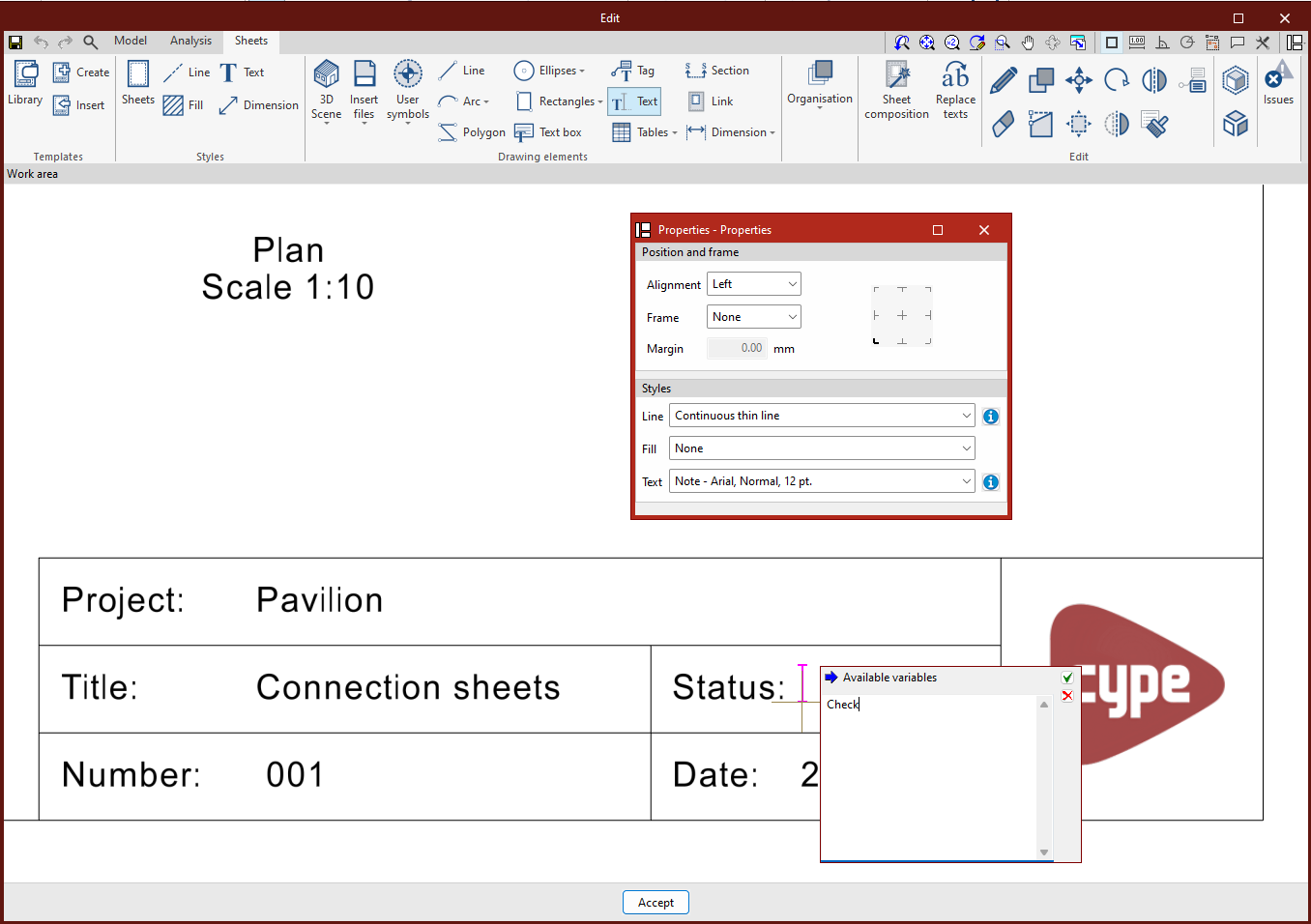
The following option, within the "Drawing elements" section of the top toolbar in the sheet editor, lets you insert text into the sheets:

Text
This allows you to insert text. Clicking on this option will open a pop-up window ("Properties") containing the configuration options.
In this window, you can choose:
- From the "Positioning and frame" section:
The "Alignment" or positioning of the text ("Left", "Centre" or "Right"), whether you wish to include a frame (by ticking the "Frame" box), and the "Margin" relative to it. - From the "Styles" section:
The desired text style and, where applicable, the line and fill styles.
Next, left-click anywhere on the work area to specify the text position.
A new window will then open, where you can type the text you want. Here, you can enter text linked to any of the "Available variables". Once you have finished entering the text, click the green confirmation button to complete the process.