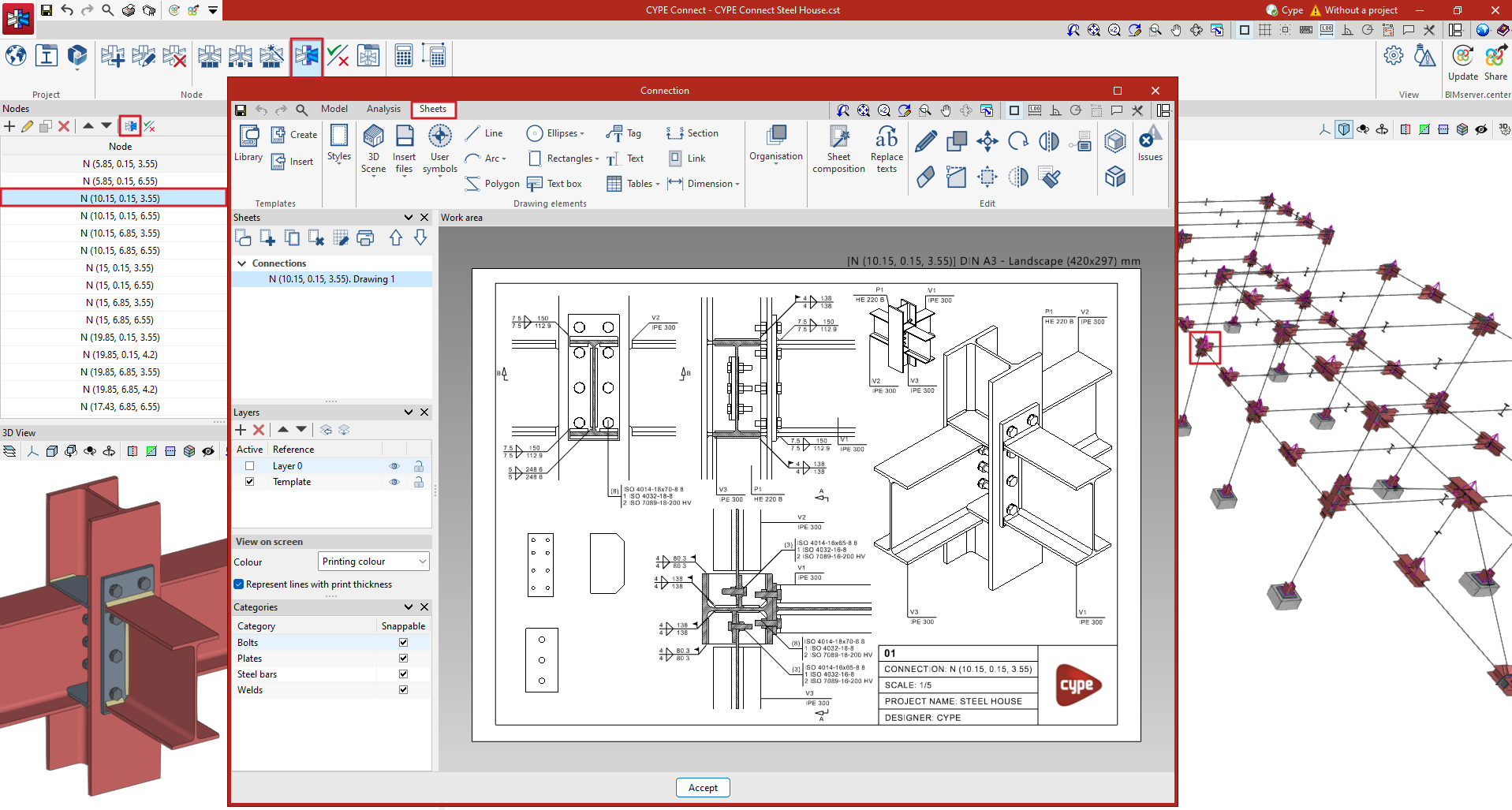
Generating sheets
There are two ways to generate sheets from the BIM model in CYPE Connect.
The first is to choose the connection the sheets are to be generated from. To do this, select it from the list of connections and click on the "Connection" option, or search for it in the 3D view of the structural model and edit it. Both ways lead to the connection editor.
Within the connection editor, there are three different tabs: "Model", "Analysis" and "Sheets".
In the "Sheets" tab of the connection editor, there are several tools that allow detailed sheets of the connections to be obtained from the data previously entered in the modelling phase.
Users can insert views, dimension, tag elements, insert external files, create user symbols, generate tables, among many other options.
Click on "More information" to find detailed information about the "Sheet editing" window.