

Entering grids
Grids are sets of reference lines that facilitate the geometric modelling of the structure. To insert grids, select the "Model" tab and click on the "Grid" option in the "Enter" section of the top toolbar.

Grid
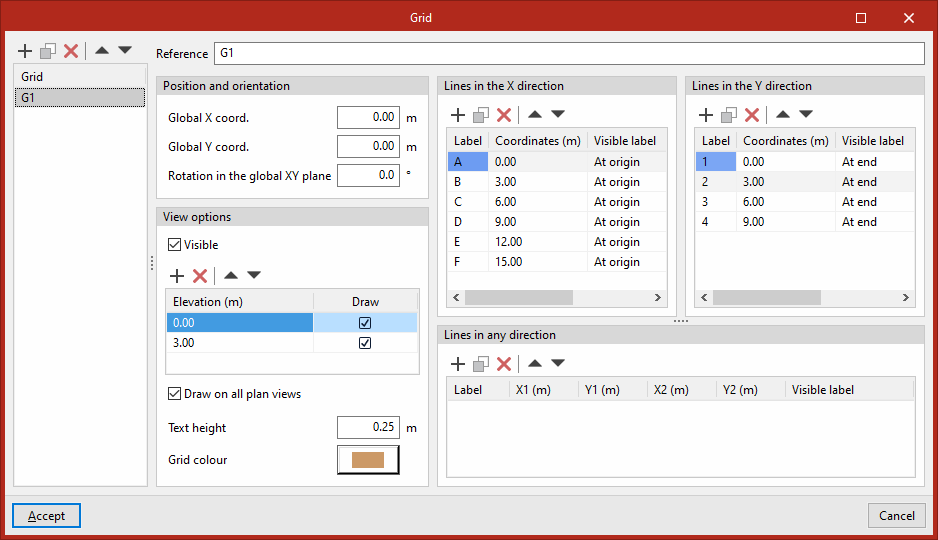
Clicking on this option opens the "Grid" window. Here, in the table on the left-hand side, you can "Add", "Copy", "Delete" and reorder the grids for the project.
First, click on "Add" to create a new grid:
- Next, on the right, enter the "Reference".
- Under "Position and orientation", you can define the parameters of the grid’s origin to position it in space by entering its "Global X coordinate", its "Global Y coordinate" and the "Rotation in the global XY plane".
- Further down, under "View options", tick the "Visible" box to enable the grid to be visible in all views. You can also set the visibility of the grid lines at different heights. To do this, add rows to the table to create different "Dimensions" and tick the "Draw" box for each one. If desired, you can "Draw on all plan views" by ticking the corresponding box.
- At the bottom, you can set the "Text height" and the "Grid colour".
- In the two boxes at the top right, you can add the "Lines in the X-directions" and "Lines in the Y-directions" for the grids. Here, you can add lines to each table and set their "Coordinates", enter their "Labels" and define their visibility – whether to make them visible "At the origin", "At the end", "At both ends" or "Not" visible.
- Finally, using the table at the bottom, you can draw "Lines in any direction". To do this, enter the coordinates of the start and end points that define each line in the "X1", "Y1", "X2" and "Y2" columns.
Once you have finished defining the grid, click "Accept" to close the window. The grid will now be visible in the various views of the model, depending on the settings used.
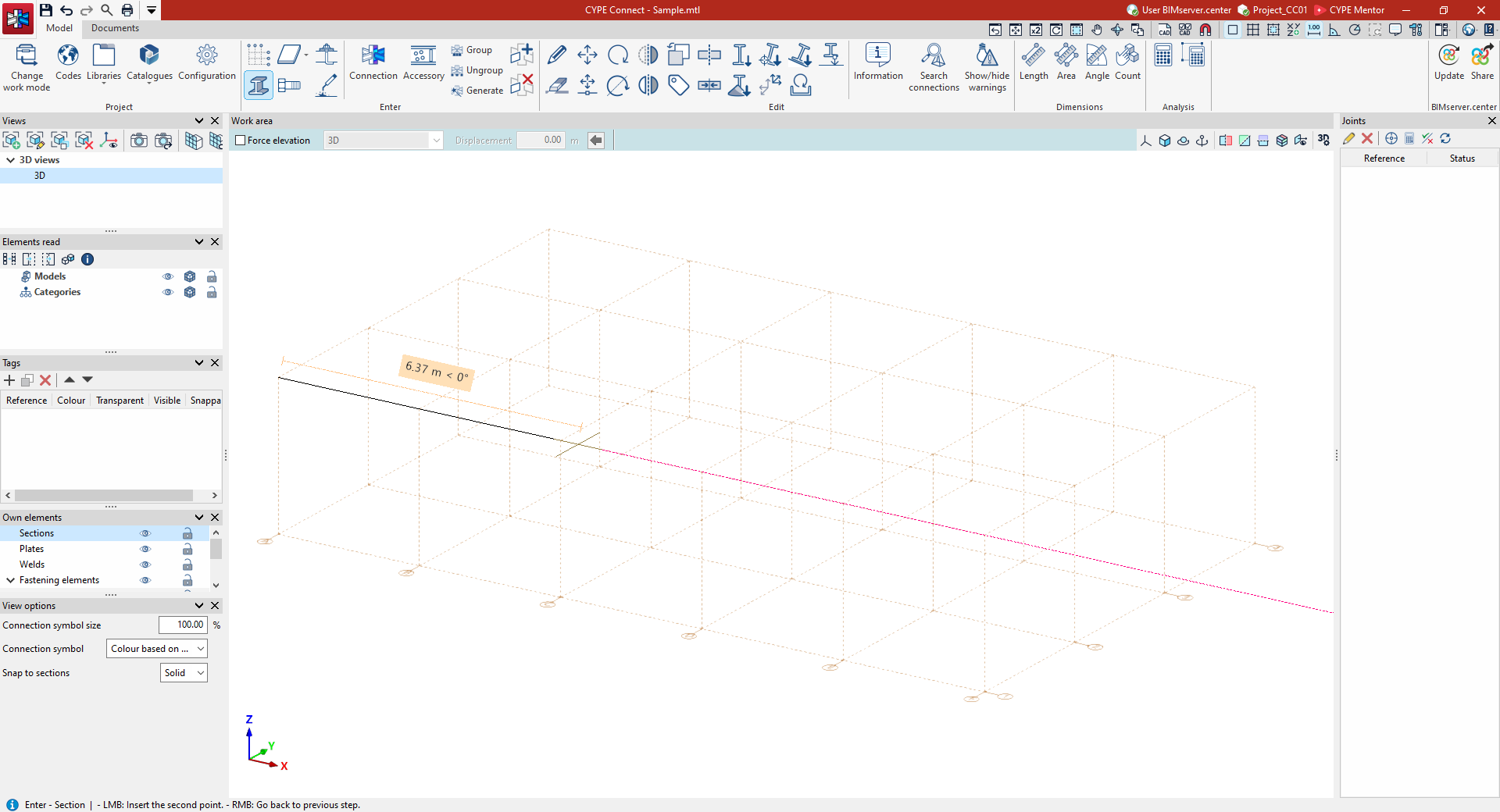
Grids can be used during the modelling phase to draw any element, as they are snappable. They are particularly useful for positioning the bars of a modular structure or for projects that are developed directly within the program without first importing data.
