Materials libraries
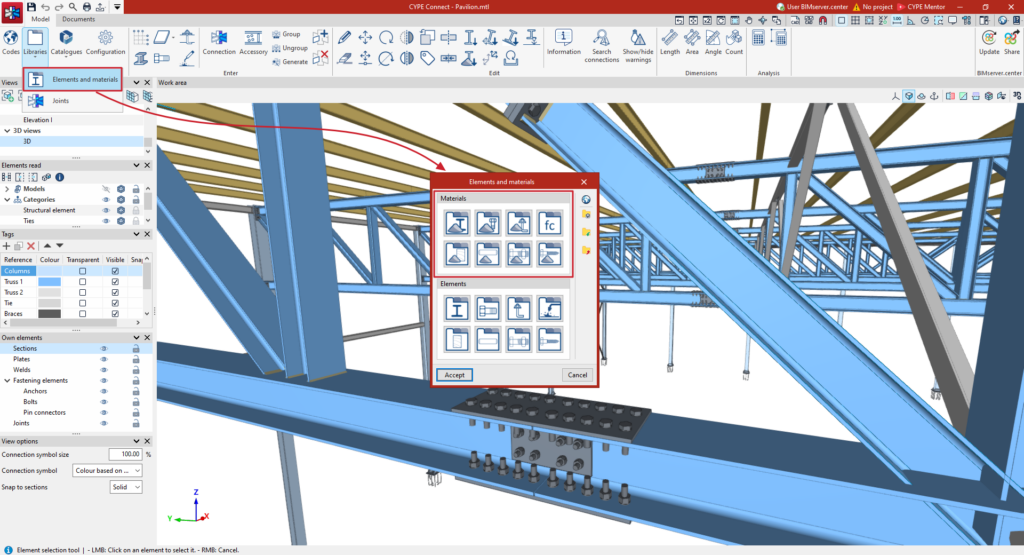
The "Materials" libraries can be found in the section of the same name, within the window that appears when you click on the "Elements and materials" option in the "Libraries" menu.
From here, you can click on the following options to configure:
- Types of steel for sections and plates
- Types of steel for bolts
- Types of steel for anchors
- Types of concrete
- Types of timber
- Materials for dowels
- Materials for bolts
- Materials for screws
Once the library materials have been defined in each specific editing panel, click "Accept" to return to the previous window.
After clicking "Accept" again, the library materials will be available for use when defining structural bars and connections. The first element in each list will be taken as the default value.
| Note: |
|---|
| If the adopted workflow includes importing from a BIM model of the structure developed in CYPECAD or CYPE 3D, CYPE Connect will import the necessary element types and automatically add them to the project library, provided they are compatible with the program. |
Types of steel for sections and plates
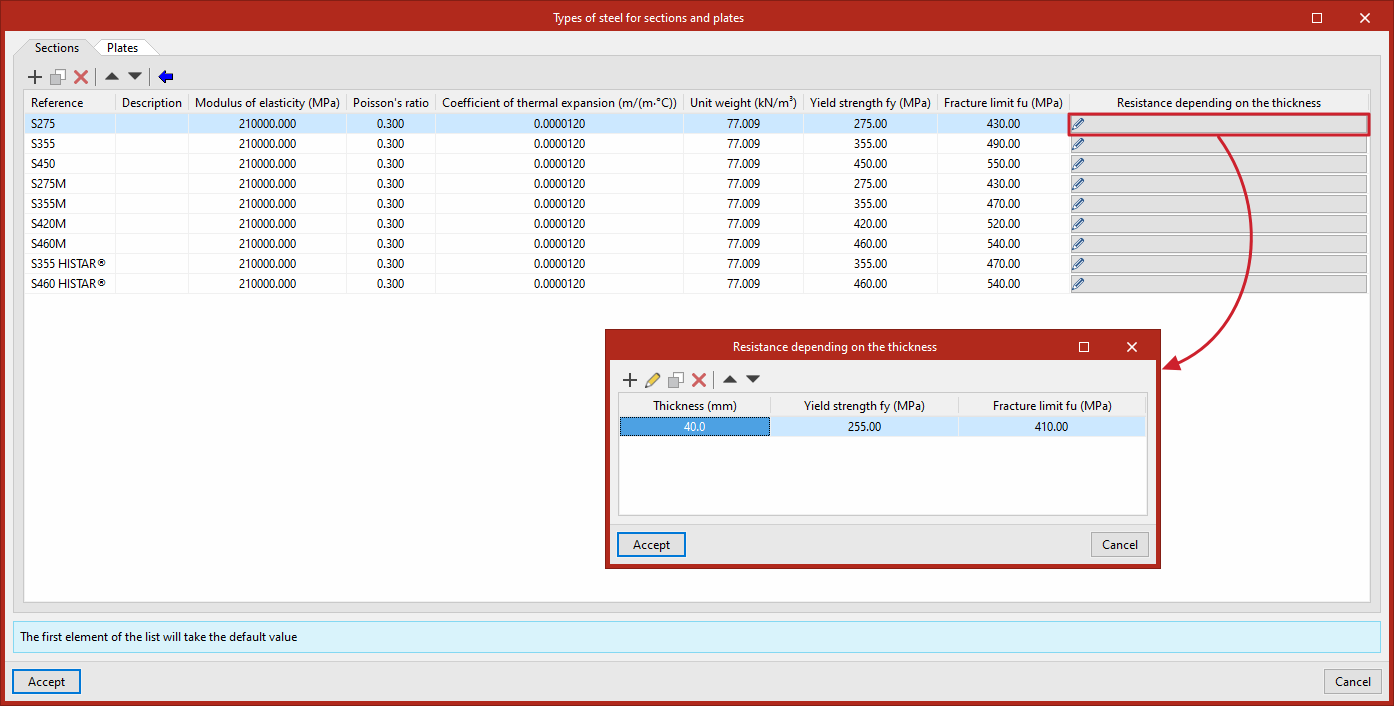
To edit the "Types of steel for sections and plates", click the option to open a window where you can enter the materials manually.
At the top, the program provides options to "Add", "Copy", "Delete" or move items in the list.
In each row of the table, the following are entered:
- Reference
- Description
- Modulus of elasticity
- Poisson’s ratio
- Coefficient of thermal expansion
- Unit weight
- Yield strength
- Fracture limit
- In addition, on the right-hand side, you can specify the "Resistance depending on the thickness".
You can also "Import predefined data" by clicking on the relevant option at the top. Then, tick the relevant boxes to "Import" the required materials and click "Accept".
Types of steel for bolts
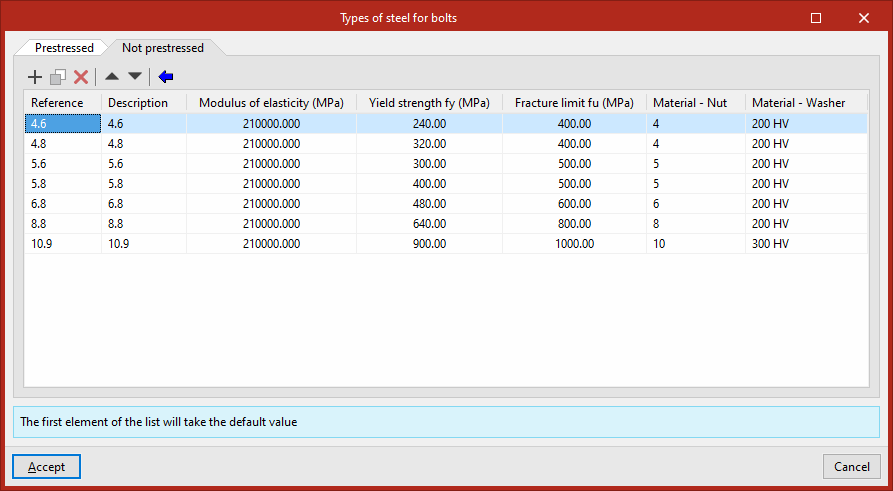
The program allows you to specify the steel grades for prestressed and non-prestressed bolts in the two available tabs ("Prestressed", "Non-prestressed").
In each row of the table, the following properties of the steel used for screws are entered:
- Reference
- Description
- Modulus of elasticity
- Yield strength
- Fracture limit
- Material – Nut
- Material – Washer
You can enter this data manually or "Import predefined data" from different standards using the relevant option.
Types of steel for anchors
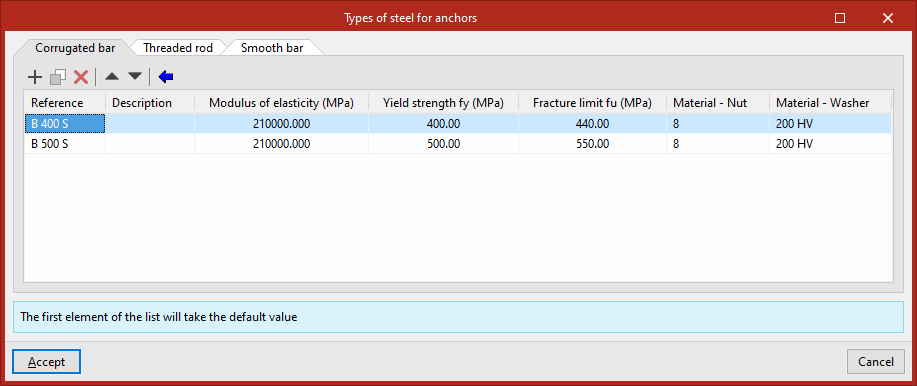
You can define the steel types for "Corrugated bar", "Threaded rod" and/or "Smooth bar" anchors in the relevant tabs.
In each row of the table, the following properties of the steel used for anchors are entered:
- Reference
- Description
- Modulus of elasticity
- Yield strength
- Fracture limit
- Material – Nut
- Material – Washer
You can enter this data manually or "Import predefined data" from different standards using the relevant option.
Types of concrete
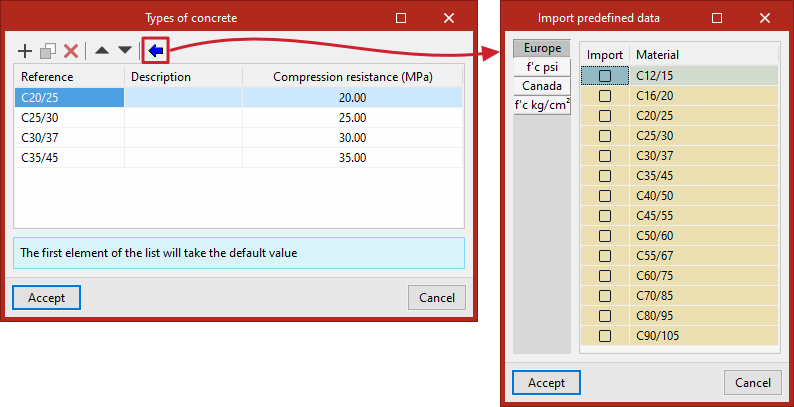
To define the types of concrete available on site, the following properties are entered in each row of the table:
- Reference
- Description
- Compressive strength
You can enter this data manually or "Import predefined data" using the relevant option.
Types of timber
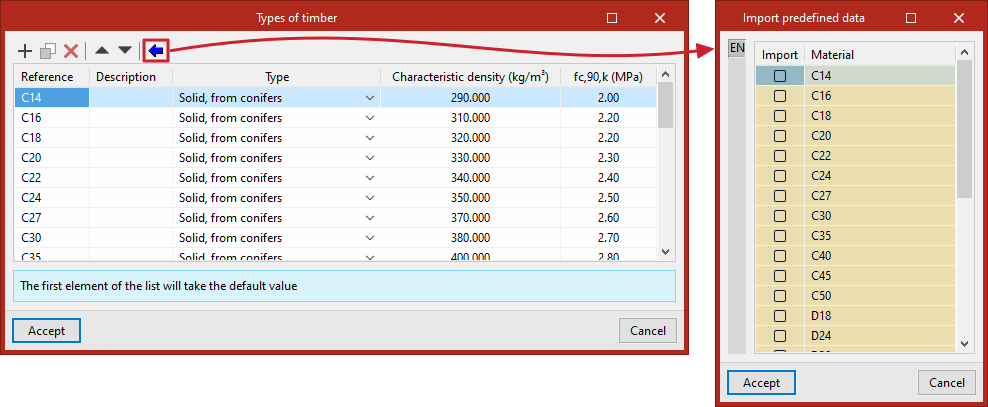
To define the types of timber available on site, the following properties are entered in each row of the table:
- Reference
- Description
- the "Type", which can be:
- Solid, from conifers
- Solid, derived from broad-leaved species
- Glued laminated, homogenous
- Glued laminated, combined
- Characteristic density
- and the "fc,90,k" value.
You can enter this data manually or "Import predefined data" using the relevant option.
Materials for dowels
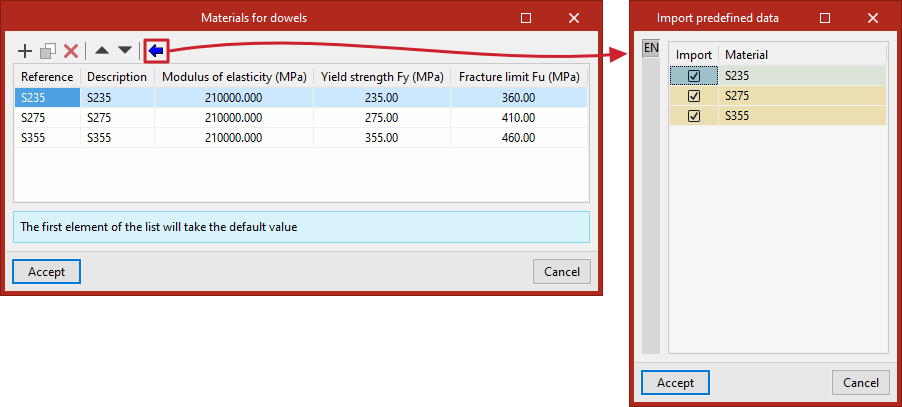
To define the materials available on site for dowels, the following properties are entered in each row of the table:
- Reference
- Description
- Modulus of elasticity
- Yield strength
- Fracture limit
You can enter this data manually or "Import predefined data" using the relevant option.
Materials for bolts
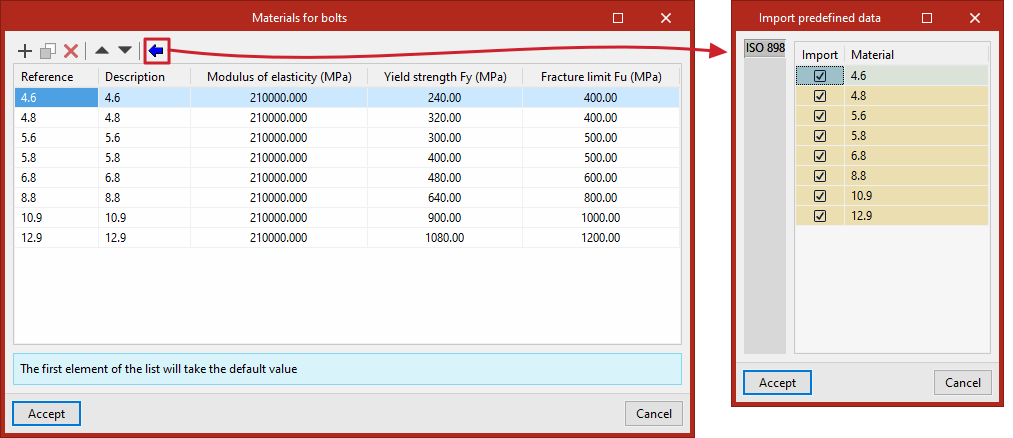
To define the bolt materials available on site, the following properties are entered in each row of the table:
- Reference
- Description
- Modulus of elasticity
- Yield strength
- Fracture limit
You can enter this data manually or "Import predefined data" using the relevant option.
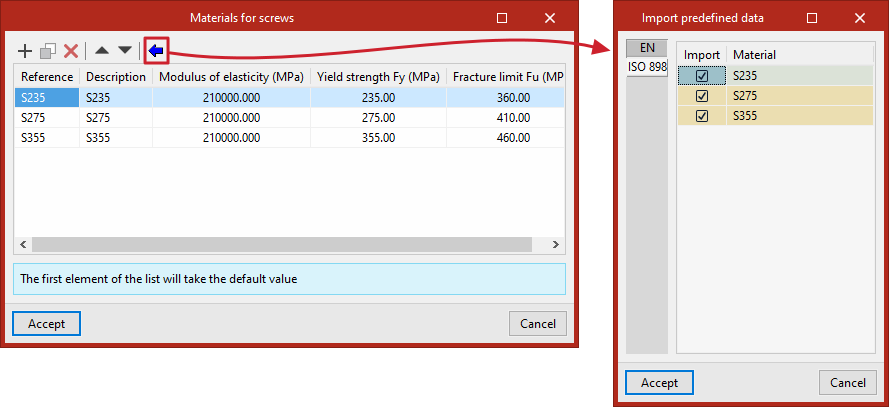
Materials for screws
To define the materials for screws available on site, the following properties are entered in each row of the table:
- Reference
- Description
- Modulus of elasticity
- Yield strength
- Fracture limit
You can enter this data manually or "Import predefined data" using the relevant option.