Project configuration options
The program offers the following configuration options in the "Project" section of the top toolbar, on the "Model" tab:

Settings
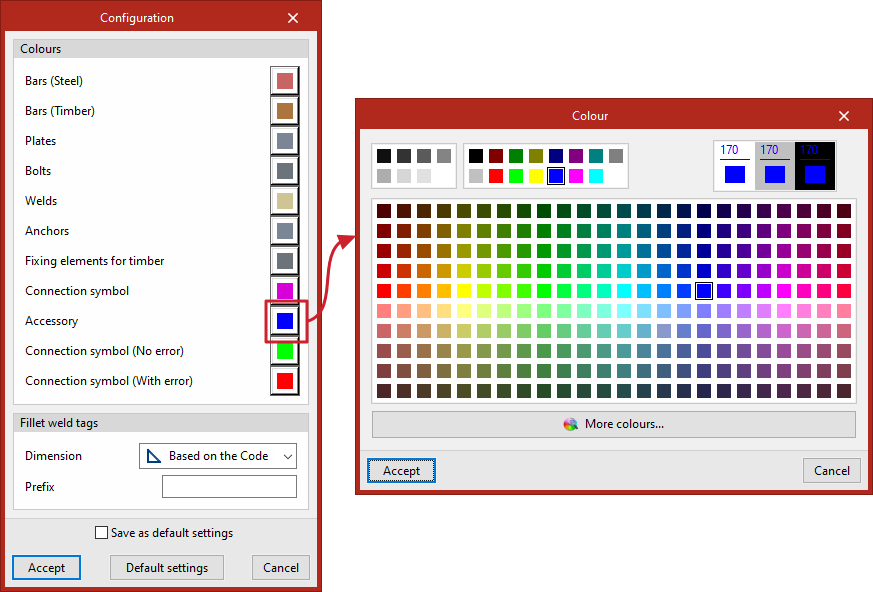
Clicking on this option opens the "Settings" window, where you can adjust the following settings.
Firstly, in the "Colours" section, you can edit the colours of the following elements of the model’s structure and symbols according to your preferences:
- Bars (Steel)
- Bars (Timber)
- Plates
- Bolts
- Welds
- Anchors
- Fixing elements for timber
- Connection symbol
- Accessory
- Connection symbol (No error)
- Connection symbol (With error)
You can then adjust the "Fillet weld tags":
- "Dimension" may refer to the "Standard", "Throat" or "Leg", depending on the selection made from the drop-down menu;
- In addition, you can enter the "Prefix" for your reference.