



Importing JSON files
The CYPE Connect and StruBIM Steel programs allow you to import bars and their forces from structural models defined in CYPE 3D, CYPECAD or third-party programs such as ETABS® or SAP2000®.
They also allow the import of structural models using JSON exchange files. This extends interoperability, allowing structural models defined and analysed in any other program to be imported.
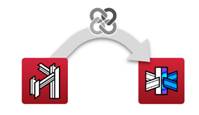
Workflow between CYPE 3D (or CYPECAD) and CYPE Connect (or StruBIM Steel)
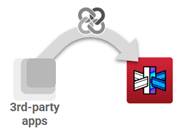
Workflow between third-party apps and CYPE Connect (or StruBIM Steel)
The exchange is carried out using two files: one mandatory file containing the model geometry, and another optional file containing the forces. The structure and syntax of both files are described in the Guide to JSON file specification for CYPE Connect and StruBIM Steel.
Communication with CYPE 3D or CYPECAD is achieved by exporting the structure to BIMserver and then importing it. Communication between external third-party apps and CYPE Connect or StruBIM Steel is also achieved through the BIMserver.center platform.
The exchange process consists of two stages: first, generating JSON files and, second, creating the contribution in BIMserver.center from these files.
1. Generation of exchange files
The exchange files may be generated directly from apps that implement the JSON format. This implementation may be carried out by the software manufacturer itself, by its users, or by third parties, provided that the app has an API.
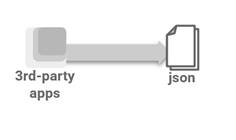
Direct generation of a JSON file from a third-party application
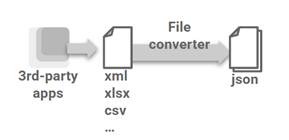
Generation of a JSON file using a converter, from files in other formats generated by third-party apps (XML, XSLX, CSV...)
2. Contribution to BIMserver.center
Option 1: Input from CYPE Connect or StruBIM Steel
Contributions can be uploaded to the BIMserver.center project via CYPE Connect or StruBIM Steel, using the JSON exchange files generated during the initial phase. To do this, use the "StruBIM Uploader" tool, located in the "File" menu.
The contribution must include:
- The model's geometry file (required).
- The force file (optional).
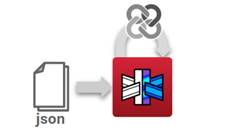
Option 2: Direct contribution from the source app via the BIMserver.center REST API
Once the JSON exchange files have been generated, either directly by the third-party app or by converting the original files, these exchange files can be sent to the project by integrating BIMserver through its API BIMserver.center REST API SwaggerUI (link to BIMserver.center REST API) This technology allows users to connect directly to BIMserver and export in the same way as CYPE 3D.
The contribution generated must include:
- The model geometry file, with extension .mgun, labelled as geometry_model_mef_connections_design (mandatory).
- The force file, with extension .mar3du, labelled as analytical_model_mef_connections_design (optional).
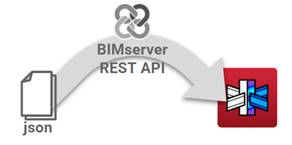
Integration in CYPE Connect or StruBIM Steel
Finally, these contributions can be imported from CYPE Connect or StruBIM Steel, either when creating a new project or when updating an existing project.
