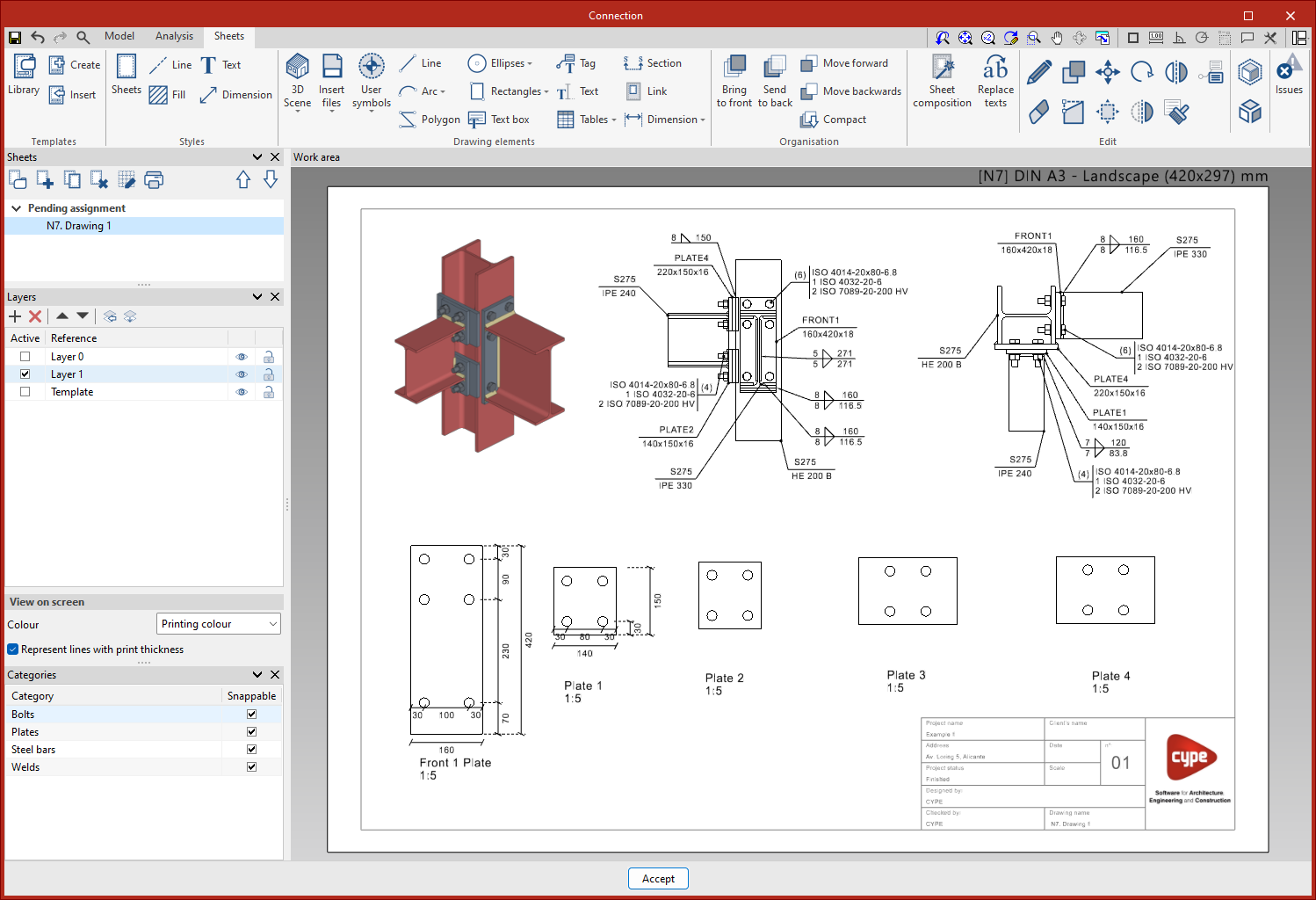
The sheet editor’s work environment
The user interface of the "Edit sheets" window is similar to that of other CYPE modelling tools and features a system of dockable windows that can be customised to adapt the workspace to the project’s requirements.
The interface is divided into three main parts: the top toolbar, the sidebar and the workspace.
- The toolbar contains various features. From here, you can create and manage templates, edit styles, and insert, edit or reorder drawing elements, as well as other options.
- The work area is located on the right-hand side of the screen and lets you view the layout of each sheet.
- On the left-hand side are the main tools for managing the project’s sheets, layers and categories. Furthermore, in the "On-screen display" section, you can select how you wish to display the thickness and colour of the elements.