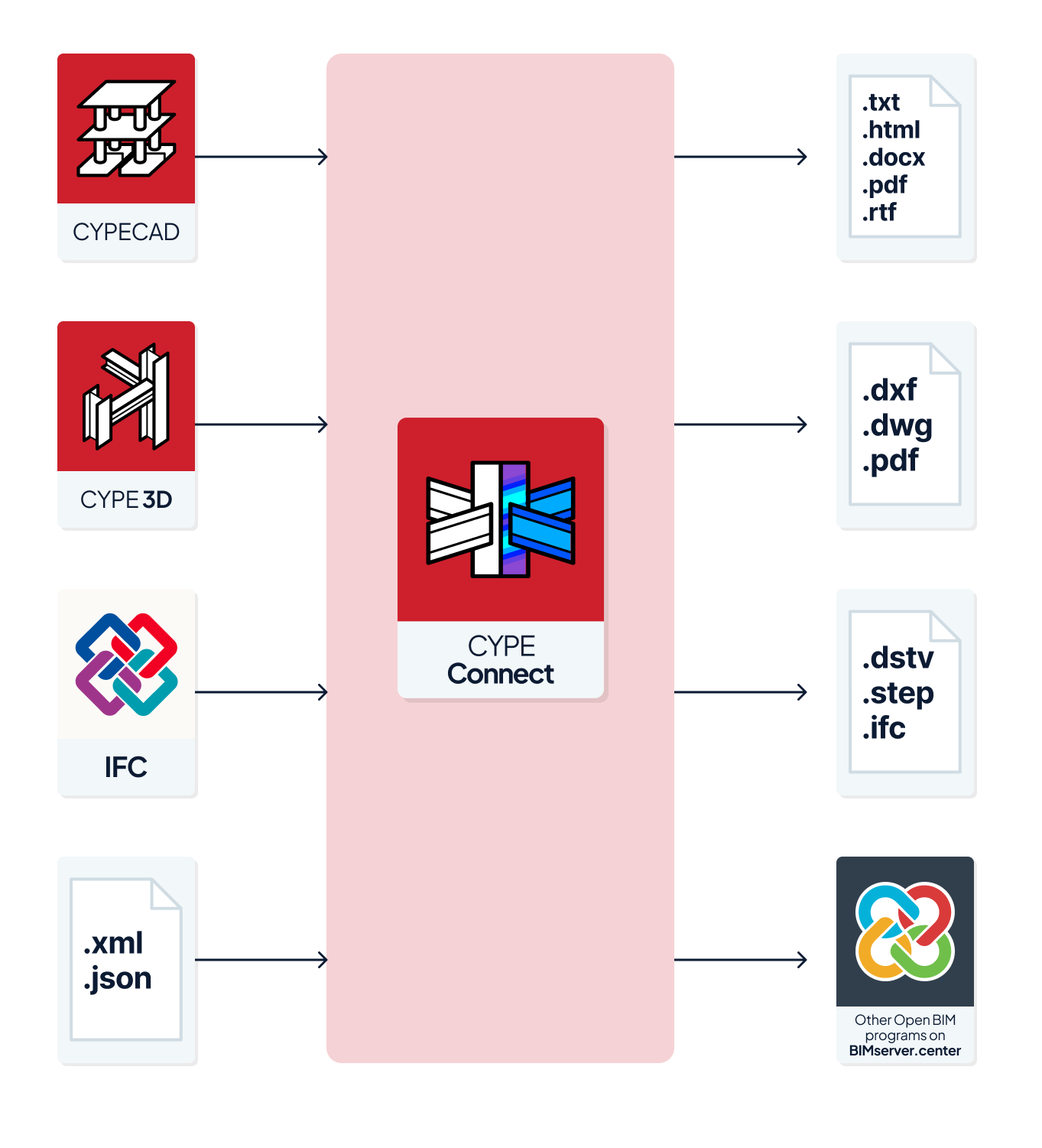
Workflows compatible with the program
As CYPE Connect is an Open BIM tool and is connected to the BIMserver.center platform, it offers a range of workflow options.
Data entry
Free-form modelling
- Design the structure by entering the data freely in CYPE Connect.
Importing BIM models
If a CYPE Connect project is linked to a BIM project on the BIMserver.center platform, the following can be carried out:
- Importing structural models hosted on BIMserver.center. This enables the generation of structural elements, the import of element types and associated materials from the library, the import of connections (generating connections at their locations) and the forces in the bars, thereby allowing the connections to be calculated subsequently. The available options include the following:
- Importing a structure previously calculated in CYPECAD.
- Importing a structure previously calculated in CYPE 3D.
- Importing structural models in IFC format uploaded to the BIMserver.center project via the web platform.
Importing XML and JSON files
If you have XML or JSON files containing structural information generated by other programs, you can carry out the following:
- Importing structural models and their forces from an XML file generated by ETABS®.
- Importing structural models and their forces from an XML file generated by SAP2000®.
- Importing structural models and their forces from JSON files generated by any program.
Data output
- Exporting reports to HTML, DOCX, PDF, RTF and TXT formats.
- Exporting drawings to DXF, DWG and PDF formats.
- Exporting manufacturing files in DSTV, STEP, IFC EM.11 and DXF formats for plates.
- Exporting the data generated using CYPE Connect to the BIMserver.center platform in IFC and glTF formats. This allows the data to be viewed by authorised project participants.