Introduction
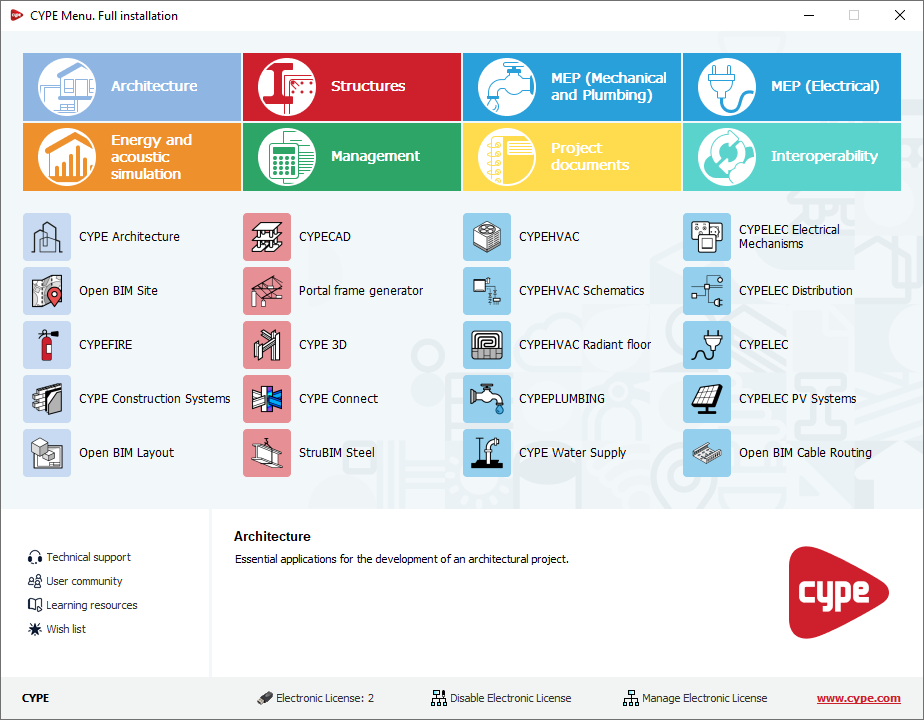
CYPE Menu. Full installation is an app that, once installed, allows you to access CYPE’s main programs. You can use it as a single platform to launch each app individually.
When opening CYPE Menu. Full installation, a panel appears that allows you to access the different CYPE programs, organised into several categories: Architecture, Structures, MEP (Mechanical and Plumbing), MEP (Electrical), Energy and acoustic simulation, Management, Project documents and Interoperability. This structure makes it easy to locate and quickly access each program.
As well as acting as an app launcher, CYPE Menu. Full installation allows you to log in to the BIMserver.center platform and functions as an electronic license manager, including the ability to view purchased modules and tools for using or managing licenses.
From the interface, you can also access additional services such as technical support or the learning resources for each program.