


Detailed checks on footings
The program includes detailed checks on footings, available for the Eurocodes and the Spanish structural Code "Código Estructural".
In CYPECAD, to access these checks, once the structure has been calculated, go to the "Beam input" or "Results" tab and, in the top menu "Foundations", select "Foundation elements", then "Edit". In CYPE 3D, you can access them from the "Foundations" tab, then by clicking "Edit" on the top toolbar.
Next, select the shoe you wish to check and, in the window that opens, access its checks by clicking on the "Check" button at the top.
These checks can be displayed completely or as a summary by selecting the relevant option from the drop-down menu at the top ("Complete checks" or "Summary checks"). The latter option displays the same checks but with less information.
The checks are as follows:
- Pressures on the soil. Persistent situations
- Stresses in the ground. Accidental seismic situations
- Bearing capacity. Persistent or temporary situations
- Bearing capacity. Seismic and accidental conditions
- Overturning. Persistent or transient situations
- Overturning. Seismic and accidental situations
- Flexural. Persistent or transient situations
- Flexural. Seismic and accidental situations
- Shear. Persistent or transient situations
- Shear. Seismic and accidental situations
- Maximum reinforcement ratio
- Minimum reinforcement ratio
- Minimum diameter
- Space to anchor starter bars in foundation
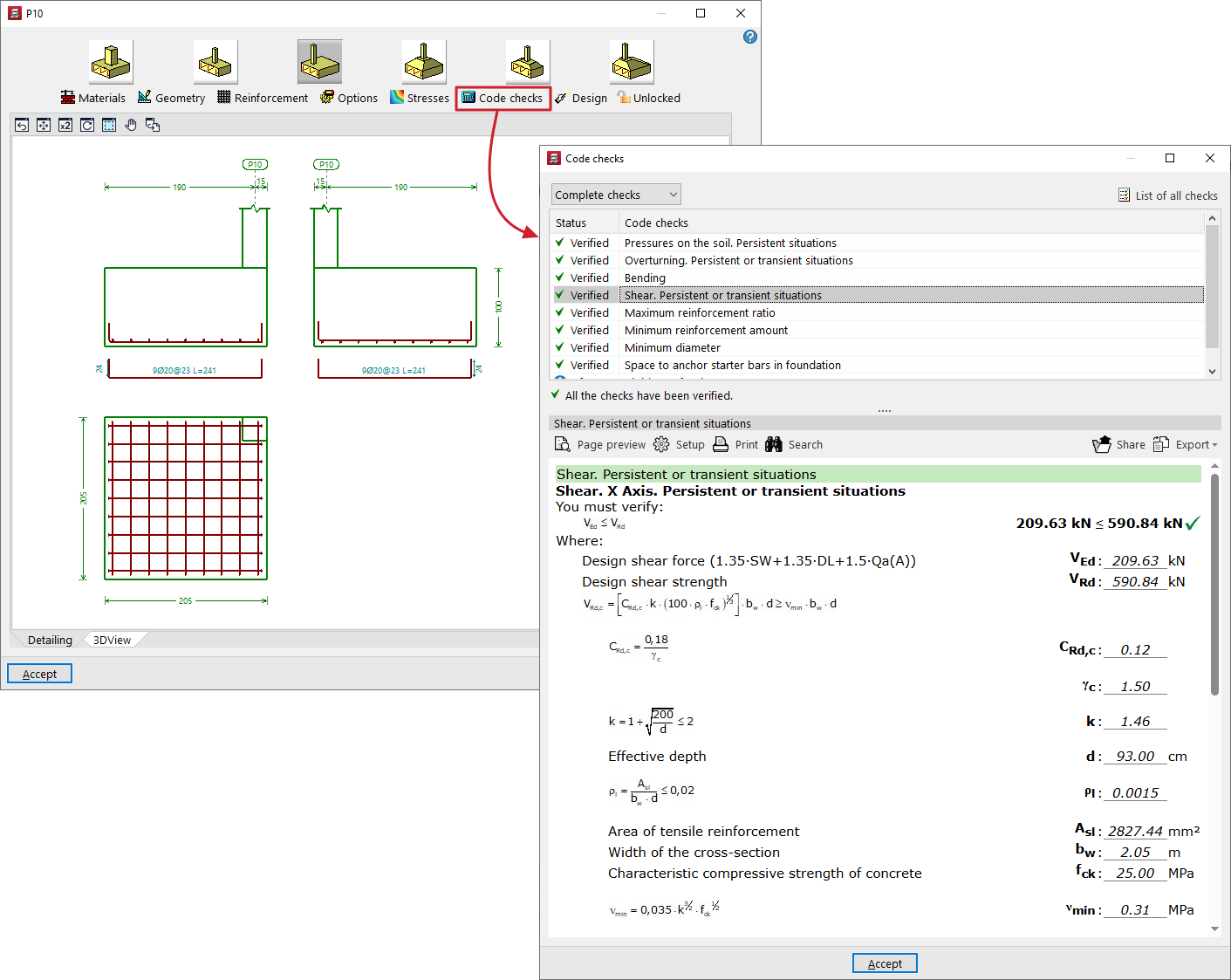
The checks are carried out in accordance with the criteria of the Spanish structural code "Código Estructural" (concrete) and the Spanish technical building code CTE (geotechnical design) in Spain, as well as Eurocodes 2 and 7 in other European countries.