Options for generating and editing punching shear reinforcement
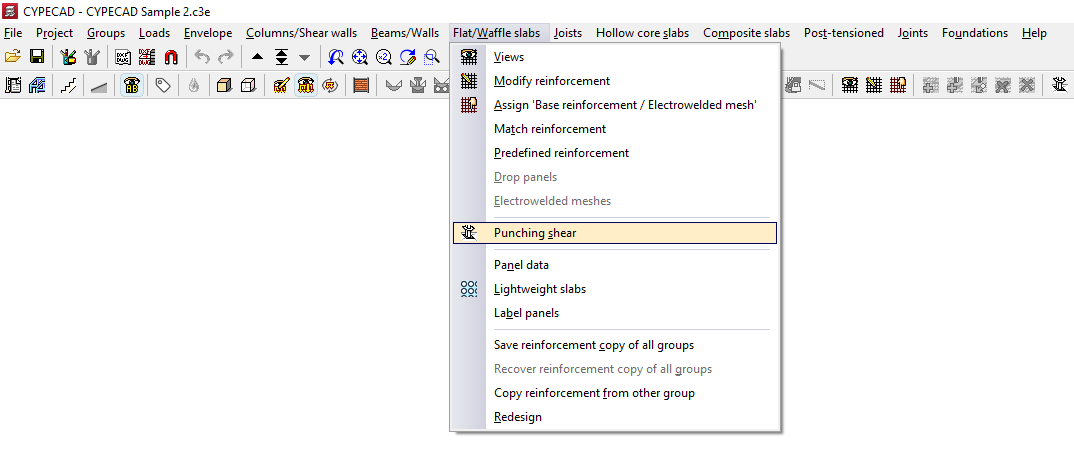
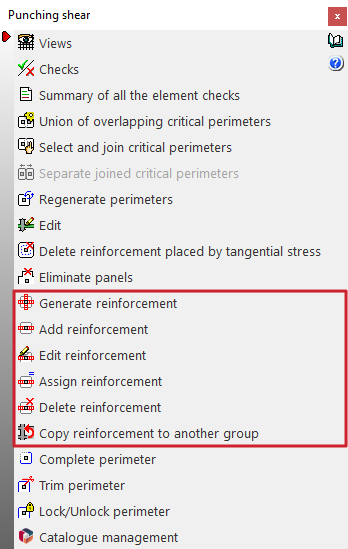
The following options, accessible from the "Punching shear" option in the "Flat/Waffle slabs" menu, in the "Results" tab, can be used to generate and edit punching shear reinforcement for flat slabs and waffle slabs in the program:
- Generate reinforcement
- Add reinforcement
- Edit reinforcement
- Assign reinforcement
- Delete reinforcement
- Copy reinforcement to another group
The insertion of punching shear reinforcement using these options allows you to perform the punching shear check according to regulatory criteria, which can be consulted using the tools available in this same menu.
The reinforcement automatically calculated by the program based on the tangential stresses can serve as a reference for the generation, editing and manual adjustment of the reinforcement bars that are entered using the options in this menu, but it is not considered in the regulatory punching shear verification process and should be deleted afterwards to avoid duplication.
Each of the above features is detailed below:
Generate reinforcements
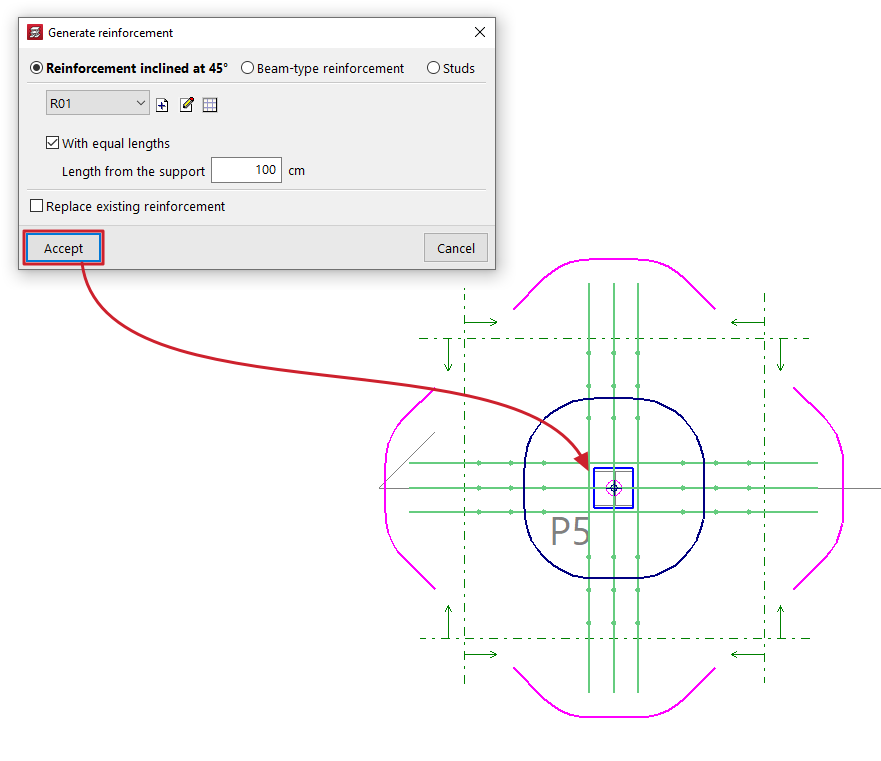
You can define a type of punching shear reinforcement (either "45º inclined reinforcement", "Beam-type reinforcement" or "Bolts") and apply it automatically to each of the supports selected in the plan.
Optionally, you can generate reinforcements "With equal lengths", given a "Length from the support".
If you tick the "Replace existing reinforcements" box, the reinforcements previously entered in the selected supports will be replaced by the reinforcements defined at this time.
If the box remains unchecked and the program detects that the selected support already has punching shear reinforcement, it will warn you that if you continue with the generation, the current reinforcement will be replaced.
Add reinforcement
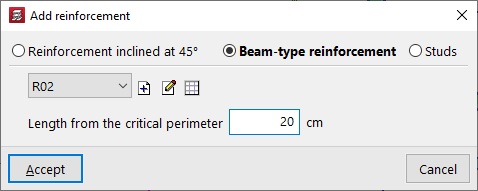
You can define a type of punching reinforcement (either "45º inclined reinforcement", "Beam-type reinforcement" or "Bolts") and enter it manually in the plan.
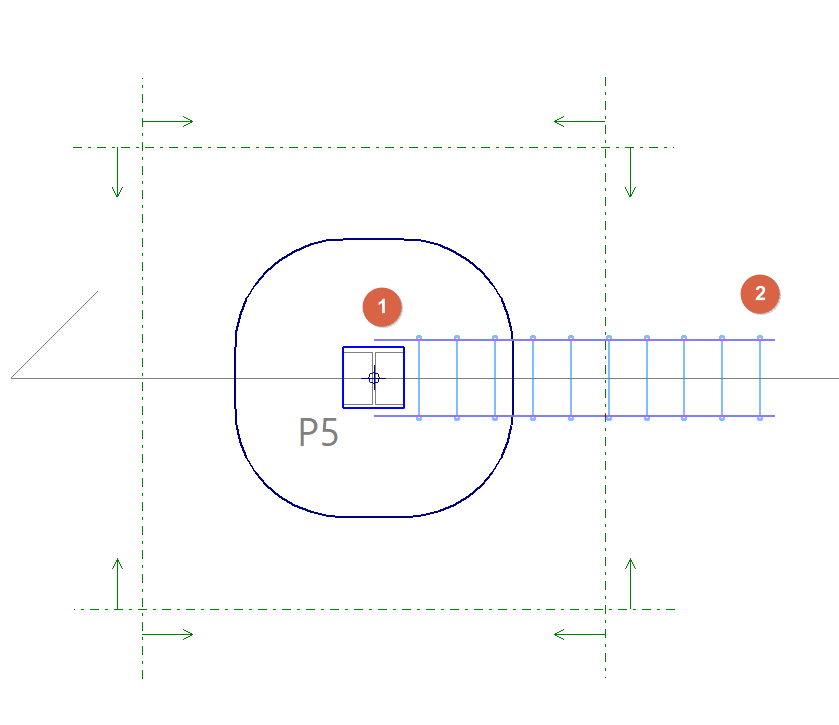
To do this, mark a support as the starting point (1) and then another point on the slab or floor as the end point (2).
For inclined reinforcement and beam-type reinforcement, the "Length from the critical perimeter" is indicated.
Edit reinforcement
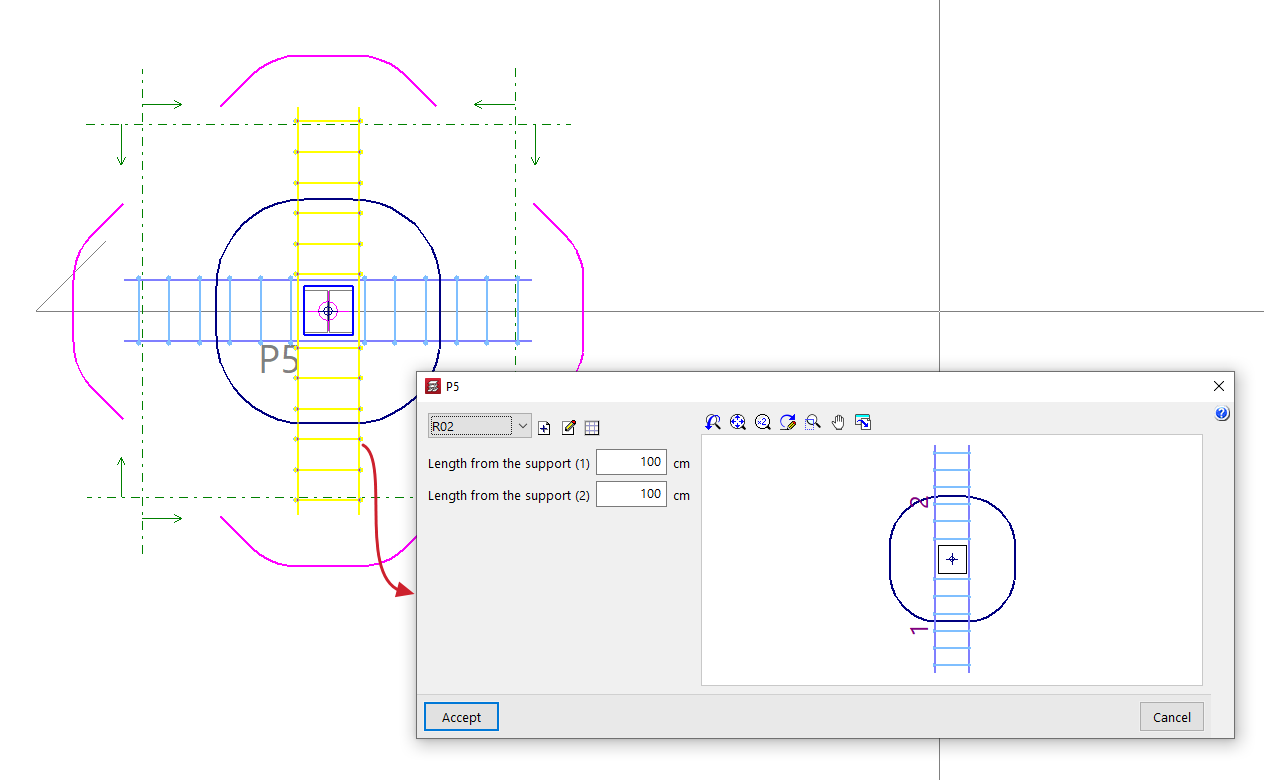
You can edit a punching shear reinforcement previously entered with the ‘Generate reinforcements’ or ‘Add reinforcement’ options, selecting a different type of reinforcement or modifying its characteristics.
If necessary, you can also modify its "Length from the support" by entering its value directly. In "Bolt" type reinforcements, changing the "Number of bolts" will modify the length of the reinforcement.
Assign reinforcement
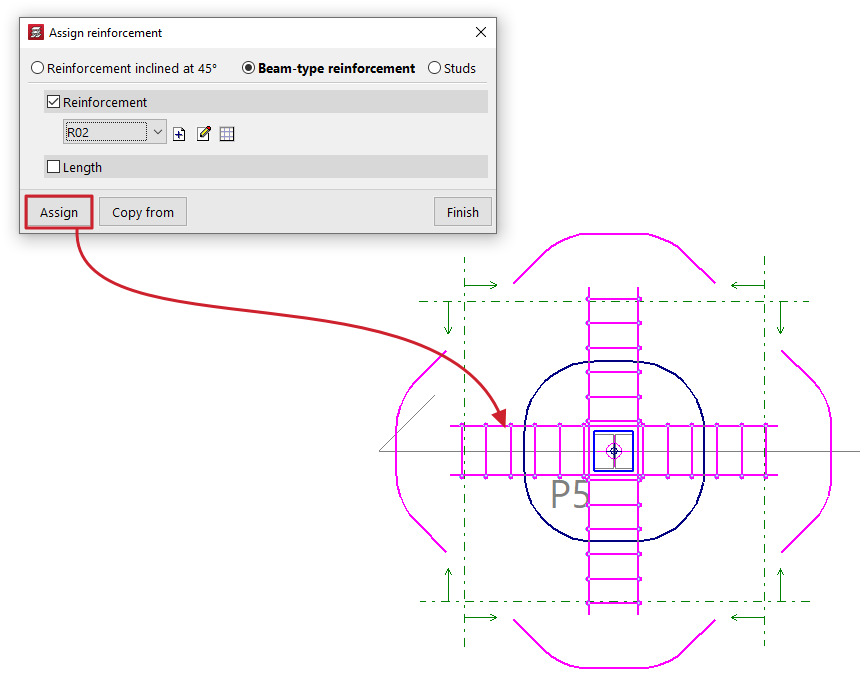
You can define the characteristics of a punching shear reinforcement in the pop-up window and, using the "Assign" option, apply them to reinforcements of the same type previously entered in the plan.
The "Copy from" option allows you to extract information from a selected reinforcement.
By activating the corresponding boxes, it is possible to assign only the "Reinforcement" or the "Number of bars" in "45º inclined reinforcement" type reinforcements; the "Reinforcement" or the "Length" in "Beam type reinforcement"; and the type of "Bolt", its "Layout" or the "Number of bolts" in "Bolt" type reinforcements.
Delete reinforcement
You can delete previously entered punching shear reinforcements by selecting them one by one on the floor plan with the left button or by marking a capture area.
Copy reinforcements to another group
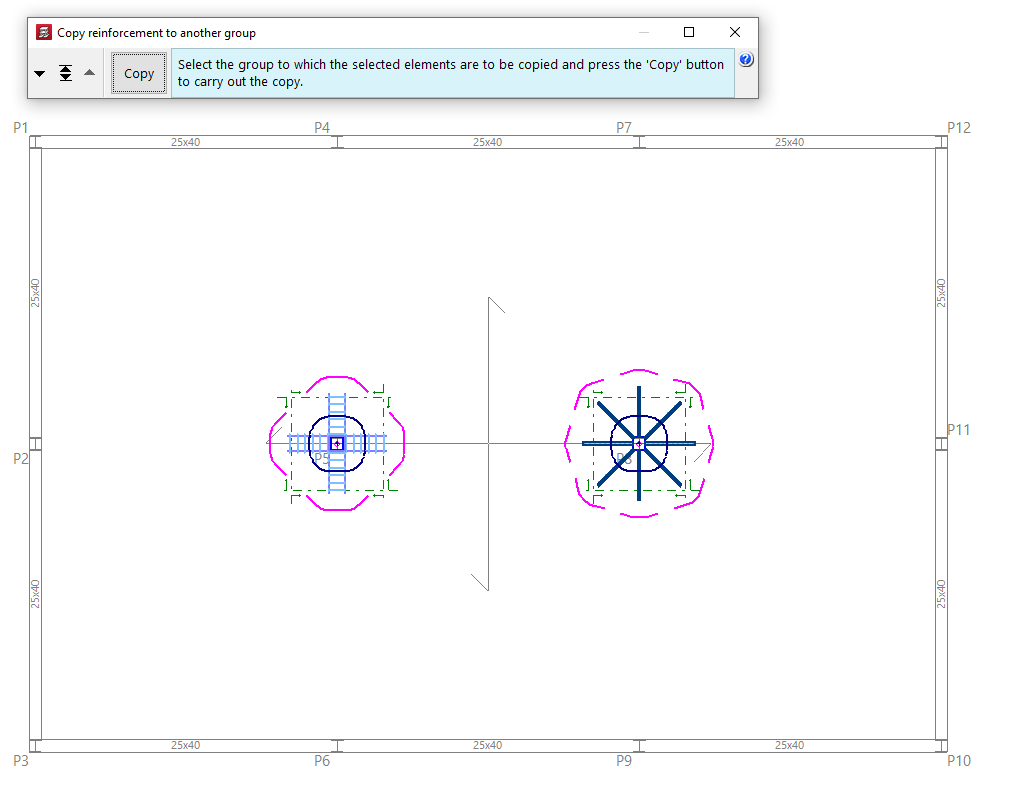
You can select punching reinforcements in plan one by one with the left button or by marking a capture area and, after pressing the right button, select a group where you want to copy the selected elements using the tools available in the pop-up window ("Move group down", "Go to group" and "Move group up").
Press the "Copy" button to make the copy.