Options available in CYPEHVAC
In the "BIMserver.center" group of the main toolbar, under the "Installation" tab, there are the features needed to use CYPEHVAC together with other BIMserver.center tools:

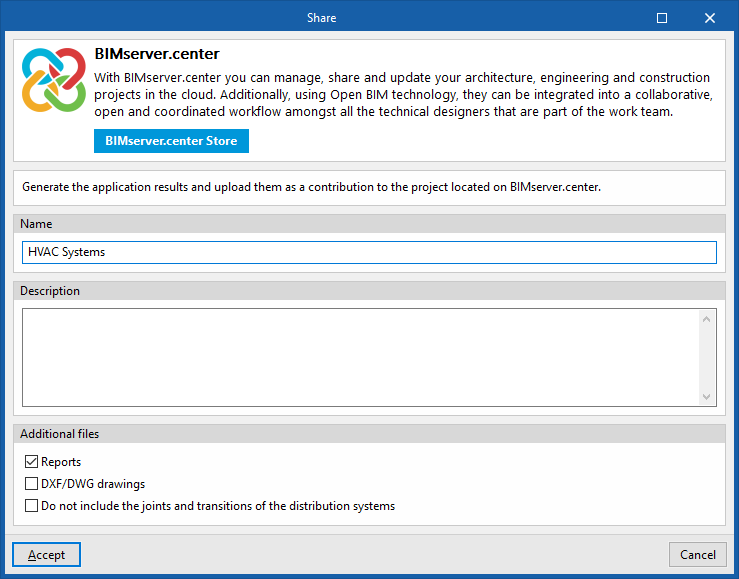
Update
Update information contained in models previously imported into the project, or import new models if desired.
Share
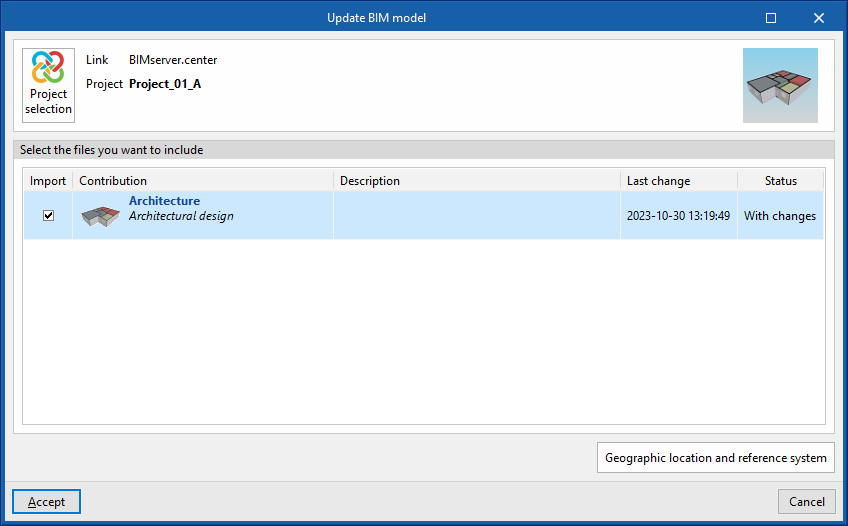
Exports the information of the system developed with CYPEHVAC to BIMserver.center to share it with other users, including the quantities and analysis reports of the system.
During the export process, you can define information related to the identification of the files to be exported and the types of files that are generated:
- Name
- Description
- Additional files
- Reports (optional)
- DXF/DWG drawings (optional)
- Do not include the joints and transitions of the distribution systems (optional)
If this option is ticked, information relating to joints and transitions in the distribution systems will not be exported. This option should be enabled if you wish to subsequently use the Open BIM - Revit Plugin to generate the ducts as native Revit elements, as the joints and transitions are created within Revit itself.