Tools for managing and using manufacturer catalogues
The program can be used to select products from manufacturer catalogues when defining the electrical system as follows.
Manufacturer catalogues
Within the "Manufacturer catalogues" option, in the "Project" group of the main toolbar, either within the "Single line" tab or the "Tree" tab, you can define the available manufacturer catalogues:

Catalogues can be defined for the following categories of elements:
- Switchgear
- Cables
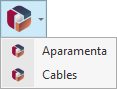
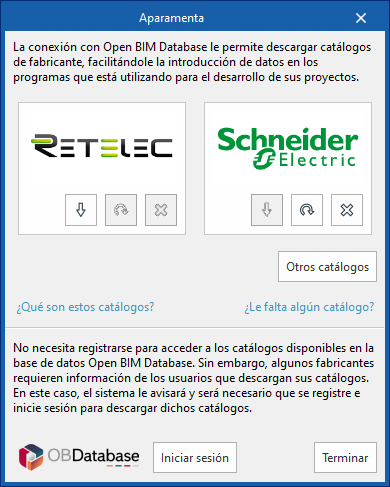
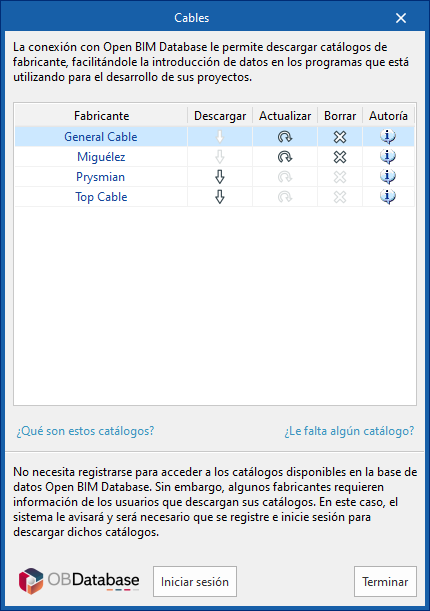
When you select any of them, a window opens showing the manufacturer catalogues available for those categories.
These catalogues use the connection to the Open BIM Database and facilitate the entry of data into the program for project development.
Download catalogues
The following options are displayed for each manufacturer:
- Download
Download the catalogue of the selected manufacturer. The products in the catalogue will be available in the project. - Update
Update the catalogue of the selected manufacturer to the latest version, deleting the version downloaded in the project. - Delete
Delete the catalogue of the selected manufacturer. The products in the catalogue will no longer be available in the project.
Other catalogues
This option allows you to download and update other available manufacturer catalogues.
Connection to Open BIM Database
At the bottom of the dialogue box, the program allows you to log in with an Open BIM Database account and password.
Use of products from manufacturer catalogues when inserting elements
The products in the downloaded catalogues can be selected when entering installation elements such as groups, lines or circuits.
Catalogue switchgear
To use catalogue switchgear, use the "Catalogue" tab in the "Switchgear/Conduits" section of the editing panel that appears when you enter elements such as groups, lines or circuits.
This tab shows two fields, "Manufacturer" and "Reference", which can be filled in using the wizard on the right.
Clicking on this wizard opens the "Select" window, which allows you to apply "Selection filters" to search for the desired manufacturer and product. The list at the bottom shows the items that meet the requirements specified by the filters. After selecting a product from the list and accepting, the information will be added to the previous editing panel.
The list of protective devices that have manufacturer selection is as follows:
- Modular circuit breaker.
- Moulded case circuit breaker.
- Modular residual current device.
- Modular circuit breaker and residual current device.
- Circuit breaker with modular residual current device.
- Circuit breaker with modular permanent surge arrester.
- Circuit breaker with modular permanent and transient surge limiter.
- Modular transient surge limiter.
- Fuse and fuse holder.

Catalogue cables (IEC cables)
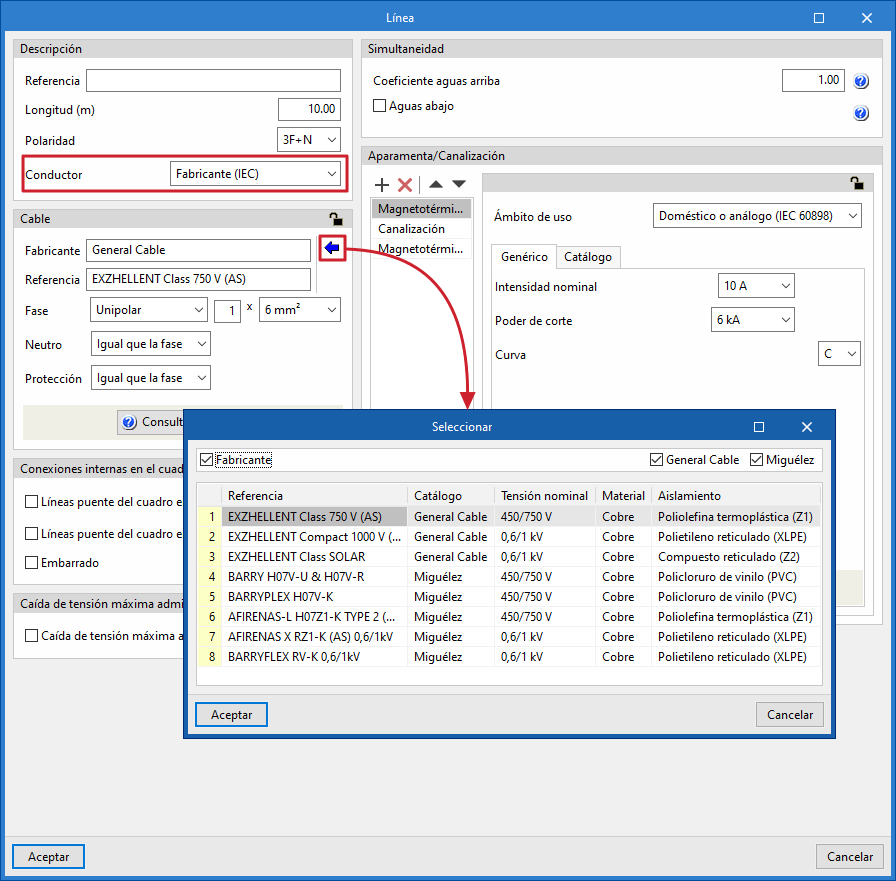
To use catalogue IEC cables, select "Manufacturer (IEC)" from the "Conductor" drop-down menu in the "Description" section of the editing panel that appears when entering elements such as lines or circuits.
Then, in the "Cable" section, two fields are displayed, "Manufacturer" and "Reference", which can be filled in using the wizard on the right.
Clicking on this wizard opens the "Select" window, which allows you to apply a "Manufacturer" selection filter to search for the desired manufacturer. The list at the bottom shows the items that meet the requirements specified by the filter. After selecting a product from the list and accepting, the information is incorporated into the previous editing panel.
Next, you must complete the data definition for the cable using the other fields in the "Cable" section.