Editing tools
The "Edit" section of the main toolbar contains the tools for editing the elements of the diagram:

The available options are as follows:
 | Edit | Edits the parametric properties of the selected element in the model. |
 | Copy | Creates a copy of one or more elements. |
 | Move | Moves an element or a node within an element. |
 | Move group | Moves a group of elements. |
 | Delete | Deletes a previously entered element. |
 | Rotate | Rotates an element in plan view. |
 | Rotate group | Rotates a set of elements about the centre, with the angle of rotation defined by two points. |
 | Copy to another diagram | Creates a copy of the selected elements on other plans or layouts. After selecting the elements to be copied, tick the boxes for the layouts to which you want the elements to be copied. |
 | Cut buses | Splits a bus line, an interlock or a ground bus at the selected point. |
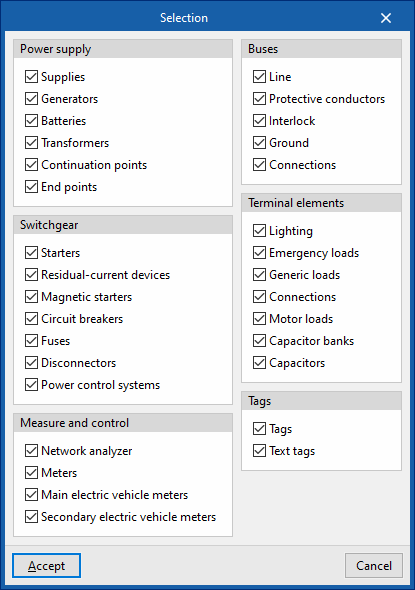
In addition, the button at the bottom right of the "Edit" panel opens the "Selection" window, where you can select or deselect the categories and/or tags you wish to edit.