

Inserting design areas
In the "Design elements" section of the main toolbar on the "Installation" tab, you will find the "Design areas" option, which allows you to add these elements to the model.
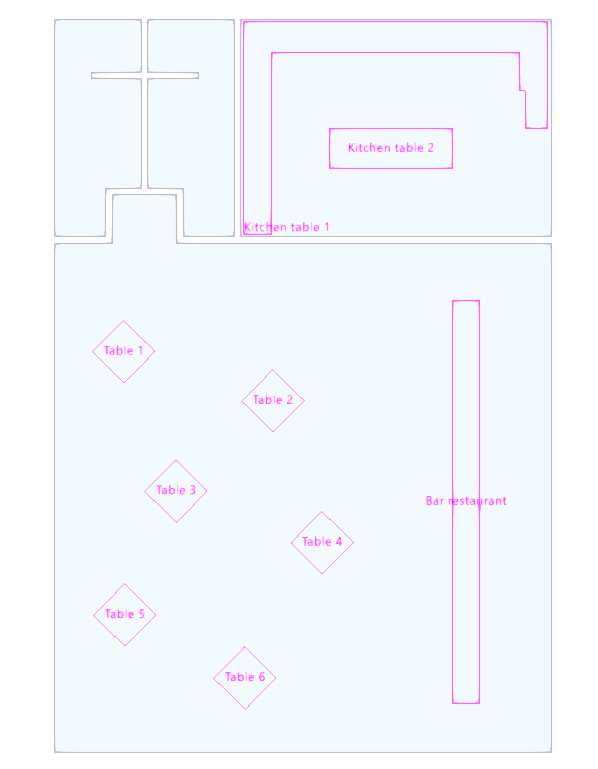
Design areas allow you to define a grid of design points for lighting analysis within a specific area. This makes it possible to assess the level of illuminance or glare in specific areas of a space (such as a work surface, a kitchen worktop, a restaurant bar or a dining table), without needing to consider the entire room.

Calculation surfaces inherit certain parameters from the zone in which they are located, such as the maintenance factor and reflectance values, but allow you to adjust the following specific options in their edit panel:
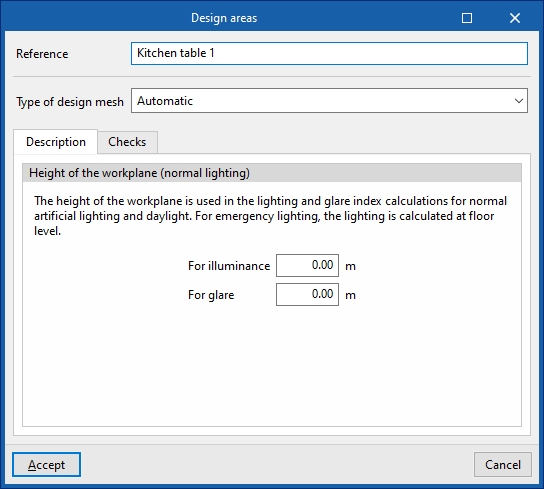
- Reference
Reference for the design area. - Type of design mesh
This allows you to configure the design mesh type for the surface, offering flexibility in the distribution of illuminance measurement points. In this way, you can adjust the accuracy of the lighting designs to suit the project’s requirements, optimising the balance between performance and detail in the lighting assessment. The available options are as follows:- Automatic
The program automatically determines the number of points in the design mesh based on the characteristics of the space. This is the default option. - Quantity
Manually defines the number of points on the X and Y axes, letting the program distribute them evenly across the calculation area. - Distance
Specifies the exact spacing between points on the X and Y axes, providing more precise control over the mesh density.
- Automatic
- "Description" tab
- Height of the workplane (normal lighting)
Defines the height of the surface’s workplane, used for illuminance and glare index calculations for normal artificial lighting and daylight.- For illuminance
- For glare
- Height of the workplane (normal lighting)
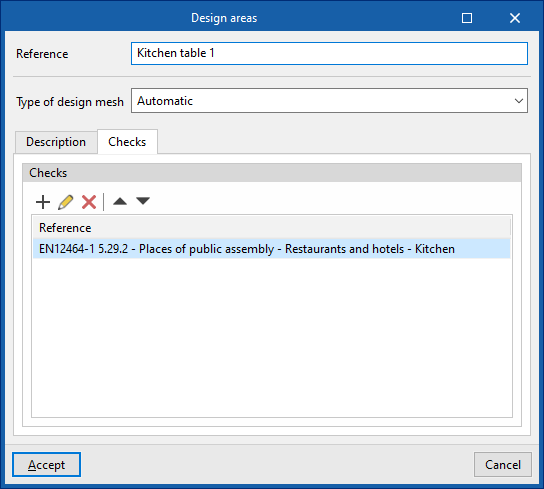
- "Checks" tab
Selects the checks to be applied to the design area. Checks can be created or edited using the "Zone-specific requirements" option in the "General parameters" section of the "Project" group on the main toolbar.
The results obtained in the calculation sheets can be viewed via the "View results" option and are included in the "Calculation appendix" and "Project" reports, thereby improving the documents of the lighting analysis.
