Automatic lighting distribution
In the "Lighting" group of the main toolbar, there are options for automatically arranging sets of lights in the model using different distribution types:

Linear distribution
Enters a linear distribution of lighting.
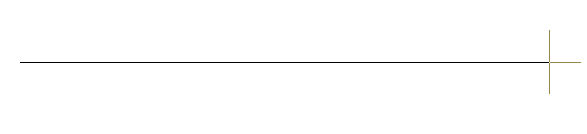
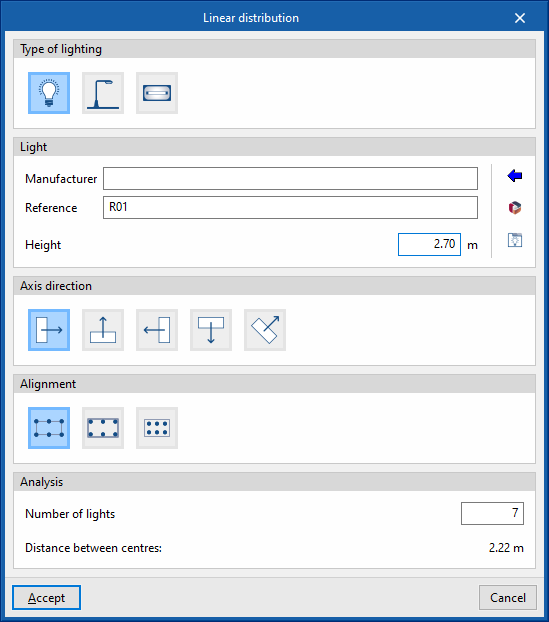
To do this, two points are marked in the work area by defining a reference line. When you do this, the program displays the following window for defining the parameters of the distribution:
- Type of lighting
- Internal
- External
- Emergency
- Lighting
- Manufacturer / Reference
Manufacturer and model reference of the lighting in the distribution. Using the "Selection of a light from the library" wizard, available on the right, the program allows the selection of luminaires from the "Generic element library" or from "Manufacturer catalogues". These types of elements can be created and edited from the "Catalogues"/"Catalogue management" and "Internal lighting types", "External lighting types" or "Emergency lighting types" options, respectively, available within the "Project" group of the main toolbar of the general interface or to the right of the lighting layout input panel itself. - Height
Height of the lighting with respect to the ground level.
- Manufacturer / Reference
- Local axes direction
Defines the lighting orientation. For this purpose, users indicate whether the horizontal plane of origin of the photometric curve of the lighting is aligned or oriented at a certain angle to the reference line.- Aligned
- Oriented 90º
- Oriented 180º
- Oriented 270º
- With user-defined orientation
- Alignment
Adjusts the layout of the lighting with respect to the reference line entered in the model.- Centre-centre
The reference line marks the separation between the centres of the lighting at the ends. - External edges
The reference line marks the spacing between the outer edges of the lighting at the ends. - Symmetrical
The lights are laid out symmetrically on the reference line, maintaining a spacing from the ends of the line equal to half the spacing between lights.
- Centre-centre
- Analysis
- Number of lights
Number of lights in the linear distribution. - Space between centres
Displays the spacing between lighting centres. This is a value calculated according to the other data entered in this window.
- Number of lights
After accepting, the program generates and positions the lighting according to the defined configuration. If necessary, the position or properties of the lighting can be edited individually at a later stage.

Circular distribution
Enters a circular distribution of lighting.
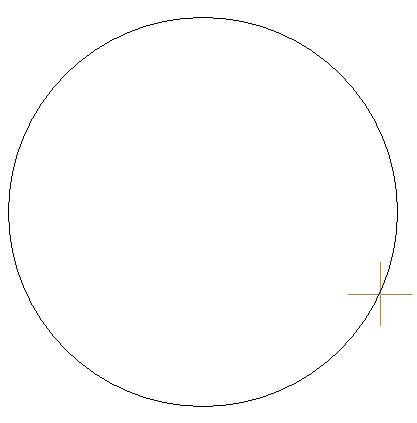
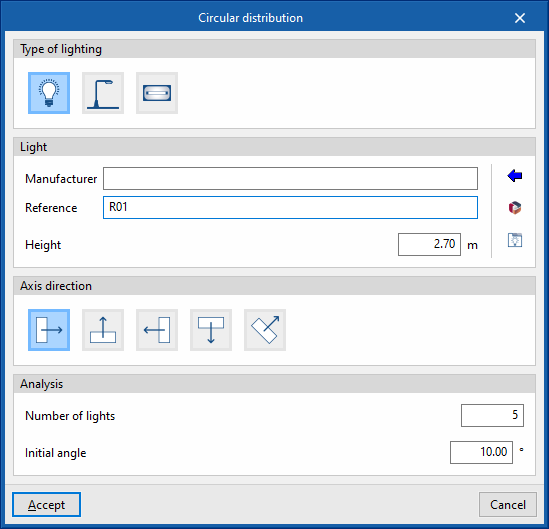
To do this, two points are marked in the work area by defining a reference circle. When you do this, the program displays the following window for defining the parameters of the distribution:
- Type of lighting
- Internal
- External
- Emergency
- Lighting
- Manufacturer / Reference
Manufacturer and model reference of the lighting in the distribution. Using the "Selection of a light from the library" wizard, available on the right, the program allows the selection of luminaires from the "Generic element library" or from "Manufacturer catalogues". These types of elements can be created and edited from the "Catalogues"/"Catalogue management" and "Internal lighting types", "External lighting types" or "Emergency lighting types" options, respectively, available within the "Project" group of the main toolbar of the general interface or to the right of the lighting layout input panel itself. - Height
Height of the lighting with respect to the ground level.
- Manufacturer / Reference
- Local axes direction
Defines the lighting orientation. For this purpose, users indicate whether the horizontal plane of origin of the photometric curve:- Oriented to the outside of the circumference
- Is tangent to the circumference, counterclockwise
- Oriented to the inside of the circumference
- Is tangent to the circumference, clockwise
- Has a user-defined orientation
- Analysis
- Number of lights
Number of lights in the circular distribution. - Initial angle
Angle of position of the first light in the distribution on the reference circle, measured in a clockwise direction
- Number of lights
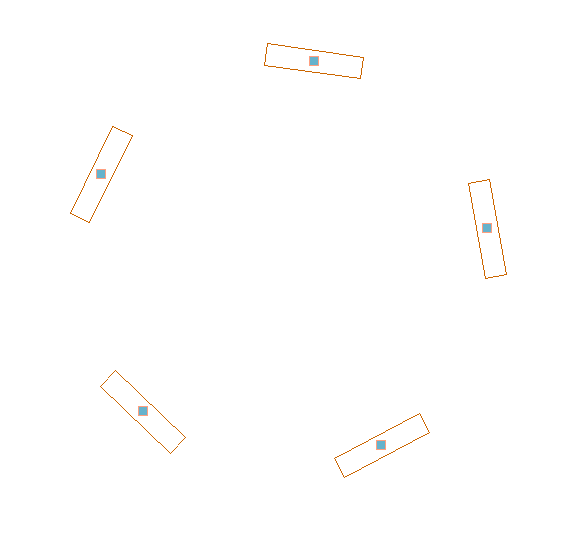
After accepting, the program generates and positions the lighting according to the defined configuration. If necessary, the position or properties of the lighting can be edited individually at a later stage.