Detailed model checks
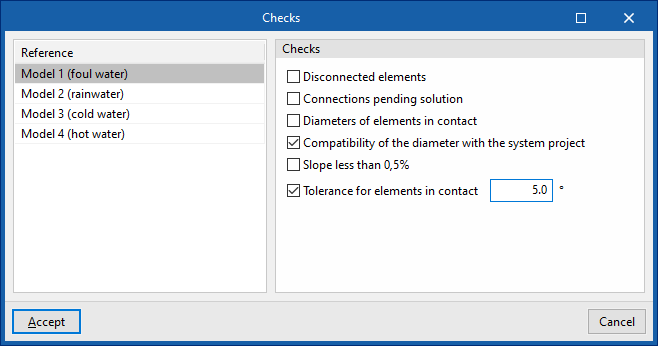
The "Checks" button at the top of the "Layer settings" panel opens a window where the following checks can be enabled or disabled for each of the detailed models generated:
- Disconnected elements
- Connections pending solution
- Diameters of elements in contact
- Compatibility of the diameter with the system project
Allows the program to warn that the dimensions of the product in the detailed model do not match those in the design model. In this case, you must return to the corresponding analysis tab, make the necessary changes to check the actual situation, and use the "Digital Model" option again to re-export the information to this tab. - Slope less than 0.5%
- Tolerances for elements in contact
Tolerance value in degrees between parts in contact.
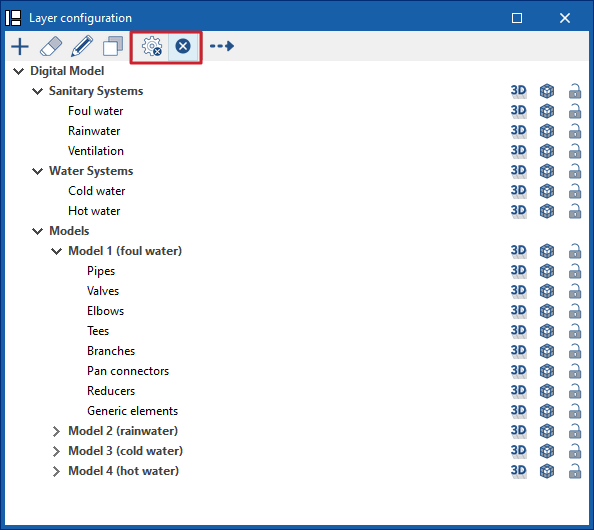
These checks are performed by clicking on the "Check errors" option, also at the top of the "Layer settings" panel.
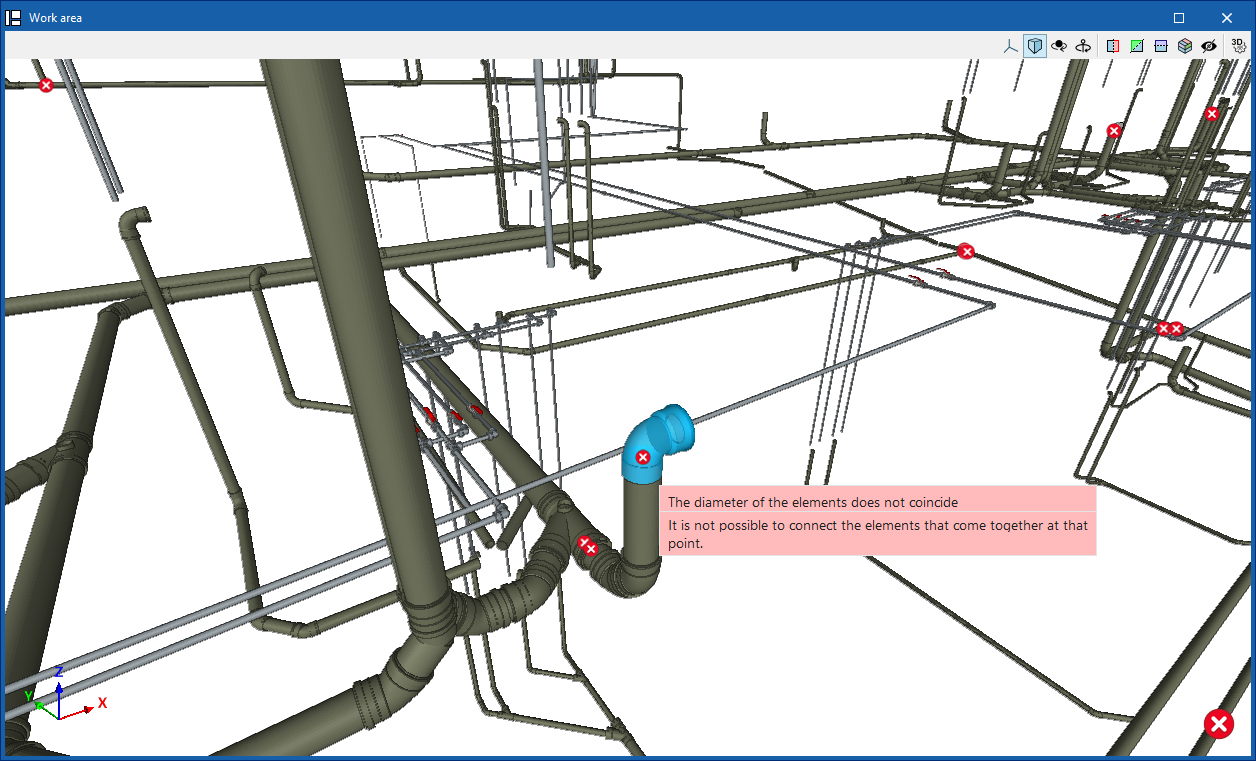
Any errors found are displayed on the model elements in the "Workspace". Hovering the cursor over each error displays an informative text describing it.