Detailed model review tools
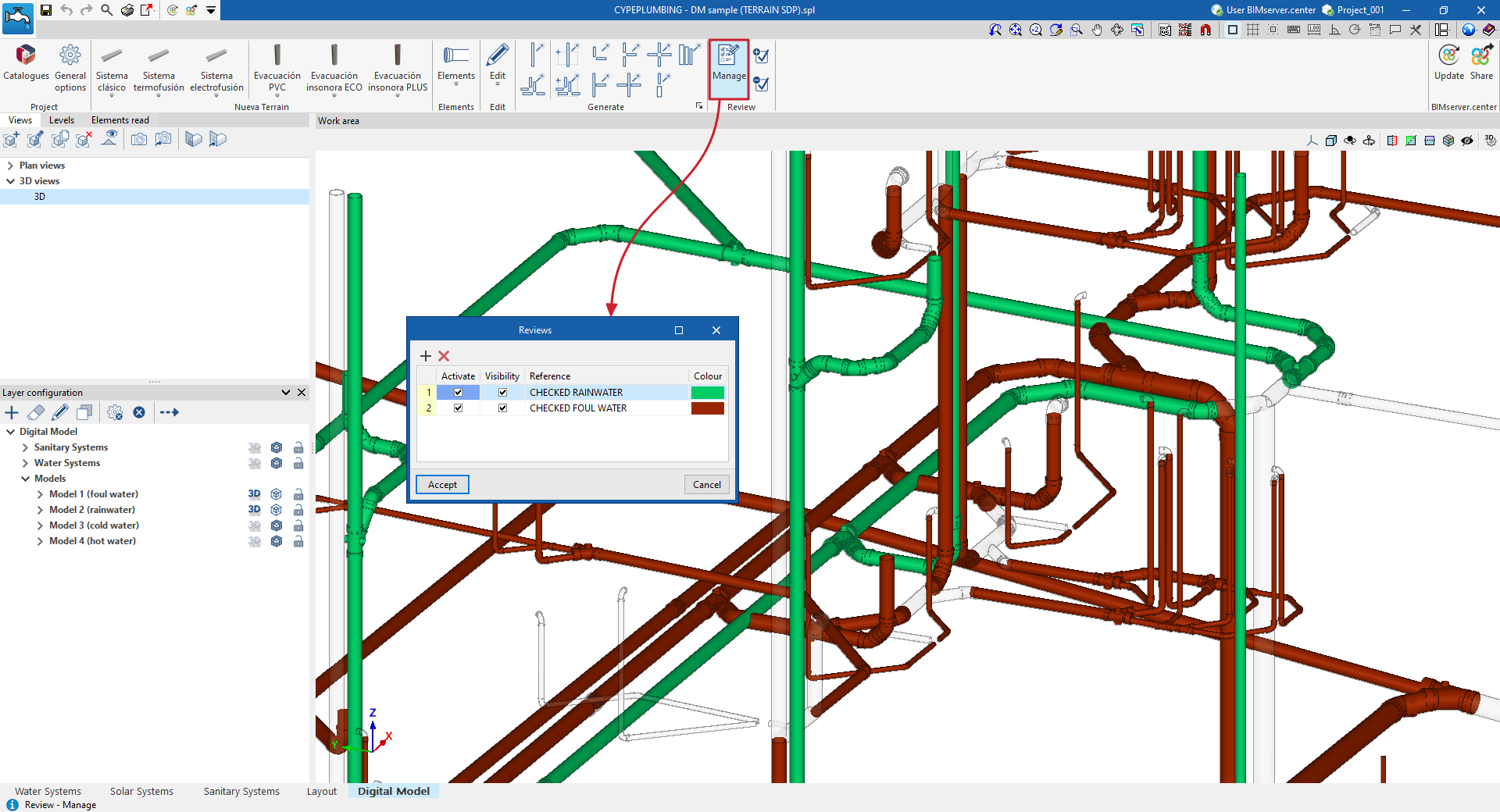
The options in the "Review" group of the top toolbar in the "Digital Model" tab make it easier to visually check and review the elements of the detailed model using a colour-coding system.

Review management
The "Manage" option opens a window where different review statuses can be added.
Each of these is characterised by a "Reference" and a "Colour". You can also indicate whether you want to "Activate" and adjust the "Visibility" of the elements associated with it.
Assigning and removing elements from revisions
Next, the "Assign" and "Remove" options allow you to add or remove elements from the detailed model to a specific revision status.
This way, you can create review statuses with distinctive colours and assign them to the model elements that have already been reviewed. This allows you to visually track the parts of the installation you have already worked on.