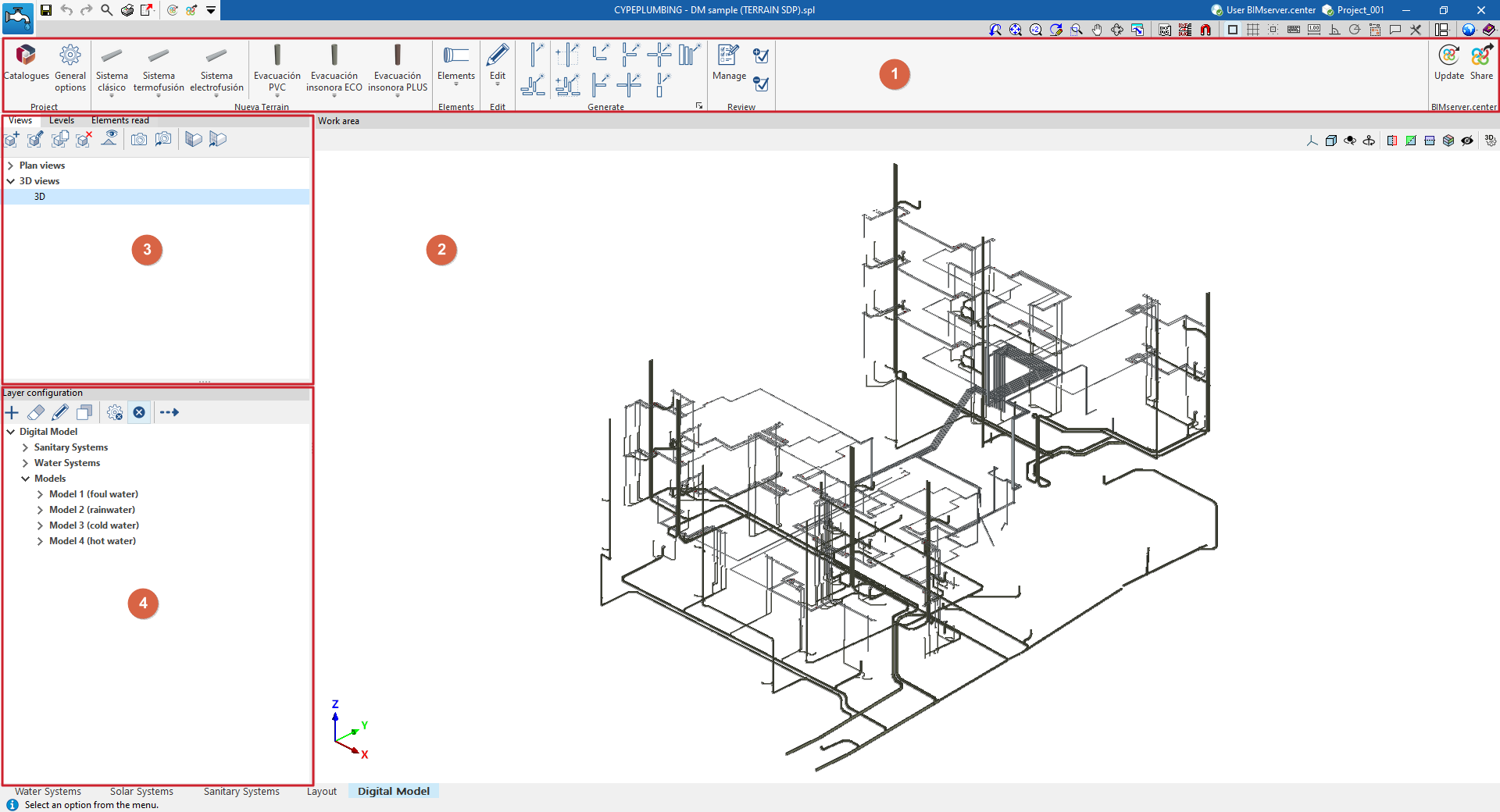
"Digital Model" tab workspace
The "Digital Model" tab provides a work environment that can be used to design detailed models or detail drawings of water supply, drainage and solar thermal energy systems, both in 3D view and in any type of 2D view (such as floor plans and elevations). This allows you to enter or edit the elements of the detailed model using the most appropriate view at any given time.
This tab shows:
- A top toolbar (1) containing the tools for downloading catalogues and configuring the general project options; entering, editing and/or automatically generating the elements that make up the detailed model; and managing the model review.
- The workspace (2), on the right-hand side of the screen, where the elements of the detailed model are entered, edited and displayed.
- At the top of the left-hand side (3), several panels with tools for defining the views and levels of the project, and managing the visibility of the elements read.
- At the bottom of the left-hand side (4), a panel for configuring the layers of the detailed model and the checks to be carried out on it, as well as for performing these checks.