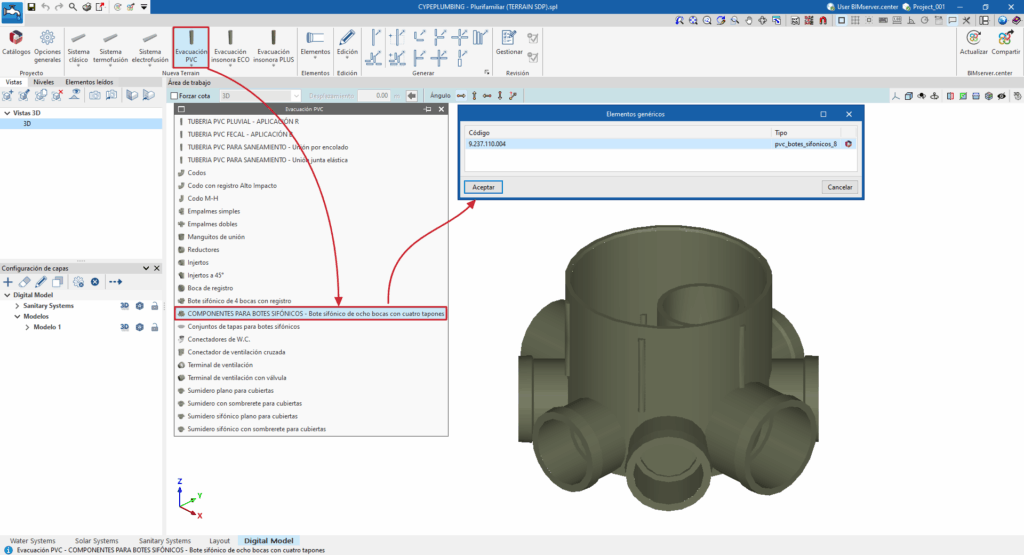
Manually entering manufacturer elements in the detailed model
In the "Digital Model" tab, after downloading a specific manufacturer's catalogue using the "Catalogues" option, when you restart the program, a specific group of options will appear in the toolbar at the top of the interface.

These options allow you to select and manually enter parts and fittings from that manufacturer individually to complete the detailed model.
Selecting and entering manufacturer elements using these options is similar to doing so from the generic "Elements" menu. In this case, direct access to each manufacturer's products speeds up the work.