Calculating, checking, and designing the solar thermal system
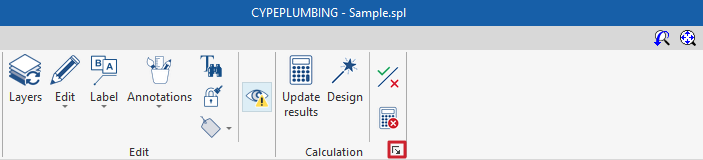
Within the "Installation" tab of the "Solar Systems" section, in the "Calculation" section of the main toolbar, you will find the tools for calculating, checking and designing the components of a solar thermal energy system:

The program performs the pipework calculations in accordance with the selected standards or the custom configuration used, carrying out the relevant checks, and analysing the installation tree by calculating gross flow rates.
The solar thermal system is sized using the F-Chart methodology. The hydraulic analysis employs the Darcy and Weisbach equations, and the Colebrook and White formula is used to calculate the friction factor. It also performs automatic designs of the building’s hydraulic system.
Updating the results
This option allows you to calculate the system and check whether the parameters calculated for the components of the solar thermal system fall within the permitted ranges, based on the settings defined in the "Sizing options and checks to be performed" section under "General options".
During the process, information relating to the installation components is also generated or updated, such as references or parameters that are not locked in the edit panel for each component.
The result is an immediate display of error or warning messages regarding any elements that fail the check, as well as a detailed report if you view the 'checks' section for each element.
Designing
This option allows you to design the system and initiate the automatic design process for the components of the solar thermal system.
The program will attempt to modify the dimensions of the system components to satisfy the design checks based on the defined configuration. The checks defined in the section "Dimensioning options and checks to be performed", within the "General options", are taken into account.
| Note: |
|---|
| A partial design of certain elements of the installation can be carried out using the relevant button on each element’s editing panel. The program also allows these partial designs to be performed using the data entered in each panel, without the need to input the entire installation. |
Viewing the checks carried out
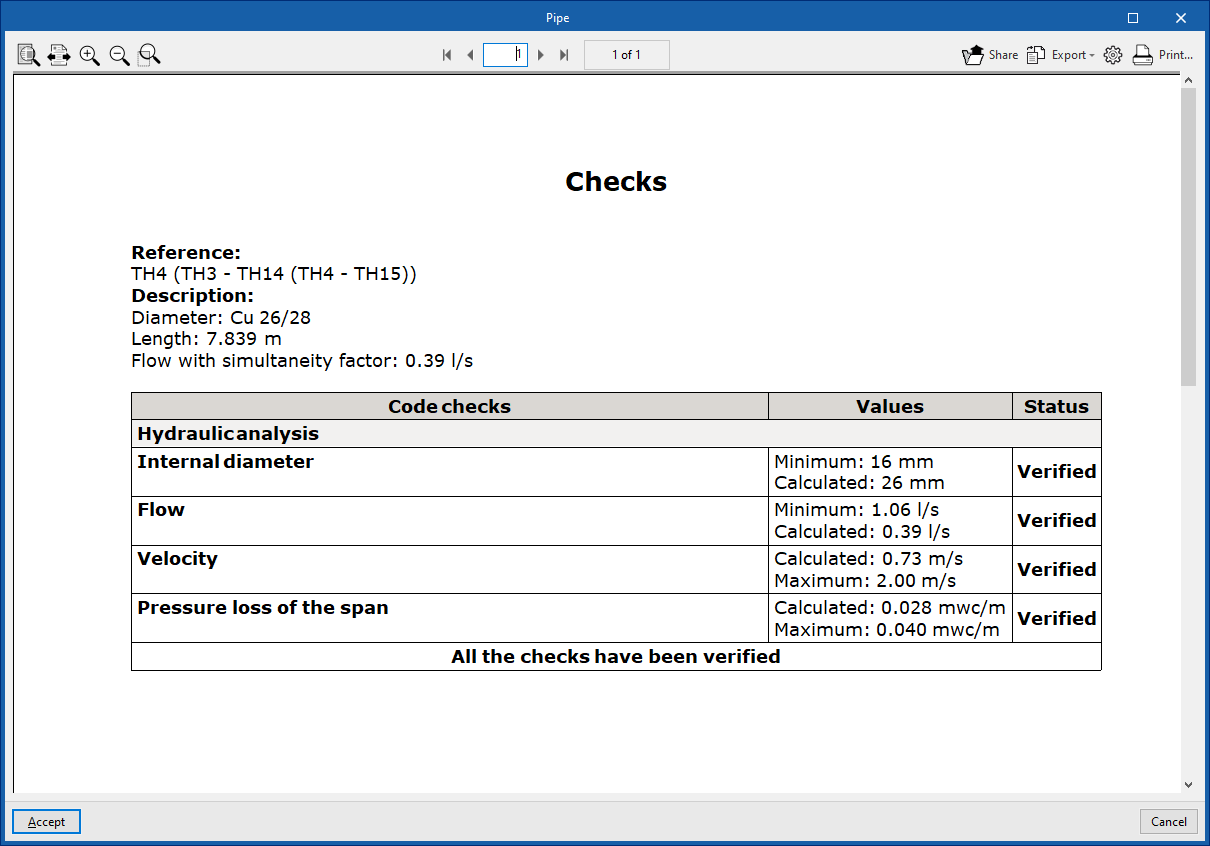
This option opens and displays the detailed check report that has been carried out on each component of the installation.
This report includes information on the element’s reference and description, alongside a table showing a description of each “Check” carried out, the limit and calculated “Values”, and the “Status” of compliance.
This tool is equivalent to the option that allows you to view the checks for each element in its editing panel.
Calculation errors
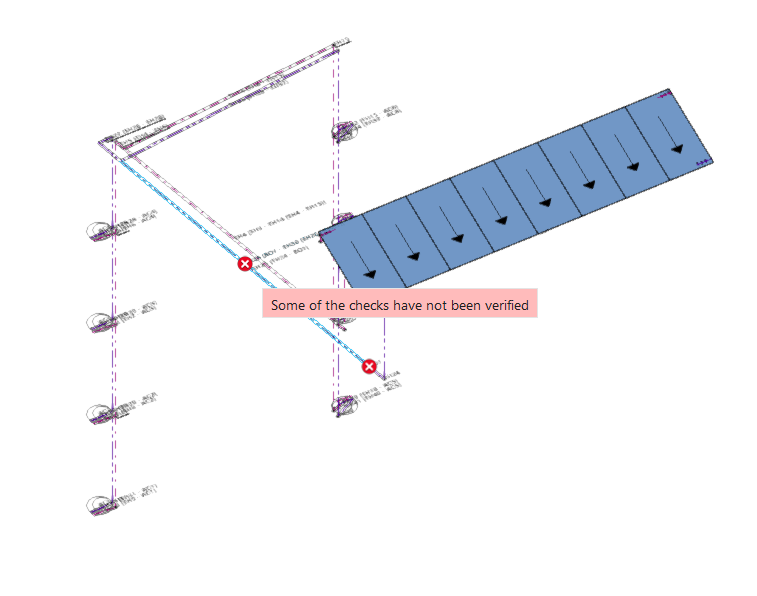
The "Calculation" option, in the "Calculation" section, allows you to show and hide calculation errors.
Similar to the previous option, selecting this option highlights those elements of the installation where a warning or error has occurred in relation to the calculation checks, using an incident reporting system, such as potential regulatory non-compliance. Hovering the cursor over each incident displays a description of the warning or error.
| Note: |
|---|
| The button in the bottom-right corner of the block provides access to the general design options and checks for the solar thermal installation. These options are the same as those available under "Design options" and "General checks" within "General options" in the "Project" group. |