Coordination between the water supply and solar thermal energy systems
Within the "Installation" tab of the "Water Systems" section, the "Project" button in the bottom-right corner of the group of the same name on the main toolbar contains the option that allows you to coordinate DHW production units, storage tanks and heat exchangers in water supply and solar thermal energy systems:

This feature is equivalent to the one found under the "Installation" tab in the "Solar Systems" section, within the "Project" group on the main toolbar:

On the "Water Systems" tab, clicking on the option opens a window displaying three tabs:
- DHW Production - Accumulator tanks
- Heat exchangers
- Usage - Downloads
On the "Solar Systems" tab, the following tabs are available:
- DHW Production - Storage Tanks
- Heat exchangers
Coordination between consumption and discharge is carried out in the "DHW Production – Storage Tanks" and "Heat Exchangers" tabs. Both tabs operate in a similar way.
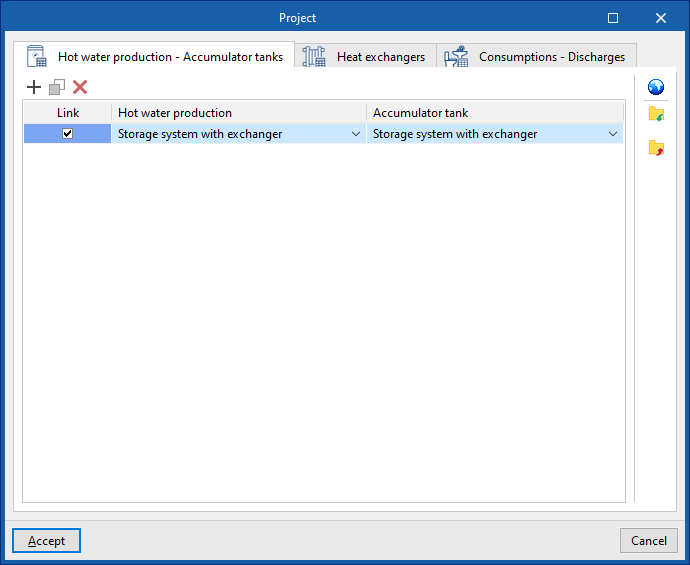
"Hot water production – Accumulator tanks" tab
This tab allows you to link DHW production units listed under the "Water Systems" tab with storage tanks listed under the "Solar Systems" tab.
The tab displays a table with three columns:
- Link
- Hot water production
- Accumulator tank
The program allows you to specify the storage tank associated with each DHW production unit by selecting it in each entry of the table. Thus, when a DHW production unit is entered in the "Water Systems" tab, the associated storage tank is automatically entered in the "Solar Systems" tab; and conversely, when a storage tank is entered in the "Solar Systems" tab, the associated DHW production unit is automatically entered in the "Water Systems" tab.
If the "Link" checkbox is ticked, the associated DHW production unit and accumulator tank will remain linked for editing operations such as moving them. Thus, when the DHW production unit is moved, the accumulator will also be moved.
"Heat exchangers" tab
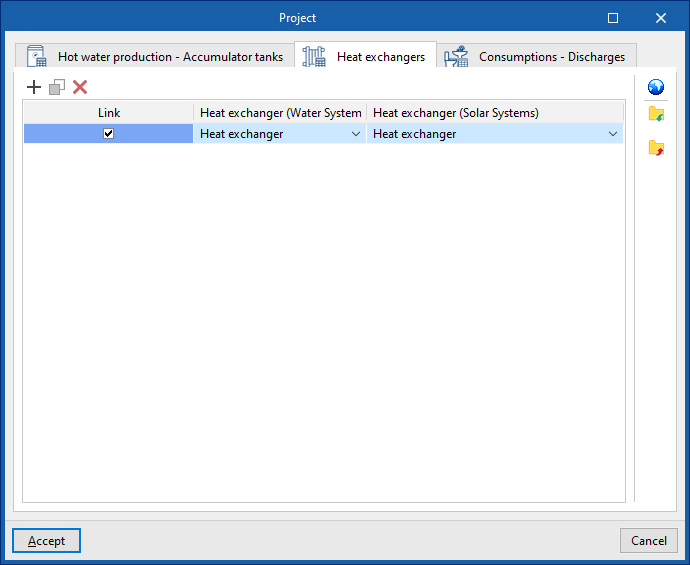
This tab allows you to link heat exchangers in the "Water Systems" tab with heat exchangers in the "Solar Systems" tab.
The tab displays a table with three columns:
- Link
- Heat exchanger (Water Systems)
- Heat exchanger (Solar Systems)
The program allows you to define the heat exchanger in the "Solar Systems" tab associated with each heat exchanger in the "Water Systems" tab by selecting it in each table entry. In this way, when a heat exchanger is entered in the "Water Systems" tab, the associated heat exchanger is automatically entered in the "Solar Systems" tab; and vice versa, when a heat exchanger is entered in the "Solar Systems" tab, the associated heat exchanger is automatically entered in the "Water Systems" tab.
If the "Link" checkbox is ticked, the heat exchangers will remain linked for editing operations such as moving them. Thus, when the heat exchanger in the "Water Systems" tab is moved, the heat exchanger in the "Solar Systems" tab will also be moved.
Importing local settings
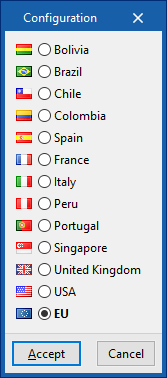
From either of the two windows, you can use the "Settings" option in the top-right corner to automatically load device settings for different countries and regions.