Selecting materials and equipment for a solar thermal installation
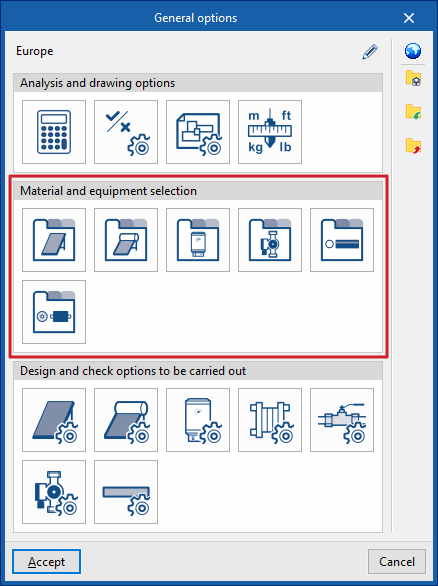
Under the "Installation" tab in the "Solar Systems" section, within the "General options" of the "Project" group on the main toolbar, you can select the materials and equipment for the following components of the solar thermal installation:

- Solar thermal collector catalogue
- Catalogue of solar thermal collectors with storage tanks
- Battery catalogue
- Pump catalogue
- Pipe catalogue
- Thermal insulation catalogue
If you use the "Import settings" option, located to the right of the "General options" panel, you can automatically generate this data for different countries and national and international regulations.
The other options in the right-hand column allow you to import and export the complete settings from the "General options" panel to files on your hard drive, as well as to select a file containing default values when creating a new project.
Solar thermal collector catalogue
This allows you to define the range of solar thermal collectors available on site. These elements are subsequently added to the model using the "Solar thermal collector" option in the "Solar collection" group.
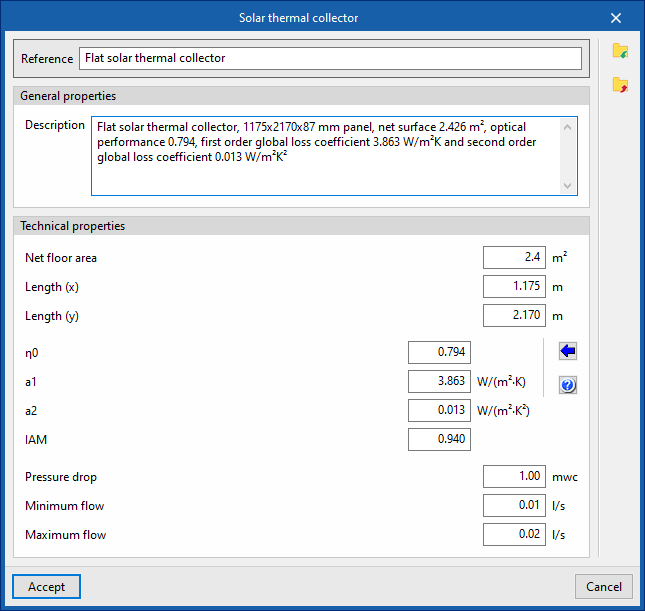
When defining solar thermal collectors in this section, the following parameters must be specified:
- Reference:
Reference number for the material or equipment. - General features
- Description
- Technical specifications
Enter the technical specifications of the solar thermal collector:- Effective area
Effective area of the collector. - Length (x)
Length of the sensor in its local "x" direction. - Length (y)
Length of the sensor in its local "y" direction. - η0
Optical efficiency of the collector. The wizard on the right allows you to import standard values for different types of collectors, such as vacuum tube solar collectors (with flat or circular absorbers), flat-plate collectors with glass, or collectors without glass. - a1 First-order overall
loss coefficient. - a2 Overall
second-order loss coefficient. - IAM Angle of incidence
modifier. - Pressure drop
Pressure drop associated with the collector. - Minimum flow rate
Minimum flow rate required at the collector. - Maximum flow rate
Maximum flow rate permitted in the collector.
- Effective area
Catalogue of solar thermal collectors with storage tanks
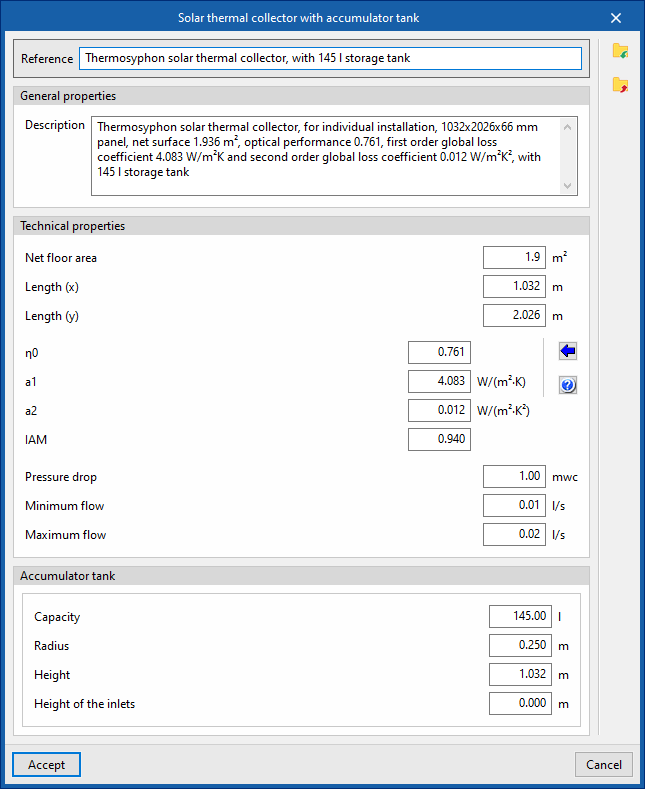
This allows you to define the range of solar thermal collectors with storage tanks available on site, including compact thermosiphon systems. These elements are subsequently added to the model using the "Solar thermal collector with storage tank" option in the "Solar collection" block.
When defining solar thermal collectors with storage tanks in this section, the following parameters must be specified:
- Reference:
Reference number for the material or equipment. - General features
- Description
- Technical specifications
Enter the technical specifications of the solar thermal collector:- Effective area
Effective area of the collector. - Length (x)
Length of the sensor in its local "x" direction. - Length (y)
Length of the sensor in its local "y" direction. - η0
Optical efficiency of the collector. The wizard on the right allows you to import standard values for different types of collectors, such as vacuum tube solar collectors (with flat or circular absorbers), flat-plate collectors with glass, or collectors without glass. - a1
First-order overall loss coefficient. - a2
Overall second-order loss coefficient. - IAM
Angle of incidence modifier. - Pressure drop
Pressure drop associated with the collector. - Minimum flow rate
Minimum flow rate required at the collector. - Maximum flow rate
Maximum flow rate permitted in the collector.
- Effective area
- Battery
Allows you to enter the battery specifications:- Capacity
The capacity of the accumulator, expressed in units of volume. - Radius
from the storage tank. - Height
Height of the storage tank. - Height of the inlets
The height of the storage tank’s connection points relative to its base.
- Capacity
Accumulator tank catalogue
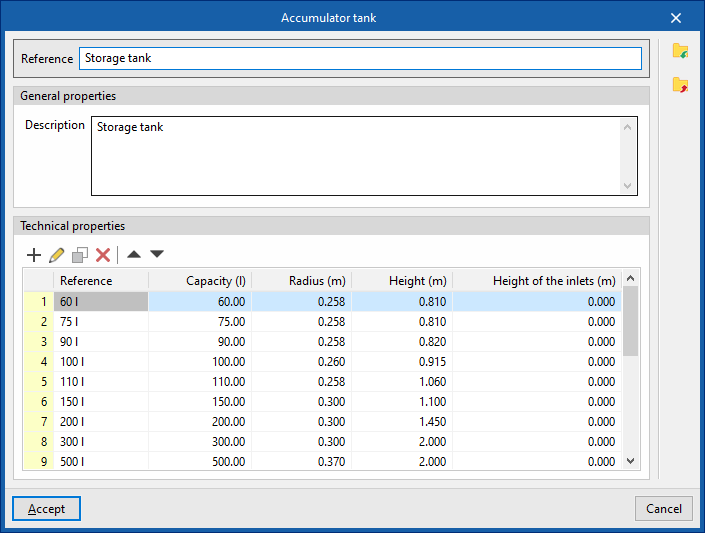
This allows you to define the list of accumulator tanks available on site. These elements can subsequently be added to the model using the "Accumulator tank" option within the "Demand" section.
When defining the accumulators in this section, you must specify the following parameters:
- Reference:
Reference number for the material or equipment. - General features
- Description
- Technical specifications (Model / Capacity / Radius / Height / Height of the inlets)
Allows you to enter the technical specifications of the series’ storage tanks by adding entries to the table.
Pump catalogue
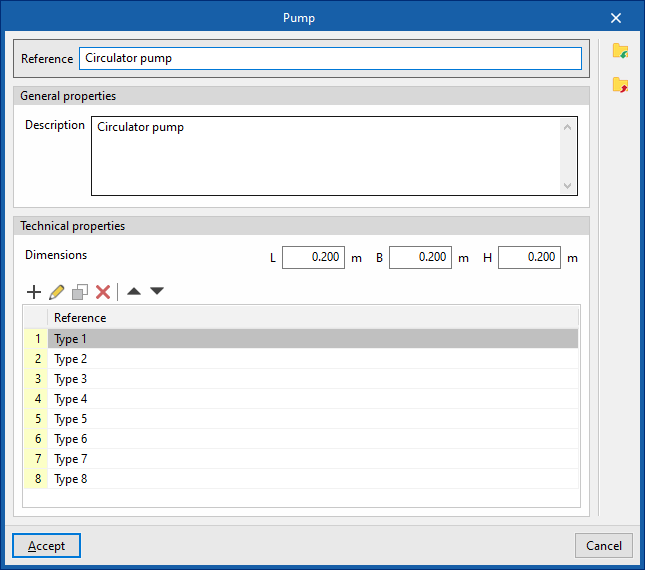
This allows you to define the range of circulation pumps available on site. These elements are subsequently added to the model using the "Pump" option in the "Hydraulic circuit" group.
When specifying circulation pumps in this section, the following parameters must be provided:
- Reference
Reference number for the material or equipment. - General features
- Description
- Technical specifications
Allows you to enter the pump’s technical specifications.- Dimensions (L, W, H)
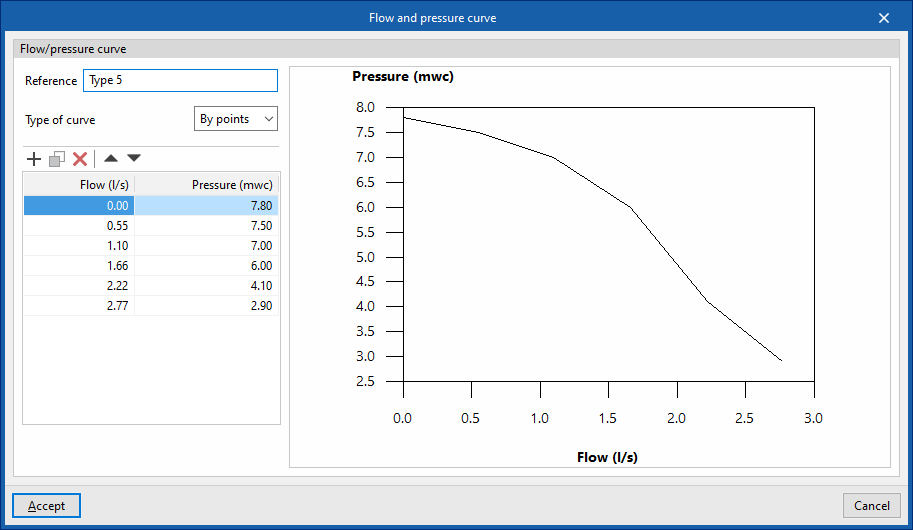
- Flow/pressure curve This
allows you to define the flow/pressure curves available for the circulation pump by adding entries to the table.- Reference
Curve reference. - Curve type
- Midpoint
Allows you to enter the values that define the midpoint of the flow/pressure curve and displays a graph showing the associated curve.- Flow rate
- Pressure
- By points:
Allows you to enter flow/pressure pairs and displays a graph showing the corresponding curve.- Flow rate
- Pressure
- Midpoint
- Reference
Pipe catalogue
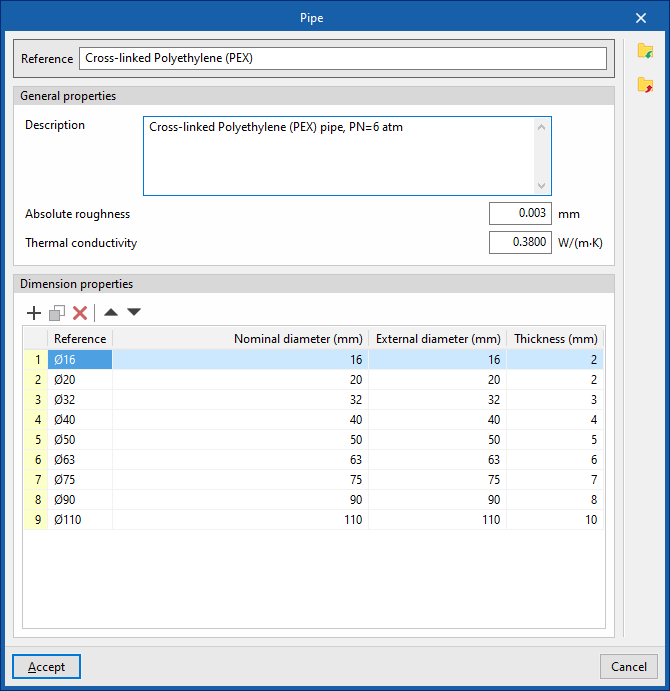
This allows you to define the catalogue of materials available for pipes. The materials defined here can be assigned to pipes created in the "Pipes" section, under "Dimensioning options and checks to be performed" in the "General options". These elements are subsequently added to the model using the options available within the "Hydraulic circuit" block.
When defining each pipe in this section, you must specify the following parameters:
- Reference
Material reference. - General features
- Description
- Absolute roughness
- Thermal conductivity
- Dimensional characteristics (Reference, Nominal diameter, Outer diameter, Wall thickness)
Allows you to enter the dimensional characteristics of each pipe in the series by adding entries to the table.
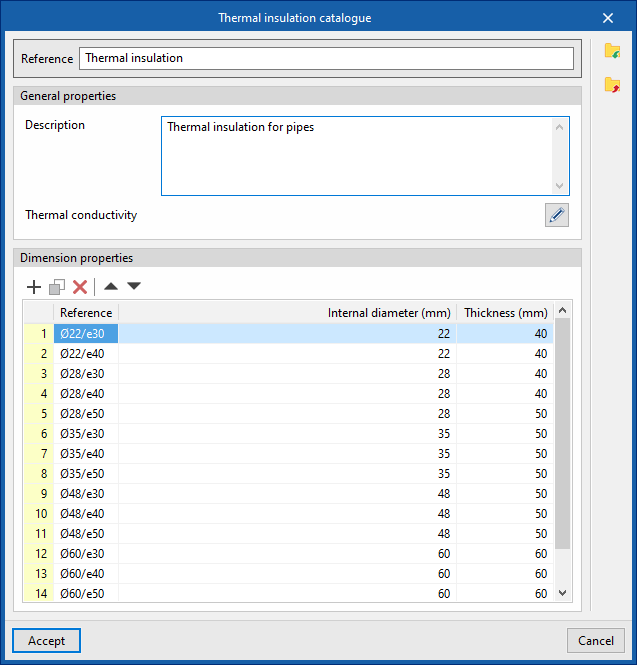
Thermal insulation catalogue
This allows you to define the catalogue of materials available for pipe thermal insulation. The materials defined here can be assigned to pipes created in the "Pipes" section, under "Dimensioning options and checks to be performed" in the "General options". Pipes are subsequently added to the model using the options available within the "Hydraulic circuit" block.
When specifying each type of thermal insulation in this section, the following parameters must be provided:
- Reference
Material reference. - General features
- Description
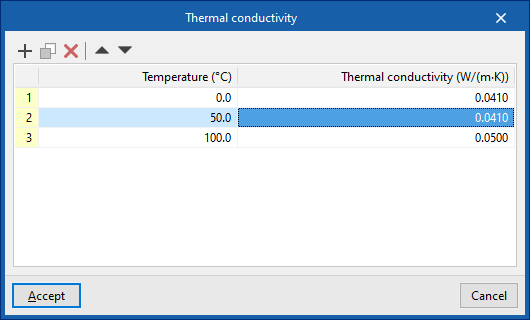
- Thermal conductivity (Temperature, Conductivity)
In this section, you can enter a thermal conductivity value for each temperature value.
- Dimensional characteristics (Reference, Internal diameter, Thickness)
Allows you to enter the dimensional characteristics of each thermal insulation product in the series by adding entries to the table.