Assigning spaces in the water supply system project
Under the "Installation" tab in the "Water Systems" section, within the "Project" group on the main toolbar, you will find the option that allows you to assign the space types you have created to the spaces imported from the BIM model:

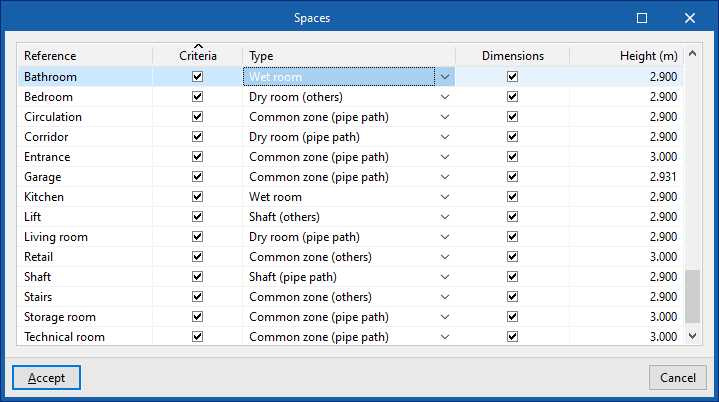
In the window that appears when you select this option, the left-hand column displays the "Reference" for each of the spaces read from the BIM model.
Next, select the type you wish to assign to each of these areas from the drop-down menu in the "Type" column, and tick the "Criteria" box. The areas displayed are those previously created under "Areas" within "General options".
On the right, you can tick the "Dimensions" box to specify the "Height" of the enclosure.
This assignment may also be made at the time the job is created.