Manufacturer catalogue management
The "Project" panel is located on the main toolbar of the "3D Model", "Diagrams: Analysis" and "Diagrams: Detail" tabs. From this panel, you can access "Catalogues".



Catalogues
Using the "Catalogues" tool, you can:
- Manage manufacturer catalogues to facilitate data entry into the project.
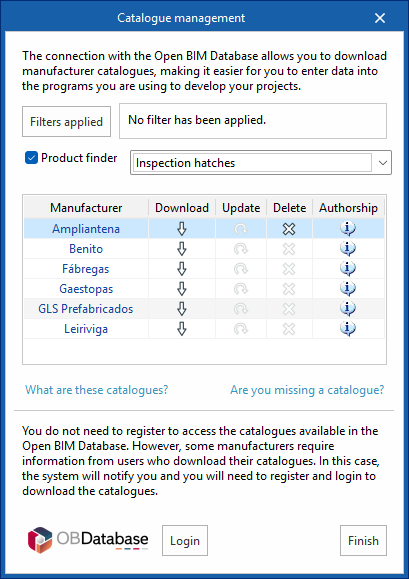
- Using the "Applied filters" option, you can apply filters to your catalogue search by category, language or country.
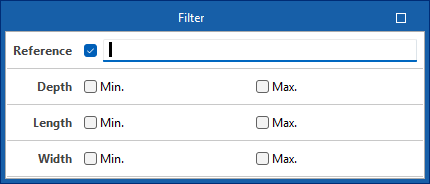
- Using the "Product finder" option, you can filter by dimensions and product code for infrastructure components (cabinets/distribution boxes, junction boxes or manholes) or by product type and product code for telecommunications network equipment.
- From the "Other catalogues" option, you can download, update or delete the catalogues included in the program.
- Log in to the Open BIM Database to download and use, free of charge, information on manufacturers’ products available through the software connected to this database.