

Options available on CYPETEL Wireless
The "BIMserver.center" section of the main toolbar contains the features needed to use the program alongside other BIMserver.center tools:

Updating
Updates the information contained in the models previously imported into the project, or imports new models if required. Floors and spaces are imported using the file marked as "Initiator".

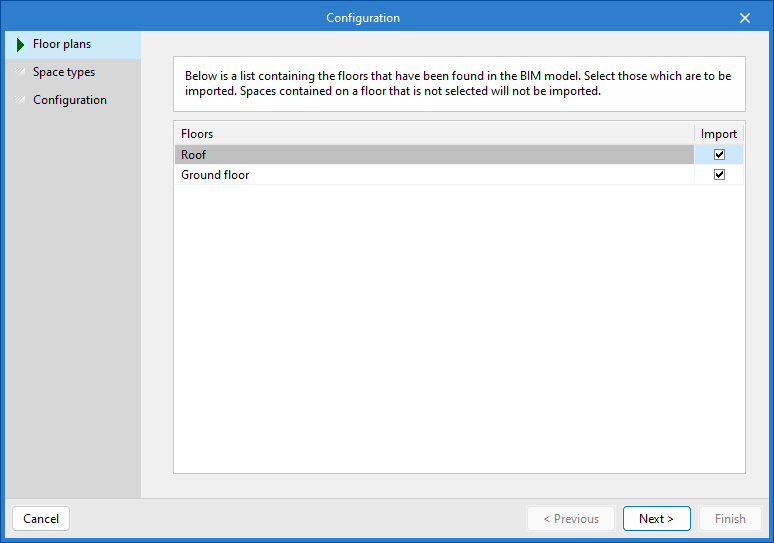
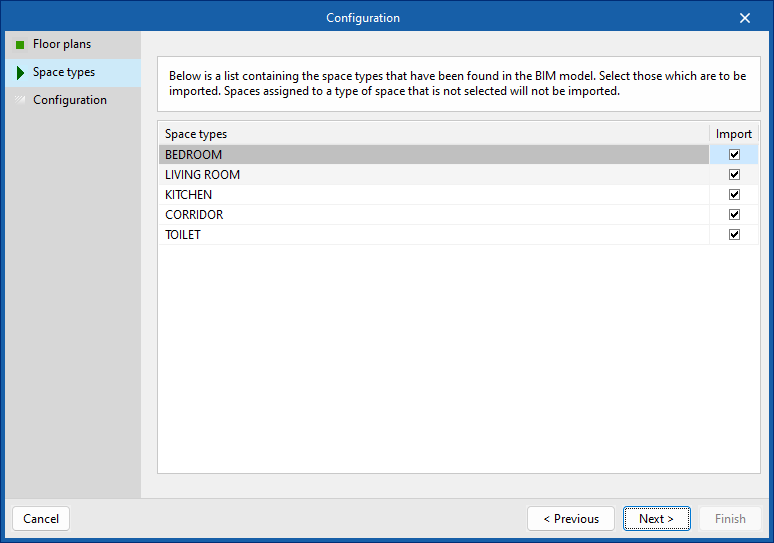
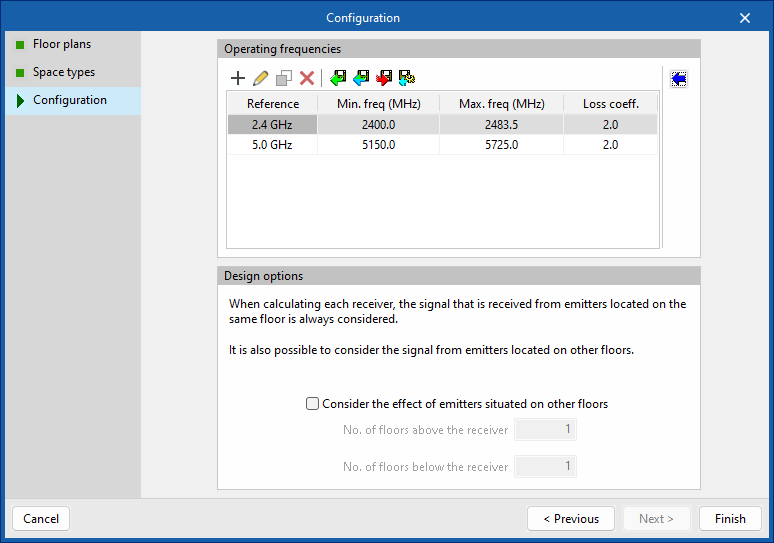
During the update process, just as when creating a new project, you can read and import floor plans and room types from the BIM model. This allows the program to automatically generate floor plans and/or spaces or update them based on the latest changes. It also allows you to reconfigure work frequencies and analysis options.
Sharing
Exports the installation data generated by the program to BIMserver.center so that you can share it with other users.
During the export process, you can specify the details relating to the IFC file to be exported:
- Name
- Description
- Additional files
- Reports
CYPETEL Wireless exports, alongside the IFC file, two files in GLTF format: one containing the positions of the transmitters and another containing the coverage contour plot diagrams in the 3D view. Furthermore, if the "Reports" checkbox has been ticked, a .pdf file is generated containing the results of the analysis.

