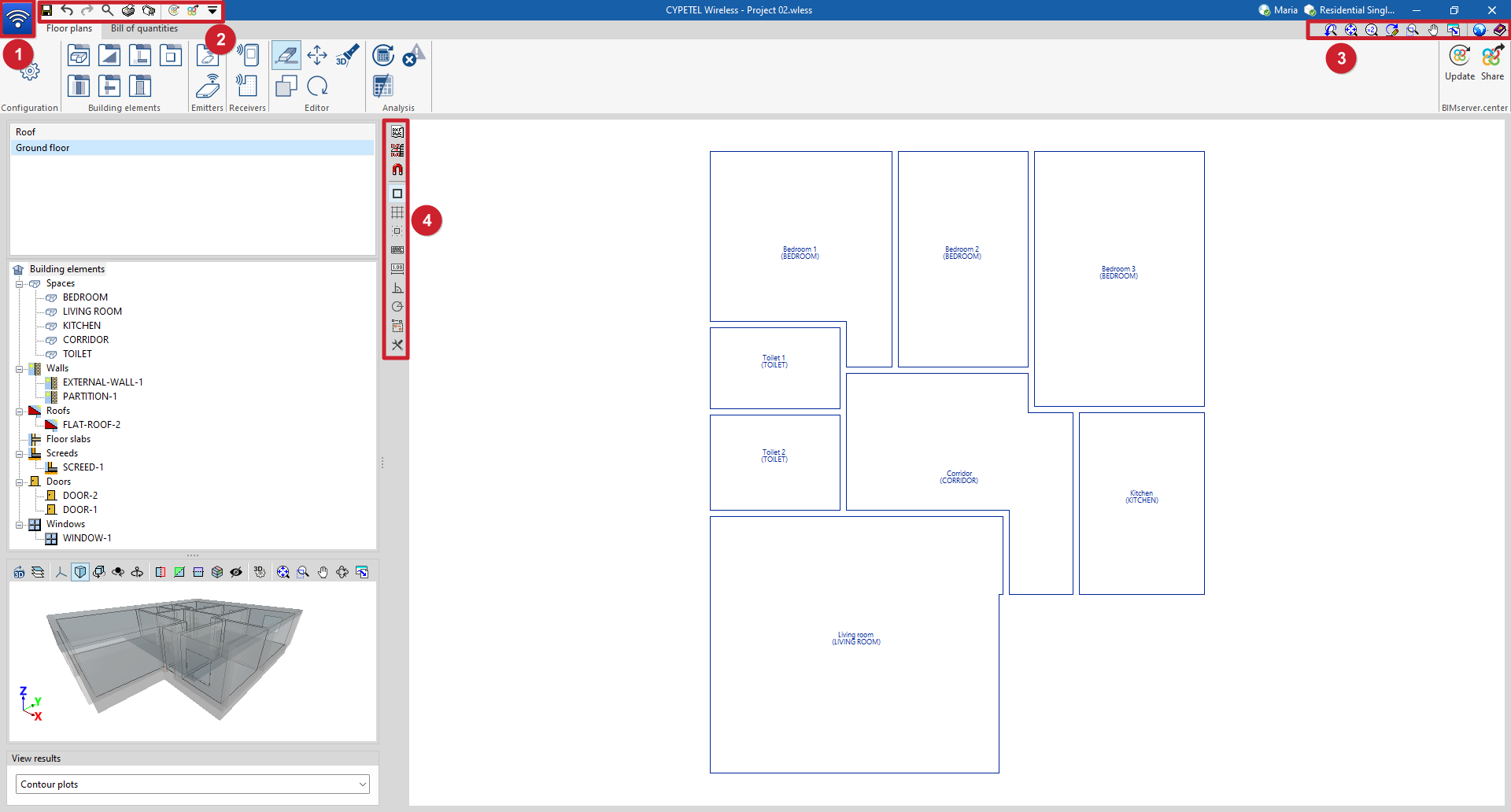
General tools in the CYPETEL Wireless interface
CYPETEL Wireless includes tools that are common to other CYPE programs and are available in the following areas of the interface:
- "File" menu (1)
Create, open or save projects, access the file manager, and view lists and plans.
- Tools in the top-left corner (2)
Save the file, undo and redo changes, and generate reports and drawings, as well as search for and quickly access other program utilities. You can also import and export data to BIMserver.center.
- Tools in the top-right corner (3)
Change the drawing views, access general settings and open the "Help" menu.
- Left-hand side panel (4)
Manage templates and their screenshots, enable various tools to assist with inserting elements, and configure the appearance of the various graphical elements displayed on screen.