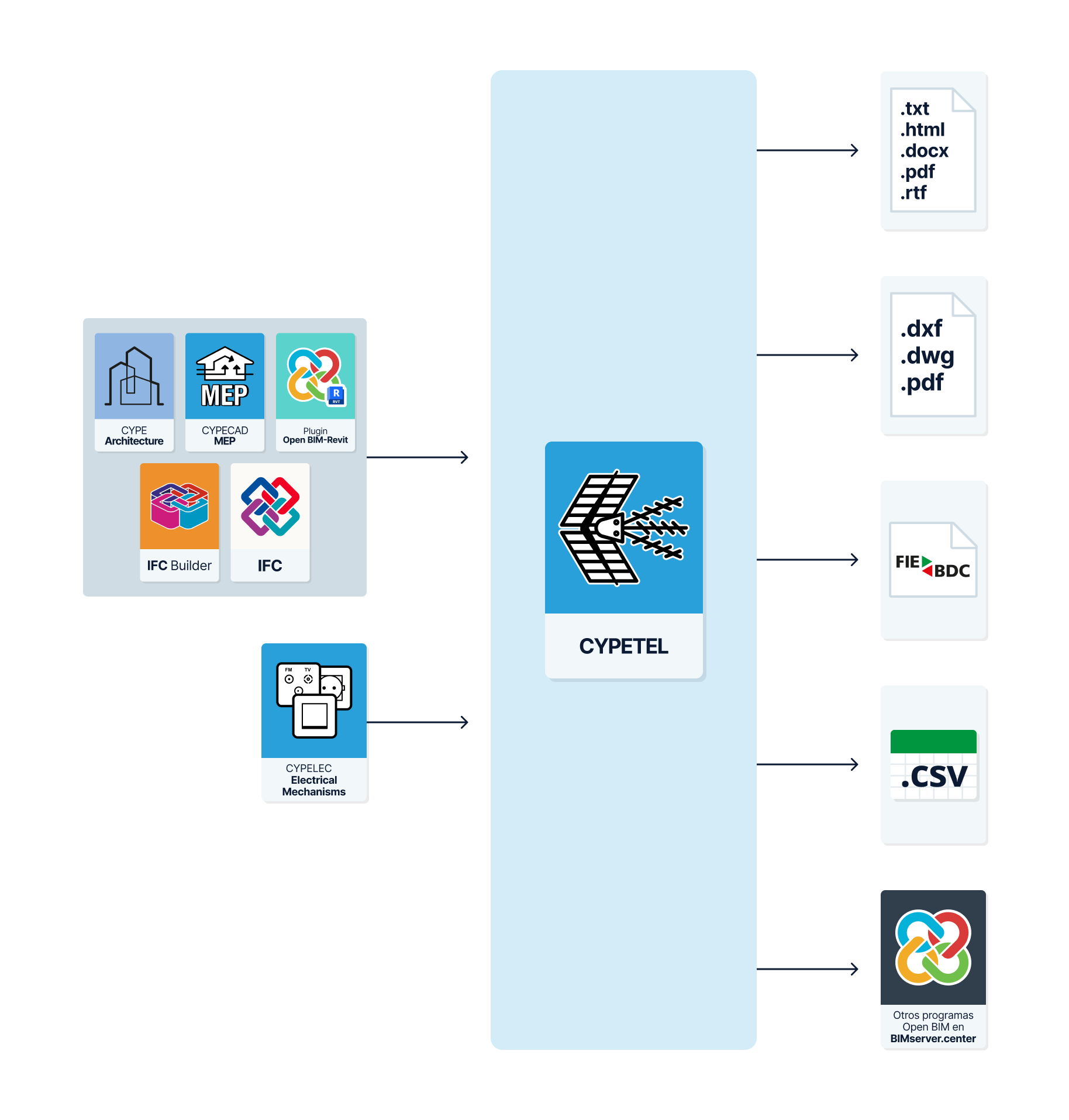
Workflows supported by the program
As CYPETEL is an Open BIM tool and is connected to the BIMserver.center platform, it offers a range of workflow options.
Data entry
Free-form modelling/modelling using templates
- Design the installation by entering the data directly into CYPETEL.
- Design the installation in CYPETEL using DXF/DWG, DWF, or image (.jpeg, .jpg, .bmp, .wmf) templates.
Importing BIM models
- Import a model containing a building’s geometry. This allows you to generate the building’s floor levels and floor plans and to add the installation elements based on that geometry. The available options include the following:
- Import models designed in IFC Builder.
- Import models designed in CYPE Architecture.
- Import models in IFC format (generated by CAD/BIM software such as Allplan, ArchiCAD and others) uploaded to the BIMserver.center project via the web platform.
- Import models designed in Autodesk Revit using the Open BIM - Revit plugin.
Data output
- Export lists to HTML, DOCX, PDF, RTF and TXT formats.
- Export drawings to DXF, DWG and PDF formats.
- Export the budget to FIEBDC-3, HTML, DOCX, PDF, RTF and TXT formats, as well as to CSV.
- Export of the technical project documents for the Common Telecommunications Infrastructure (ICT).
- Export data generated using CYPETEL to the BIMserver.center platform in IFC and glTF formats. This allows authorised project participants to view the data.