Defining shading diagrams
Shading diagrams define the shadows cast onto external elements of the thermal model, such as façades, curtain walls, cantilevers and roofs, as well as external doors, windows and skylights.
These diagrams are generated automatically as part of standard workflows, either by modelling the building, neighbouring buildings and other obstacles in the "3D Model" tab, or by linking the job to a BIMserver.center project and by importing BIM models containing the geometry of the building, neighbouring buildings and other obstacles.
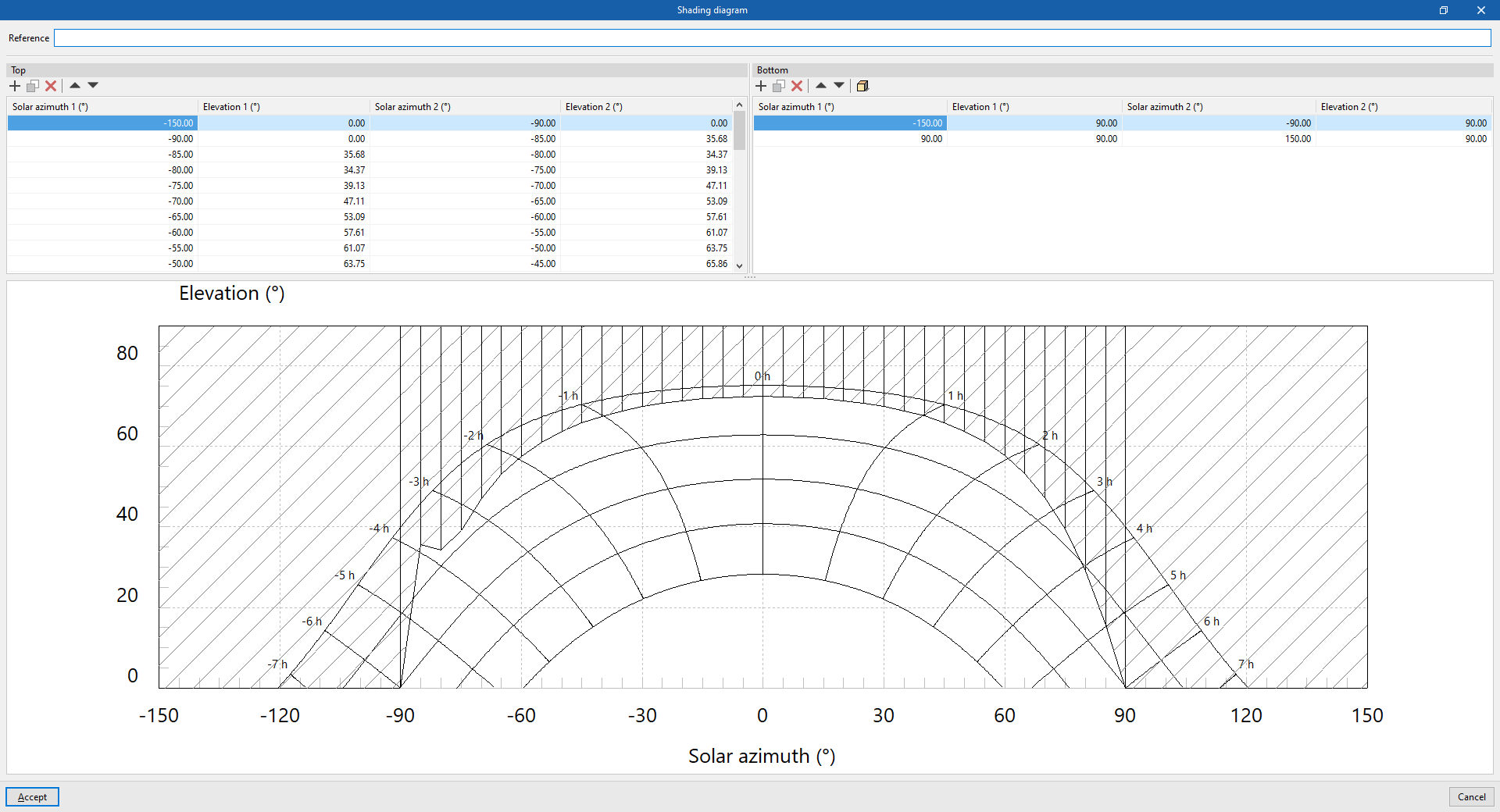
In any case, you can view and edit these diagrams by selecting the relevant elements in the project tree on the "Thermal model" tab and then selecting "Detailed definition" from the drop-down menu in the "Shadows" section. In the shading diagram editing window, the program lets you modify the following data:
- Reference
Shading diagram reference.
Next, in the shading diagram definition tables, you can view the shadow polygons that have been generated, enter them manually using their coordinates, or generate them using the simplified option:
- Top
Manage shadow polygons aligned with the top elevation (90°). Each shadow polygon is a quadrilateral defined by four points with the following coordinates: Solar azimuth 1, 90°; Solar azimuth 1, Elevation 1; Solar azimuth 2, Elevation 2; and Solar azimuth 2, 90°. These shadow polygons can be used to define the shadows cast by overhangs situated above the element.- Solar azimuth 1 (°)
This value must be between -180° and 180°. - Elevation 1 (°)
This value must be between 0° and 90°. - Solar azimuth 2 (°)
This value must be between -180° and 180°. - Elevation 2 (°)
This value must be between 0° and 90°.
- Solar azimuth 1 (°)
- Bottom
Manage shadow polygons aligned with the lower elevation (0°) or the horizon. Each shadow polygon is a quadrilateral defined by four points with the following coordinates: Solar azimuth 1, 0°; Solar azimuth 1, Elevation 1; Solar azimuth 2, Elevation 2; and Solar azimuth 2, 0°. These shadow polygons can be used to define the shadows cast by buildings or obstacles situated in front of the element.- Solar azimuth 1 (°)
This value must be between -180° and 180°. - Elevation 1 (°)
This value must be between 0° and 90°. - Solar azimuth 2 (°)
This value must be between -180° and 180°. - Elevation 2 (°)
This value must be between 0° and 90°.
- Solar azimuth 1 (°)
Finally, at the bottom, a solar chart is shown, indicating the position of the sun in the sky throughout the year, described in terms of its altitude (or angle above the horizon) and its azimuth (angle relative to the south). The hatched area shows the layout of the defined shadow polygons.
Create a polygon using the simplified option
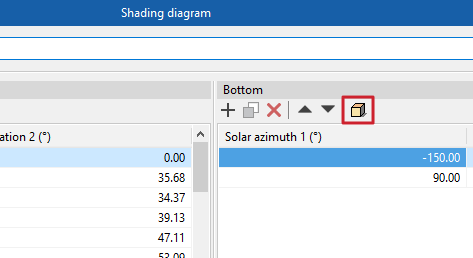
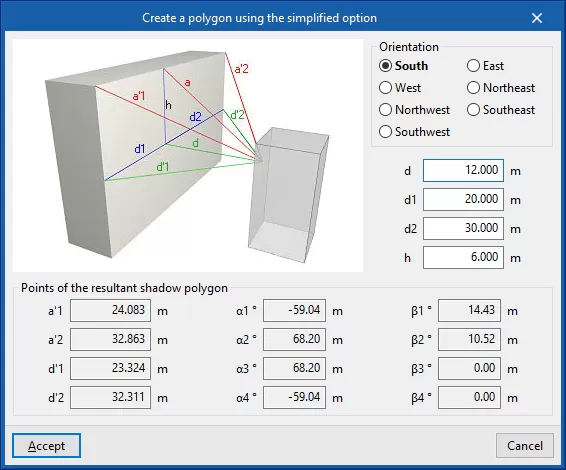
This option, available on the "Bottom" table toolbar, lets you automatically generate shadow polygons by entering the following parameters, which provide a simplified representation of the geometry of the building or nearby obstacle and its position relative to the element. In addition, a help diagram is displayed to assist with the definition of these parameters.
| Note: |
|---|
| The beam of rays shown in the diagram is drawn from the geometric centre of the element where the shading diagram is being defined. |
- Orientation (South / East / West / North-east / North-west / South-east / South-west)
The orientation of the element for which the shading diagram is being defined. - d
Distance from the object to the nearest building or obstacle. - d1
Distance to the left of the building or nearby obstacle. - d2
Distance to the right of the building or nearby obstacle. - h
Excess height of the building or nearby obstacle, relative to the centre line of the structure. - Points on the resulting shadow polygon (a'1, a'2, d'1, d'2, α1, α2, α3, α4, β1, β2, β3, β4)
These points and angles are calculated automatically when the other parameters are entered in the wizard.
Once you have confirmed, the program generates the corresponding shadow polygons.