Own shadows and remote shadows
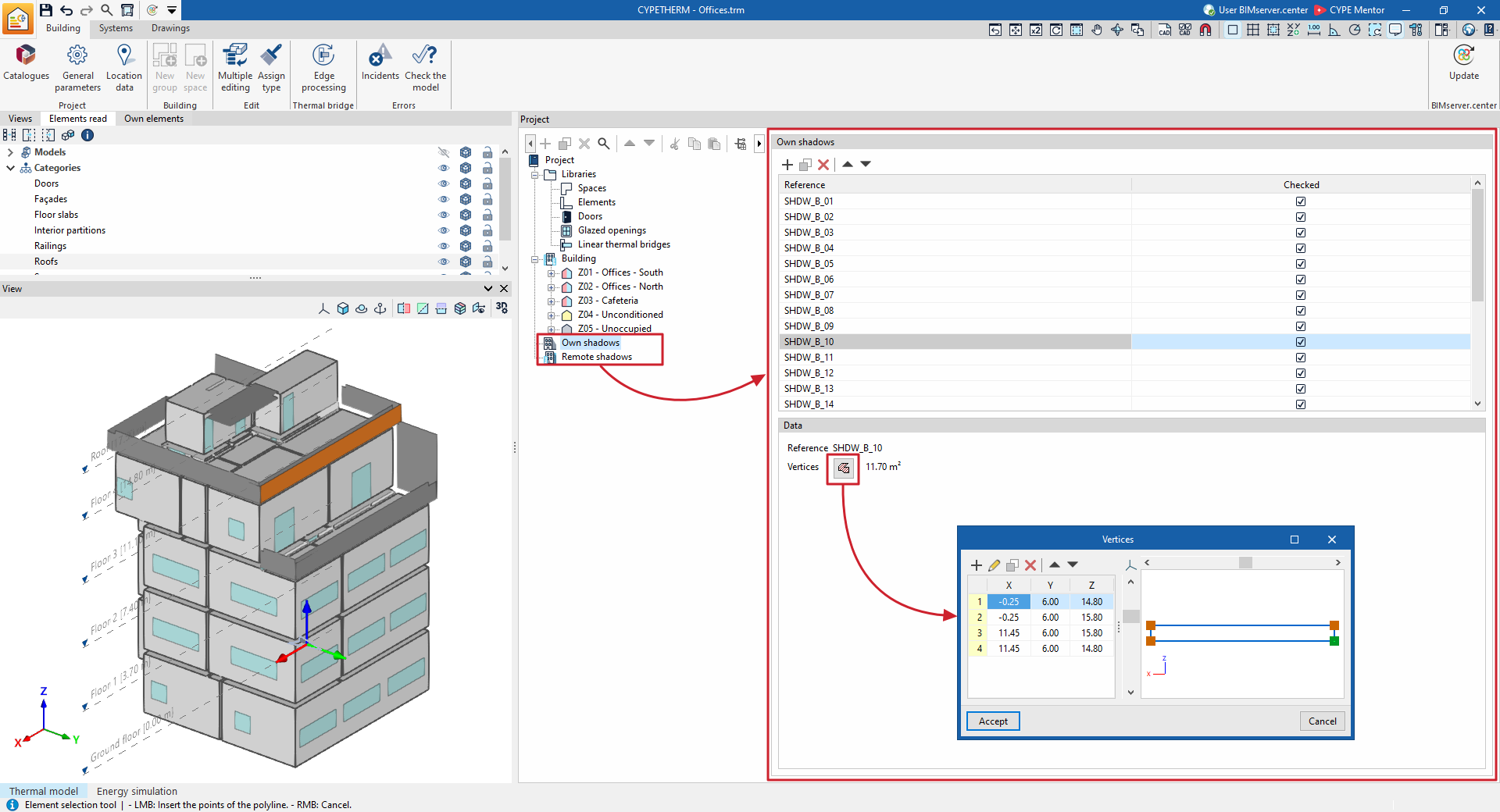
In the "Energy simulation" project type, shadows cast by the building’s own elements and shadows cast by neighbouring buildings or nearby obstacles are imported from the BIM model data or from the information obtained from the "3D Model" tab, and appear in the "Self-shadows" and "Remote shadows" sections of the tree view on the left-hand side of the "Project" panel, under the "Building" tab.
In each of these sections of the diagram, you can view, add, delete and edit the shadows. These elements are defined as planes situated at specific positions in space which will cast shadows onto the building during the energy simulation.
In the list of elements that appears in the main editing area when these sections of the tree are selected, shadows with the box unticked in the "Reviewed" column will not be included in the energy simulation.
Every shadow, whether own or remote, is defined solely by its reference and the vertices of a polygon:
- Reference
The numbered reference for the shadow is assigned automatically and depends on its position in the table. - Vertices
This option lets you view and define the global coordinate points "X", "Y" and "Z" that determine the position and surface of the shadow.