

Examples of models for building energy simulation
Below is an example of a building model that can be created in the program, showing the layout of the elements and the options available for adding them to the model, and which can be used to carry out an energy simulation.
A development comprising 8 terraced houses
Architectural geometry can be entered into the program or imported from a BIM model. The following elements must be checked and defined:
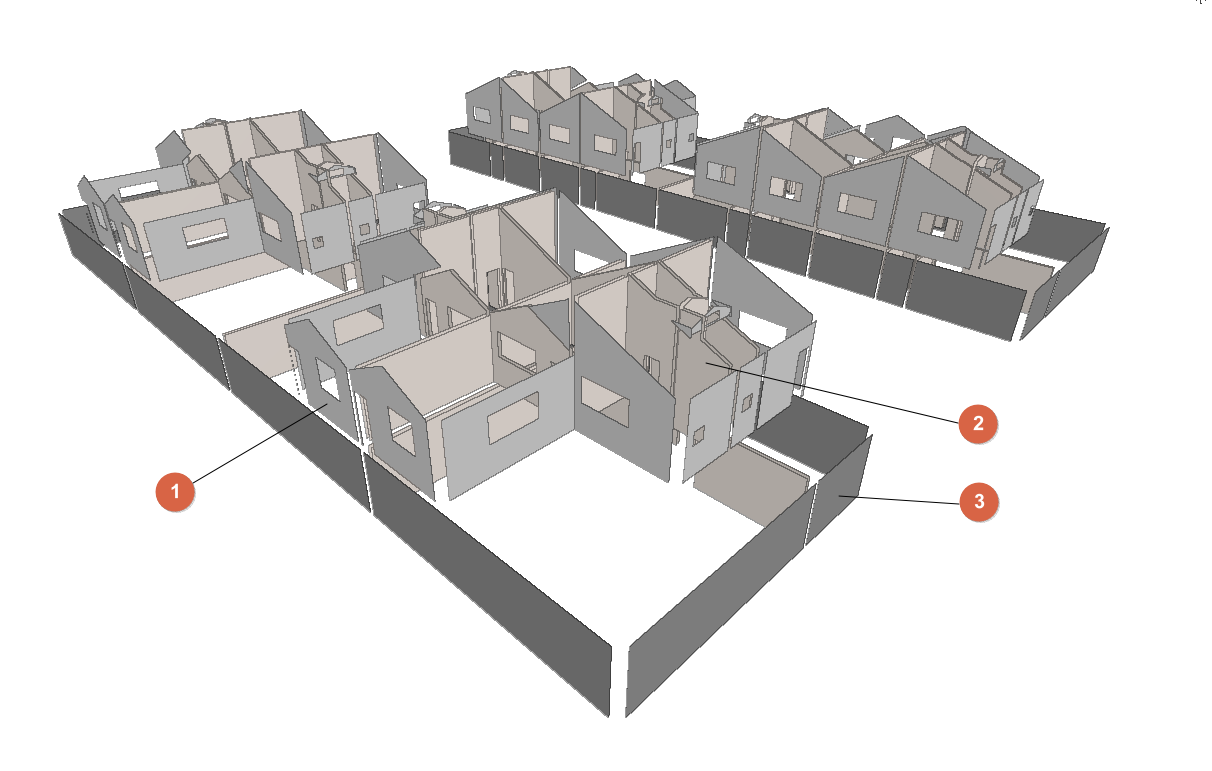
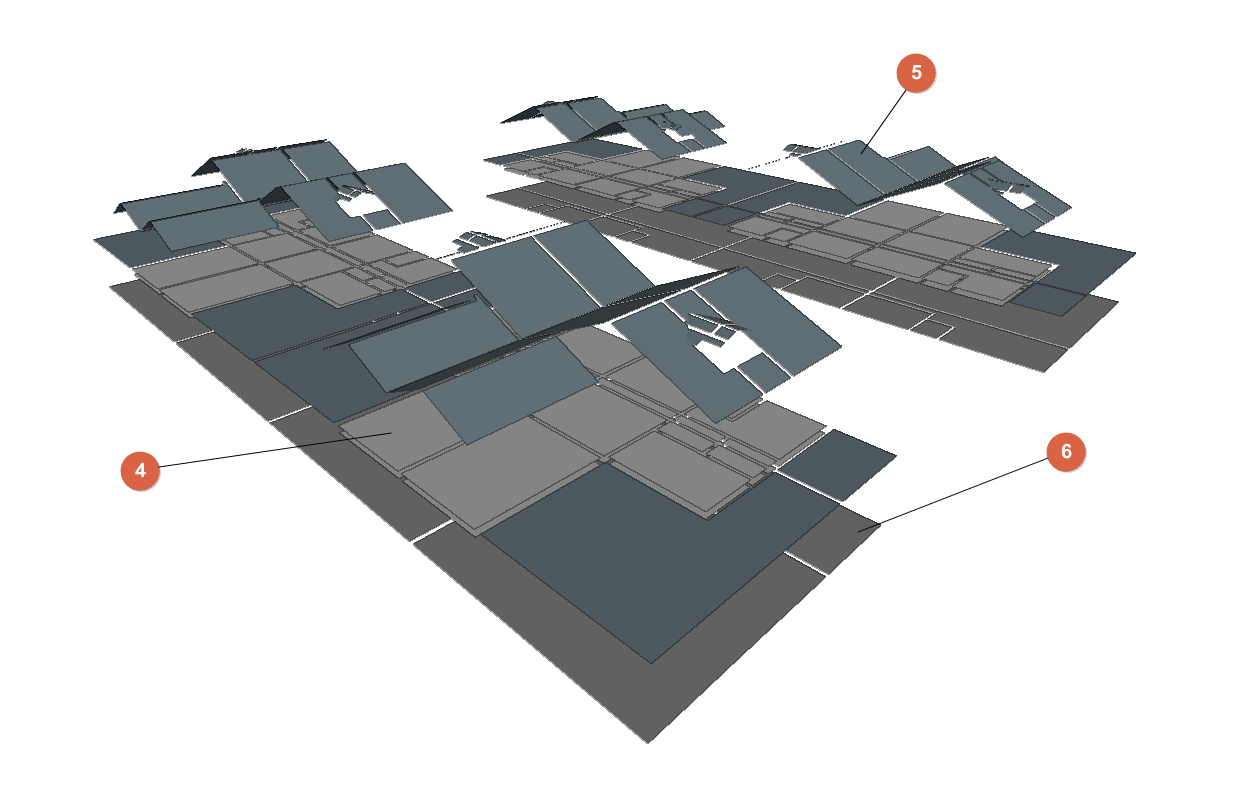
- External walls
- Generated when importing the BIM model or added from "3D Model". Defined under the "Building" tab, in the "Library" tree, under "Building elements > Façade".
- Partition walls
- Generated when importing the BIM model or added from "3D Model". Defined via the "Building" tab, "Library" tree, "Building elements" > "Partition wall".
- Walls in contact with the ground
- Generated when importing the BIM model or added from "3D Model". Defined via the "Building" tab, "Library" tree, "Building elements" > "Basement wall".
- Floor slabs between floors
- Generated when importing the BIM model or added from "3D Model". Defined via the "Building" tab, "Library" tree, "Building elements" > "Floor slab".
- Roof
- Generated when importing the BIM model or added via "3D Model". Defined via the "Building" tab, "Library" tree, "Building elements" > "Roof".
- Slabs-on-ground
- Generated when importing the BIM model or added via "3D Model". Defined via the "Building" tab, "Library" tree, "Building elements" > "Floor slab".
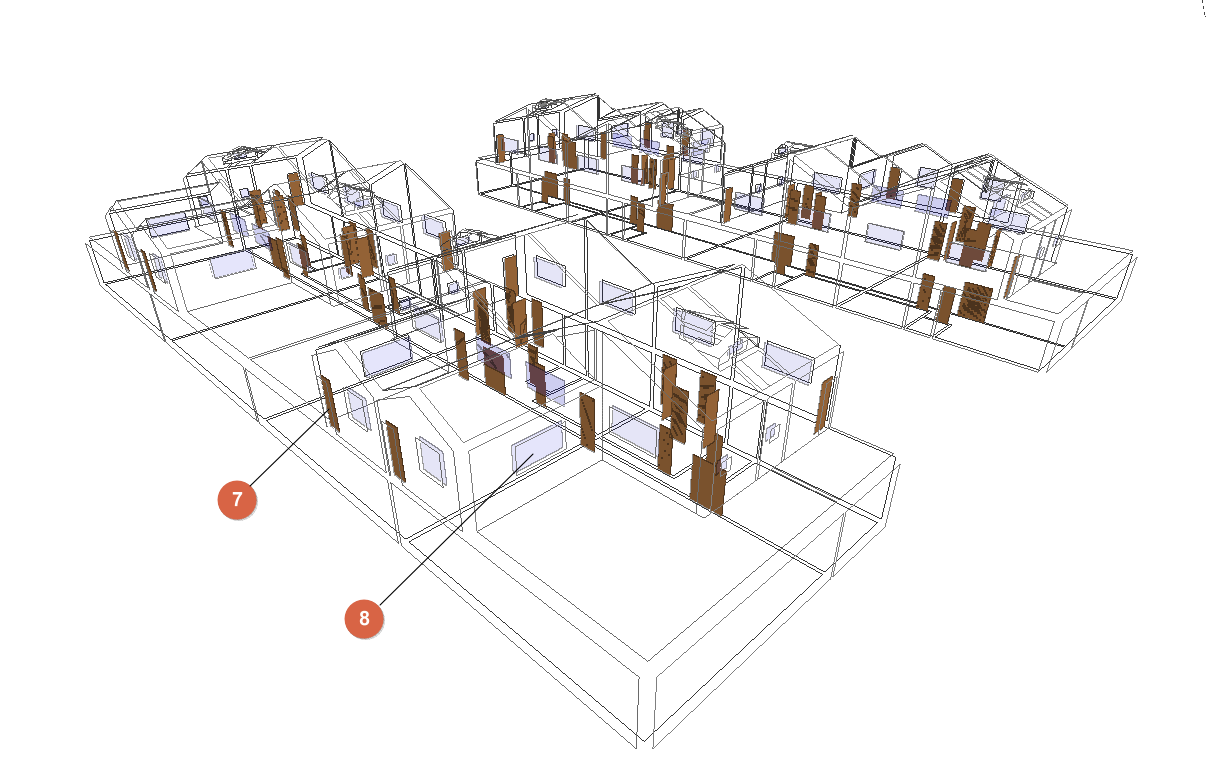
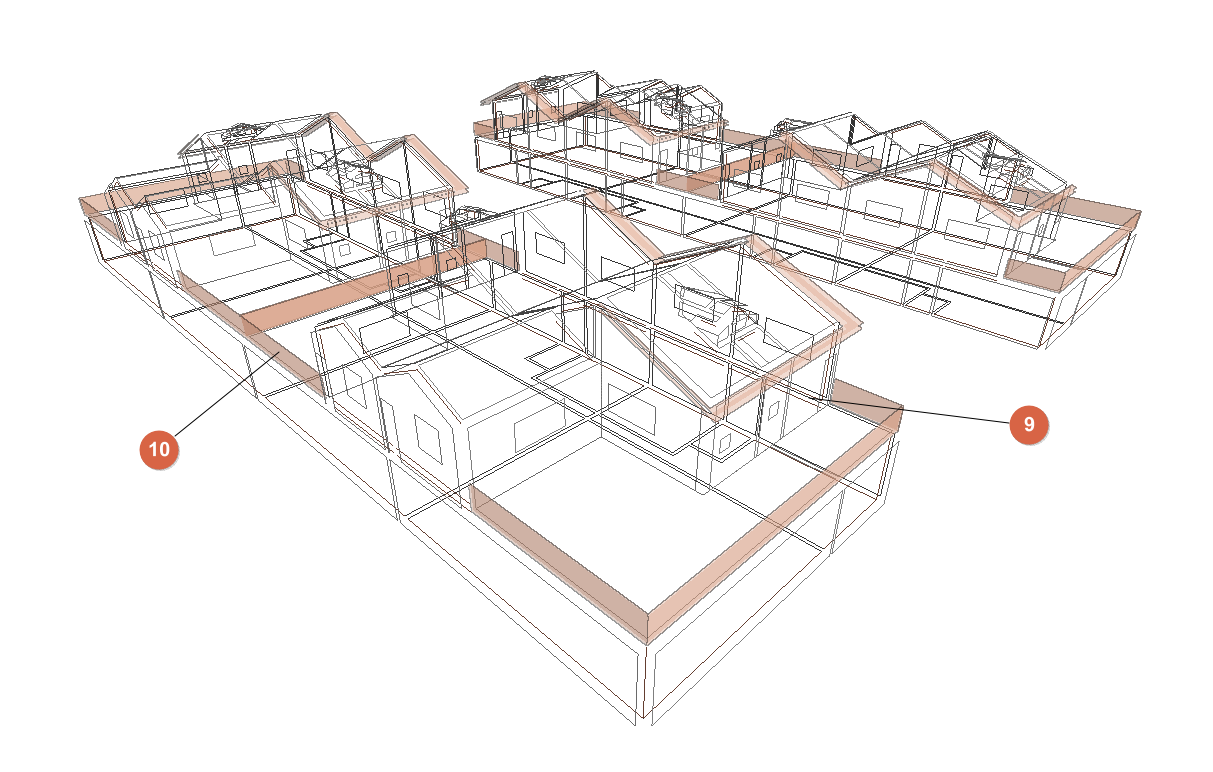
- Doors
- Generated when importing the BIM model or added from "3D Model". Defined in the "Building" tab, under the "Library" tree, in "Doors".
- Windows
- Generated when importing the BIM model or added from "3D Model". Defined in the "Building" tab, under the "Library" tree, in "Glazed openings".
- Linear thermal bridges and edges
- Edges generated when importing the BIM model or when generating the thermal model from "3D Model". Linear thermal bridges generated from the "Building" tab, under the "Edge processing" option.
- Shadows
- Generated when importing the BIM model or when generating the thermal model from "3D model".
- Venues (not shown in the diagram):
- Generated when importing the BIM model or added from "3D Model". Defined in the "Building" tab, under the "Library" tree, in "Spaces".
- Air conditioning and DHW systems (not shown in the diagram)
- Generated from "Air conditioning system" / "Terminal units" and "DHW systems".
