Reports
In the "Reports" group in the main toolbar, you will find the option to obtain the following report.

Improvement measures analysis
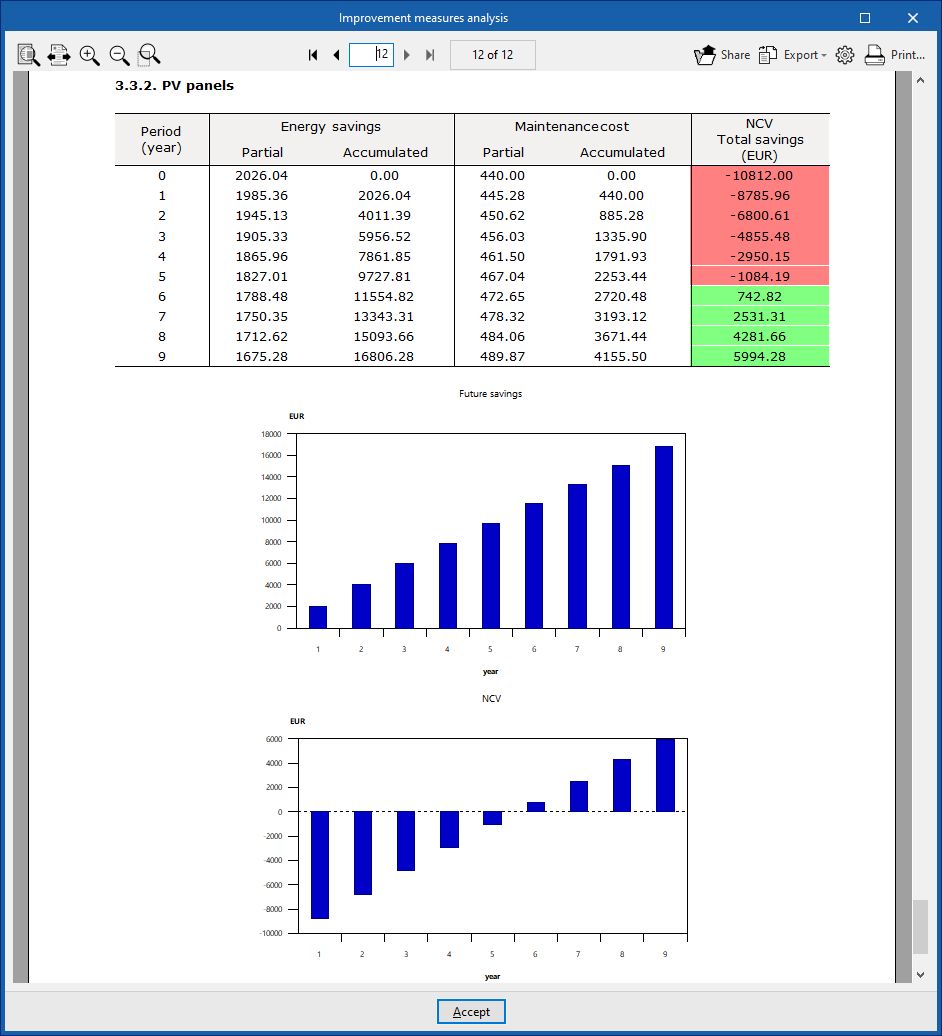
By clicking on the "Results" option, you can obtain an "Improvement measures analysis" with the energy and economic analysis of each of them with respect to the reference situation, calculating the payback period using static or dynamic analysis methods (if the corresponding parameters have been defined in the "Net Present Value" option).
A summary of results and an energy and economic analysis (cost-benefit analysis) of each measure are provided. The latter includes:
- costs and subsidies;
- a static return on investment analysis;
- and, if the corresponding option has been activated in "Net Present Value" within the "General Data" block, a dynamic analysis of return on investment.
The program allows you to print this list directly or generate files in HTML, PDF, TXT, RTF or DOCX format using the corresponding options at the top right of the viewer.