

Library management tools
The "Libraries", which can be accessed from the tree view in the "Project" panel, under the "Building" tab, contain descriptions of the types of elements that can be used in the building model.
The available element libraries are as follows:
- Spaces
- Building elements
- Openings
- Linear thermal bridges
Each library type may be "In use" or not, depending on whether or not it is associated with any of the elements in the "Building" tree, which organises the components of the building model.
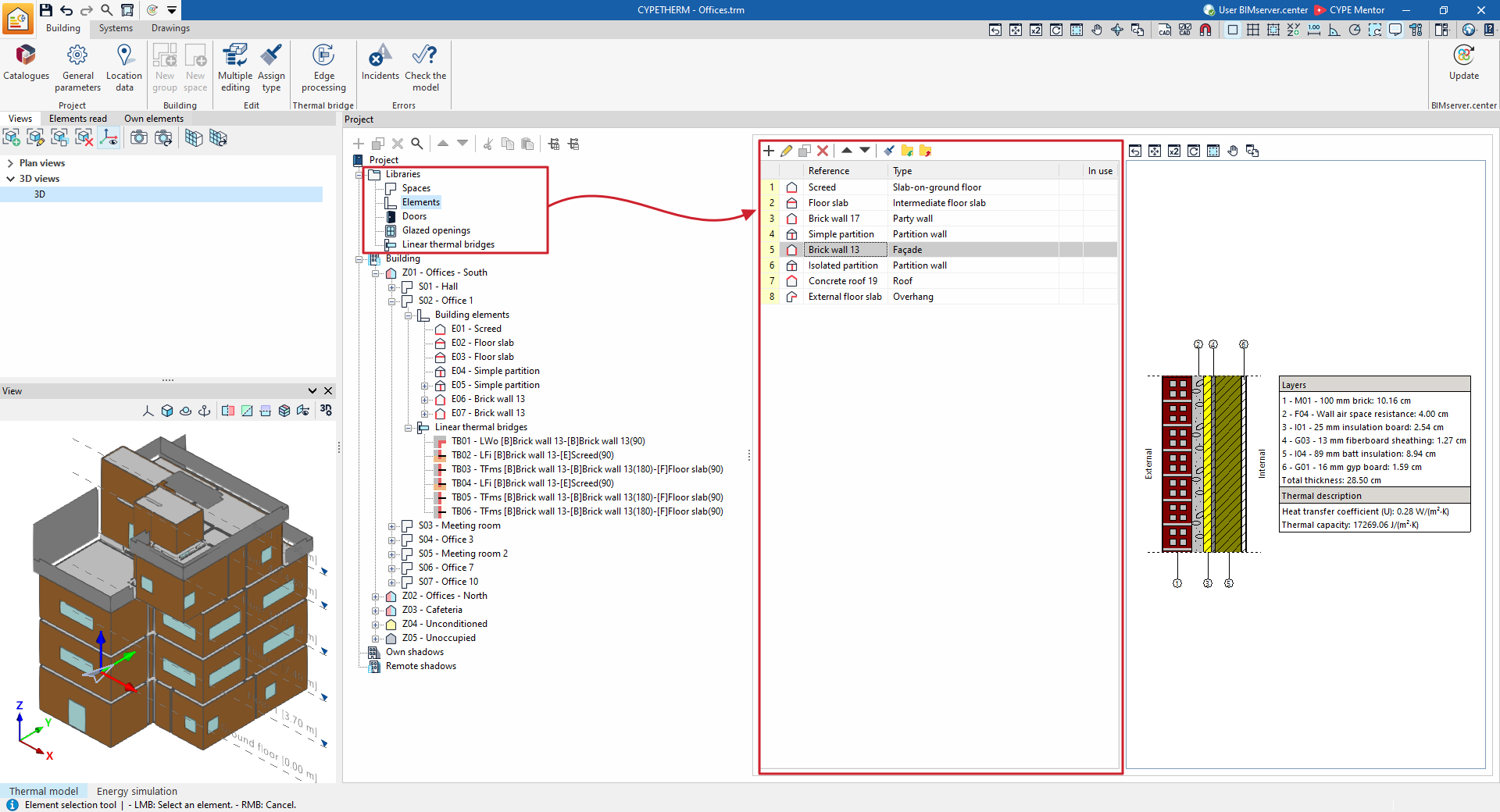
The elements in each library are created and managed using the tools at the top of the list, which are described below.
Managing elements in library lists
Elements are organised into lists across multiple windows within the program. The library lists offer the following options for managing and editing elements:
 | Add | Add a new element to the list. |
 | Edit | Open the edit panel for the selected element. |
 | Copy | Duplicate the selected element, adding a copy to the list. |
 | Delete | Remove the selected element from the list. |
 | Move the selected element of the list up one position | Swap the position of the selected element in the list with that of the previous element. |
 | Move the selected element of the list down one position | Swap the position of the selected element in the list with that of the element following it. |
 | Assign | Assign the properties of the selected element to other elements in the list. |
Importing and exporting library elements to files on disc
Using libraries lets you define elements in the current project and save them to disk for use in other projects. The options relating to this feature are as follows:
 | Import the elements saved in the drive to the project | Imports the elements saved on the hard drive into the project, adding them to the list. If the element (with the same reference) already exists in the project, its data will be replaced. |
 | Export the element to a file | Export the selected element to a file so that it can be imported later. |
| Note: |
|---|
| When importing or updating the BIM model, you can define a "Directory for searching for element types". If this directory contains CYPETHERM element files whose references match those of the elements in the model, the program will automatically import these element types and their properties into the project library. |
