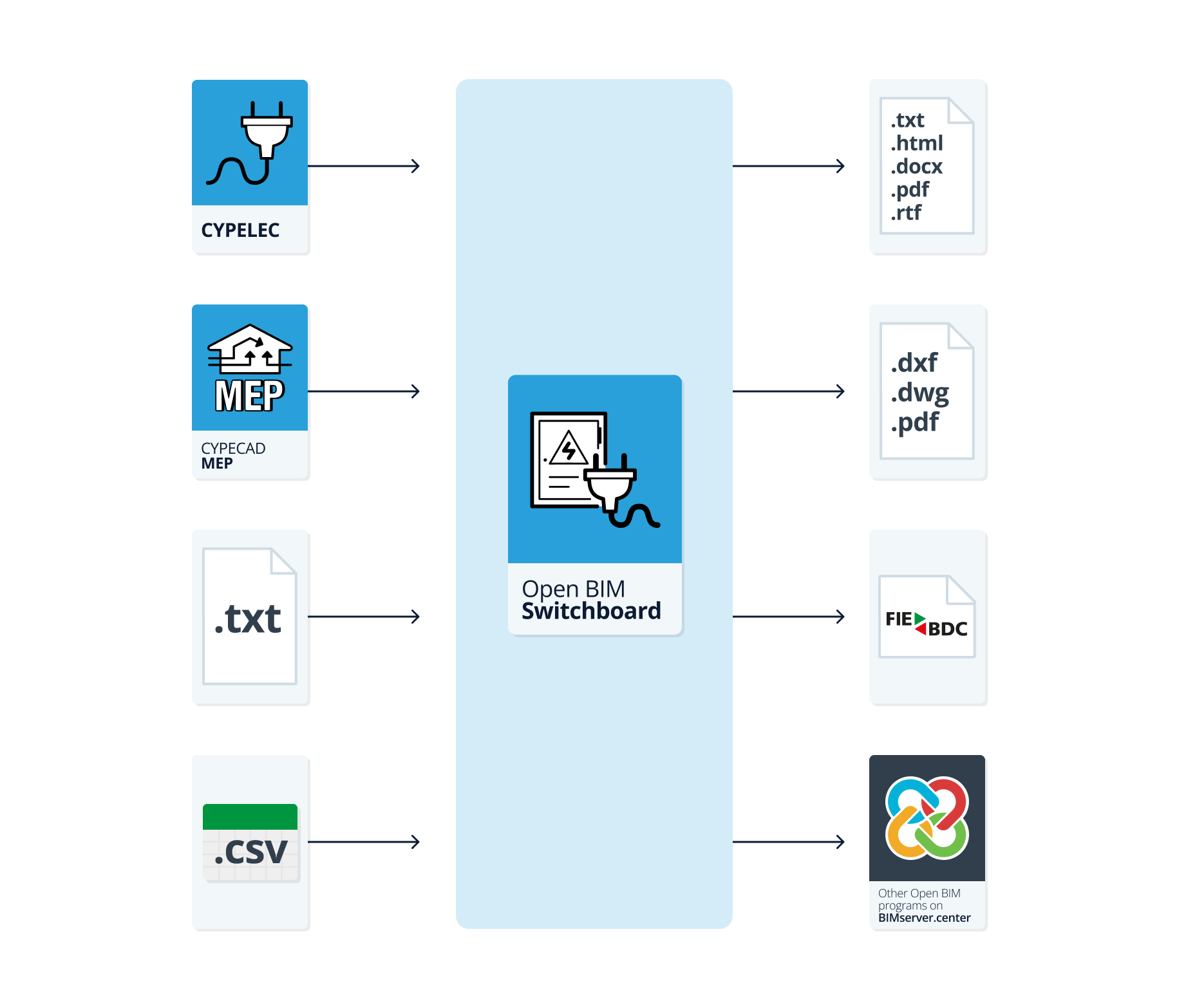
Workflows supported by the program
As Open BIM Switchboard is an Open BIM tool connected to the BIMserver.center platform, it offers a range of workflow options.
Data entry
Open design
- Free design of the switchboard by manually entering its components in Open BIM Switchboard.
Data import
If the Open BIM Switchboard project is linked to a BIM project on the BIMserver.center platform, it is possible to import the electrical switchboards and sub-switchboards for the installation, along with the switchgear for each one, including the definition of busbars and jumper lines, based on the information extracted from the BIM model. Once the panels and sub-panels have been generated, they can be modified using the relevant tools without any restrictions. The available options include the following:
- Importing data on low-voltage electrical systems designed in CYPELEC.
- Importing data on low-voltage electrical systems designed in CYPECAD MEP.
- Importing data on low-voltage electrical systems designed using the following external software programs: BTwin, CIEBT and TeKton3D.
Alternatively, it is also possible to import data created in BTwin or CIEBT from .txt files, and in TeKton3D from .csv files, without needing to link to a BIMserver.center project.
Data output
- Exporting reports to HTML, DOCX, PDF, RTF and TXT formats.
- Exporting drawings to DXF, DWG and PDF formats.
- Exporting the bill of quantities to FIEBDC-3 format.
- Exporting information generated using Open BIM Switchboard to the BIMserver.center platform. This allows authorised project participants to view it.