Managing the section library
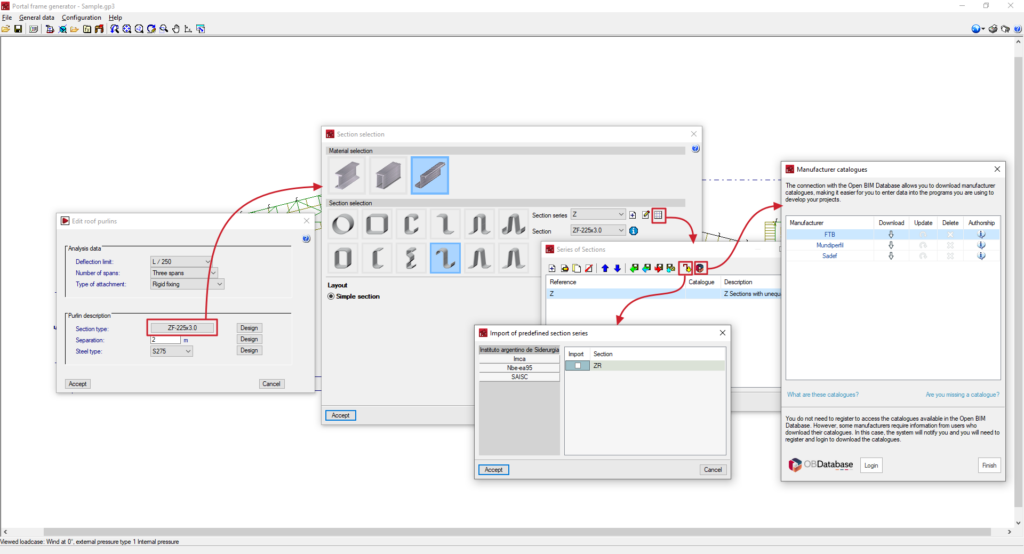
In the "General data" menu at the top, there is the "Management of the section library" option, which can import of predefined section series and manufacturer catalogues, as well as the export of the series to files on disk:

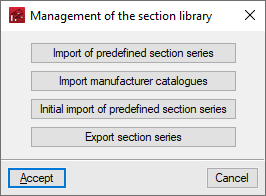
The "Management of the section library" window offers the following options:
- Import of predefined section series
- Import manufacturer catalogues
- Initial import of predefined section series
- Export section series
These options are described in detail below:
Importing pre-defined section series
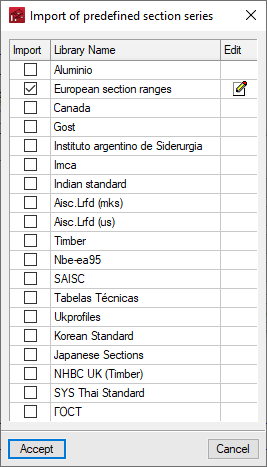
This option is used to select the predefined section series to be imported from the available ones based on different reports and regulations. To do so, activate the "Import" checkbox and accept.
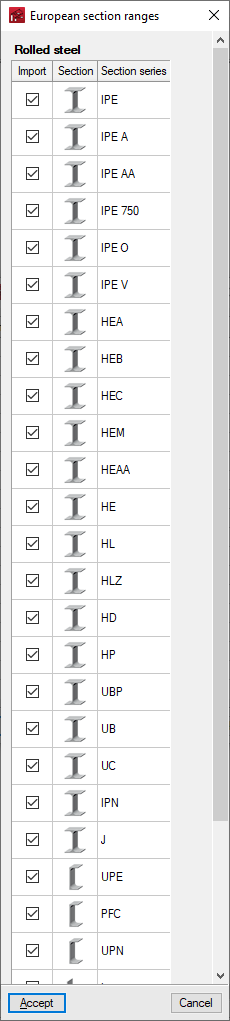
The "Edit" button, on the right-hand side of each of the selected libraries, allows users to detail the specific series of each library that they wish to import.
Initial import of predefined section series
The "Initial import of predefined section series" option indicates the section series that will be automatically imported when a new job is created in the program.
Importing manufacturer catalogues
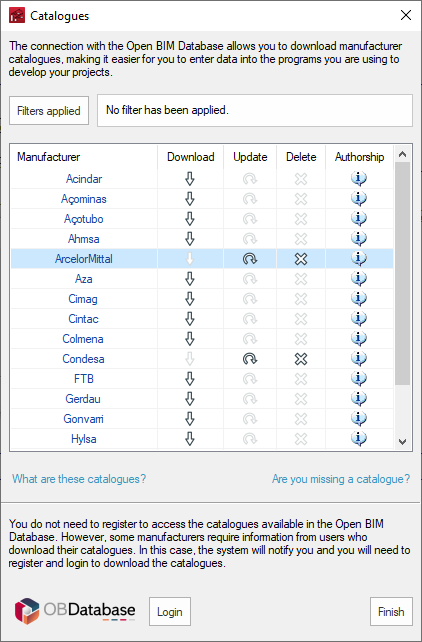
Downloads profile series from manufacturers' catalogues using the connection to the Open BIM Database.
Clicking on this option opens a window with the available manufacturer catalogues.
Using the "Applied filters" option, filters can be applied by "Category" to show only manufacturers that offer product catalogues with these characteristics.
Download catalogues
The following options are shown for each manufacturer:
- Download
Selects and downloads manufacturer's catalogues. - Upload
Updates the selected manufacturer's catalogues to the latest version, overwriting the downloaded version. - Delete
Deletes the selected manufacturer's catalogue.
Connection to Open BIM Database
At the bottom of this dialogue box, the program allows users to log in with an Open BIM Database account and password.
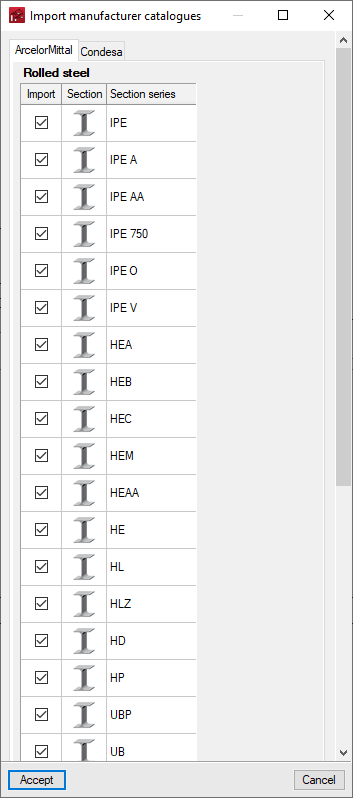
When accepting, the program displays a window where the section series import from each manufacturer's selected catalogues is confirmed by activating or deactivating the corresponding checkboxes.
Export section series
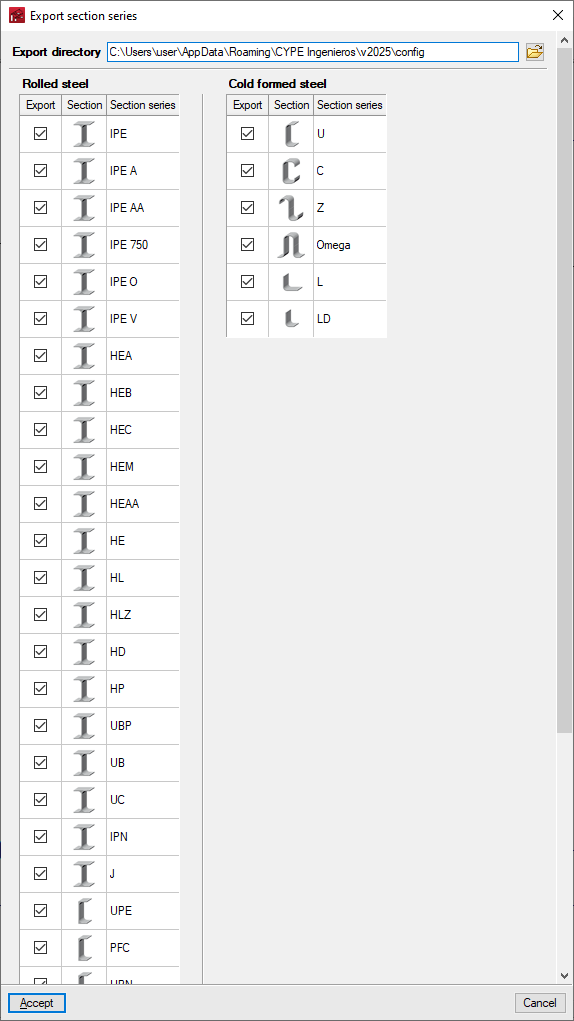
The section series imported or created on the job can be exported to files on disk using this option. The program displays the location of the exported files and also allows users to select the series to be exported.
Use of imported section series
The predefined section series and imported section series from manufacturer's catalogues will be available in the corresponding drop-down list when selecting the section type using the "Editing roof and lateral purlins" option, which can be found under "General data".
Additionally, by accessing the "Edit the list of elements" option, it is possible to consult or modify these series, as well as import predefined section series and import specific manufacturer catalogues for the type of section selected by clicking on the corresponding options at the top of the list. From here, it is also possible to import files on disk containing section series information of the selected type.