Configuration of the project general data
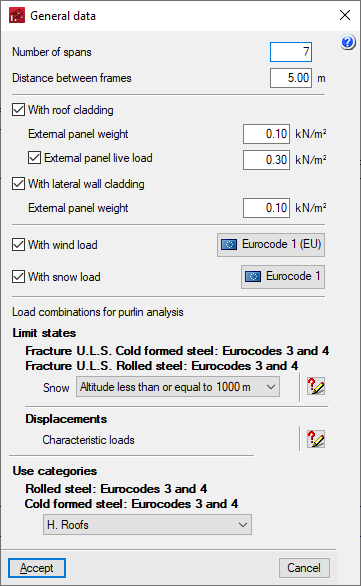
In the "General data" menu at the top, is the "Project general data". Clicking on this option opens a window where the geometry of the structure outside the drawing of the portal frame, the side and roof envelopes and their own weight, the overload of use on the roof and the wind and snow overloads are defined.

The options offered are as follows:
- Number of spans
Defines the number of spans between portal frames of the structure. - Distance between frames
Defines the distance between two consecutive frames of the structure. - With roof cladding (optional)
By activating this option, the structure is considered to have roof cladding, so that the wind and snow loads on the roof can be analysed. In addition, the self-weight and the live load on the roof envelope can be entered, if desired:- External panel weight
Value of the own weight of the roof cladding, minus the weight of the roof purlins, which can be entered with the later option "Edit lateral and roof purlins". - External panel live load (optional)
Value of the live load on the roof cladding.
- External panel weight
- With lateral wall cladding (optional)
When this option is activated, the structure is considered to have cladding on all sides, so the wind loads corresponding to a closed structure will be calculated. If kept deactivated, the structure will be considered as an open canopy.- External panel weight
Value of the own weight of the roof cladding, minus the weight of the lateral purlins, which can be entered with the later option "Edit lateral and roof purlins".
- External panel weight
- With wind load (optional)
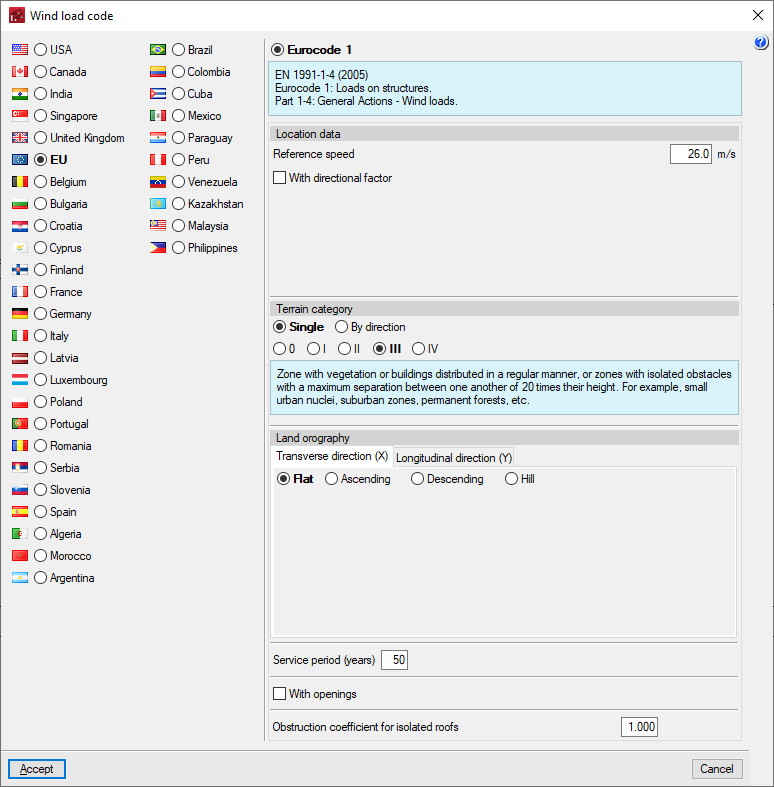
This section appears when activating the "With roof cladding" or "With lateral wall cladding" options. When this option is activated, clicking on the button available on the right opens a window where the wind load analysis standard must be selected from those available, as well as adjusting the related parameters. - With snow load (optional)
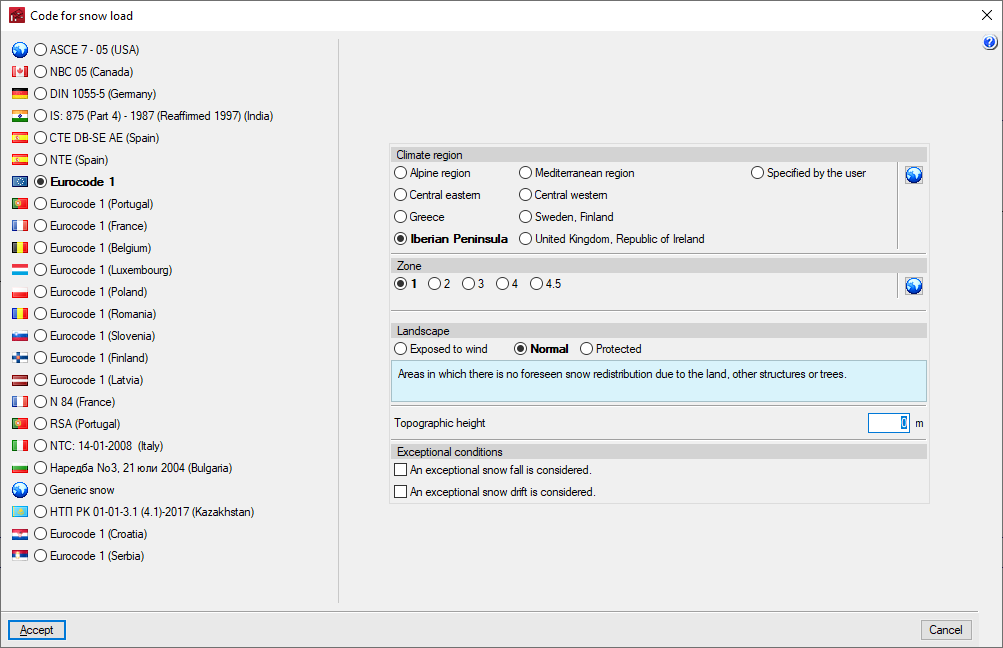
This section appears when the "With roof cladding" option is activated. When this option is activated, clicking on the button available on the right opens a window where the snow overload analysis standard must be selected from those available, as well as adjusting the related parameters. - Load combinations for purlin analysis
This section appears when activating the "With roof cladding" or "With lateral wall cladding" options. This checks the criteria for generating load combinations for analysing purlins and, if necessary, selects one of the cases available in the drop-down menu, depending on the material standard defined in the "Configuration" menu. - Use categories
This section only appears if the "External panel live load" option has been activated. This is used to select the category of use to be applied to this live load from those available, depending on the material standard defined in the "Configuration" menu.