


Quantities over DXF
Automatically measuring drawings allows users to get quantity lines directly in Arquimedes from files in DXF, DWG or compatible image files (JPG, PNG, etc.), without the need to manually enter numerical values. This functionality is available through the "Quantities over DXF" module.
To start measuring, a new subtable has to be inserted, for example, a default one (Standard). From this subtable, when you place the cursor on a numerical data cell (columns A, B, C, D, E or F) and click on the "Quantities using DXF-DWG" option, the "Quantities using DXF-DWG" dialogue box will be displayed.
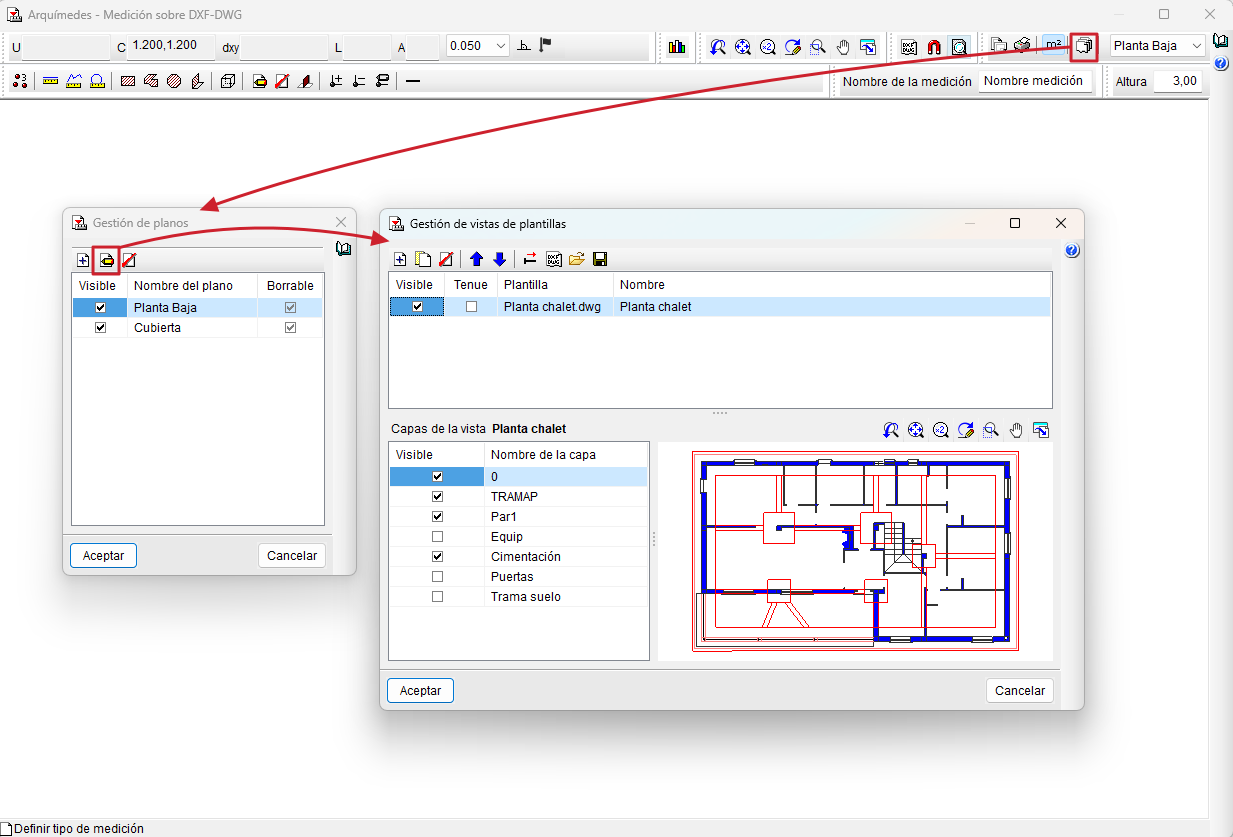
From this dialogue box, users can access the "Drawing management" option on the toolbar to add and name the different drawings that make up the job. Normally, one drawing is defined per floor, type of job or section to be distinguished, and each drawing can be made up of one or more drawing files. If a plan is selected and "Edit" is selected, the "Template view management" dialogue box will be accessed, from where templates can be inserted using the "Add", "Import templates to the job" or "Obtain GXF" option. It is possible to activate or deactivate the layers that are considered necessary in this same dialogue box.
The DXF and DWG files used must be correctly prepared, at a scale of 1:1, where one drawing unit corresponds to one meter, and close to the origin of coordinates (0,0).
Once the drawings have been defined, one of them is selected using the current drawing selector and a name is assigned to the quantity. Then, by activating "Template object snaps" in the toolbar, it is possible to count elements, and measure lengths, surfaces and/or volumes. The program will automatically obtain the numerical data and place it in the quantity table.
If openings need to be discounted (e.g. openings in floor slabs), the "Add/Remove quantity" tool can be activated, which will apply a negative sign to the corresponding quantity.
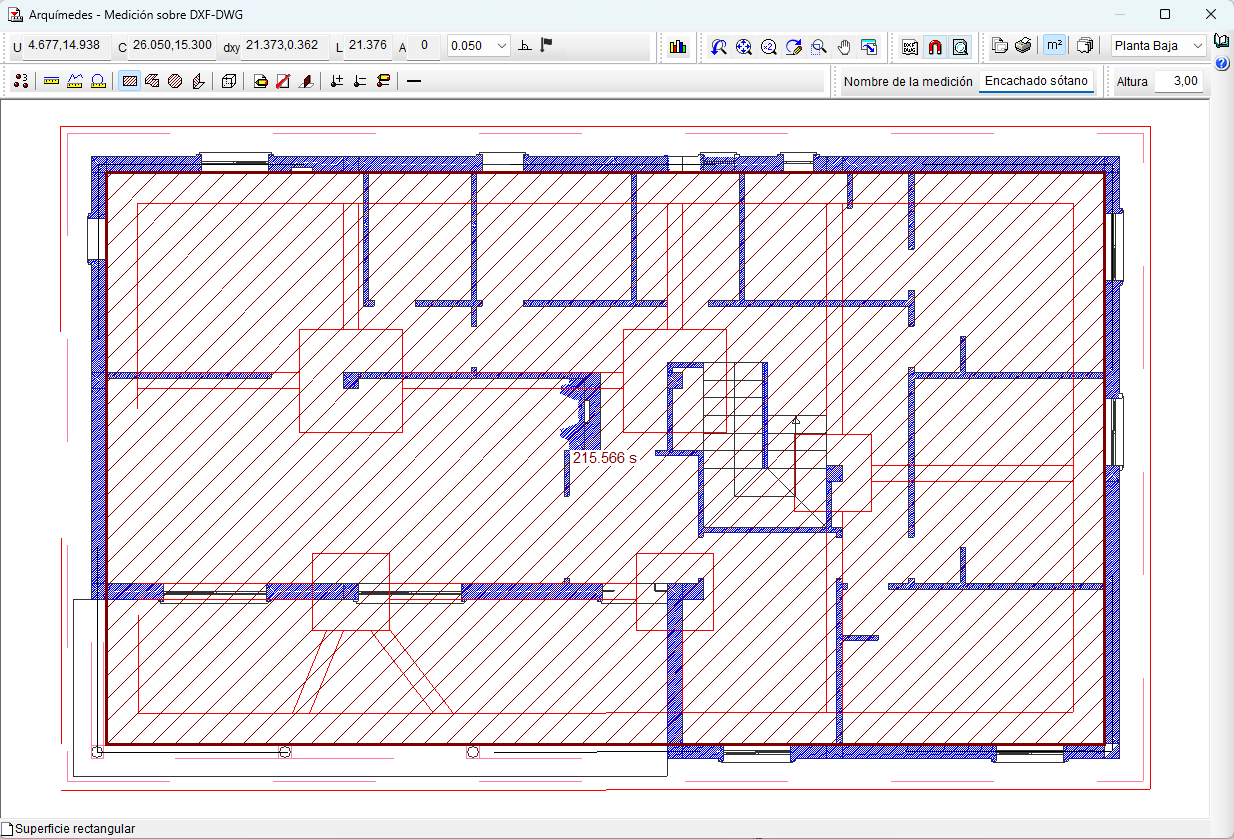
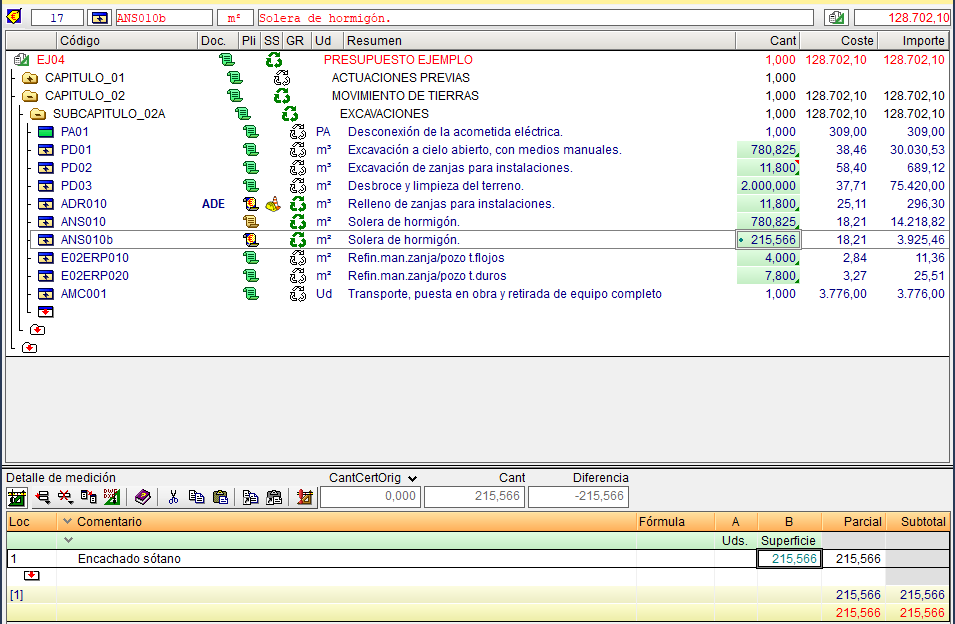
Items with quantities obtained with automatic drawing quantities are identified in the "Qty" column of the "Cost breakdown structure" window with a green dot and an information message.
Also, when double-clicking on a number cell with an associated automatic drawing quantity (identifiable by its green colour), the "Arquimedes - Quantities over DXF - DWG" dialogue box will open again, showing the drawing on which the quantity was taken. From this box, the quantity can be reviewed and adjusted directly.
Integration with other programs
The "Quantities using DXF-DWG" module can also link and import quantities automatically from CAD programs: Allplan® and Archicad®. (Until Arquimedes version 2019.e, the connection to +Extended® - AutoARQ® was also supported).
For the connections between these programs and Arquimedes to be effective, the connection applications must be installed, which are available on the Arquimedes product webpage by clicking on the "Download" option. Specifically, from the "Plugins compatible with Arquimedes" section.
