Selecting the beam type and editing the beam geometry
In the "Edit" section of the main toolbar, you will find the options for defining the "Type" and "Geometry" of each deep-flange beam:

Type
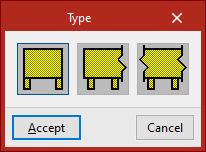
This option allows you to select the type of deep-flange beam from the following:
- Simply supported
The beam is not connected at either end. - Continuous external
The beam continues at one end. - Continuous internal
The beam continues at both ends.
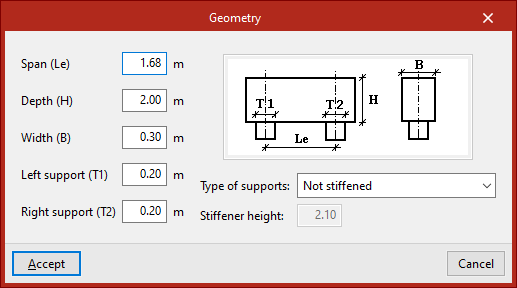
Geometry
This option allows you to define the geometry of the deep-flanged beam selected in the pop-up window.
The following parameters must be specified:
- Span (Le)
- Depth (H)
- Width (B)
- Left support (T1)
- Right support (T2)
These parameters are shown in the diagram on the right.
In addition, the beam’s "Type of supports" must be selected from the drop-down menu. These can be “Not stiffened”, “Stiffened along all its height” or “With stiffener for a given depth”, in which case the "Stiffener height" must be entered.