Work environment
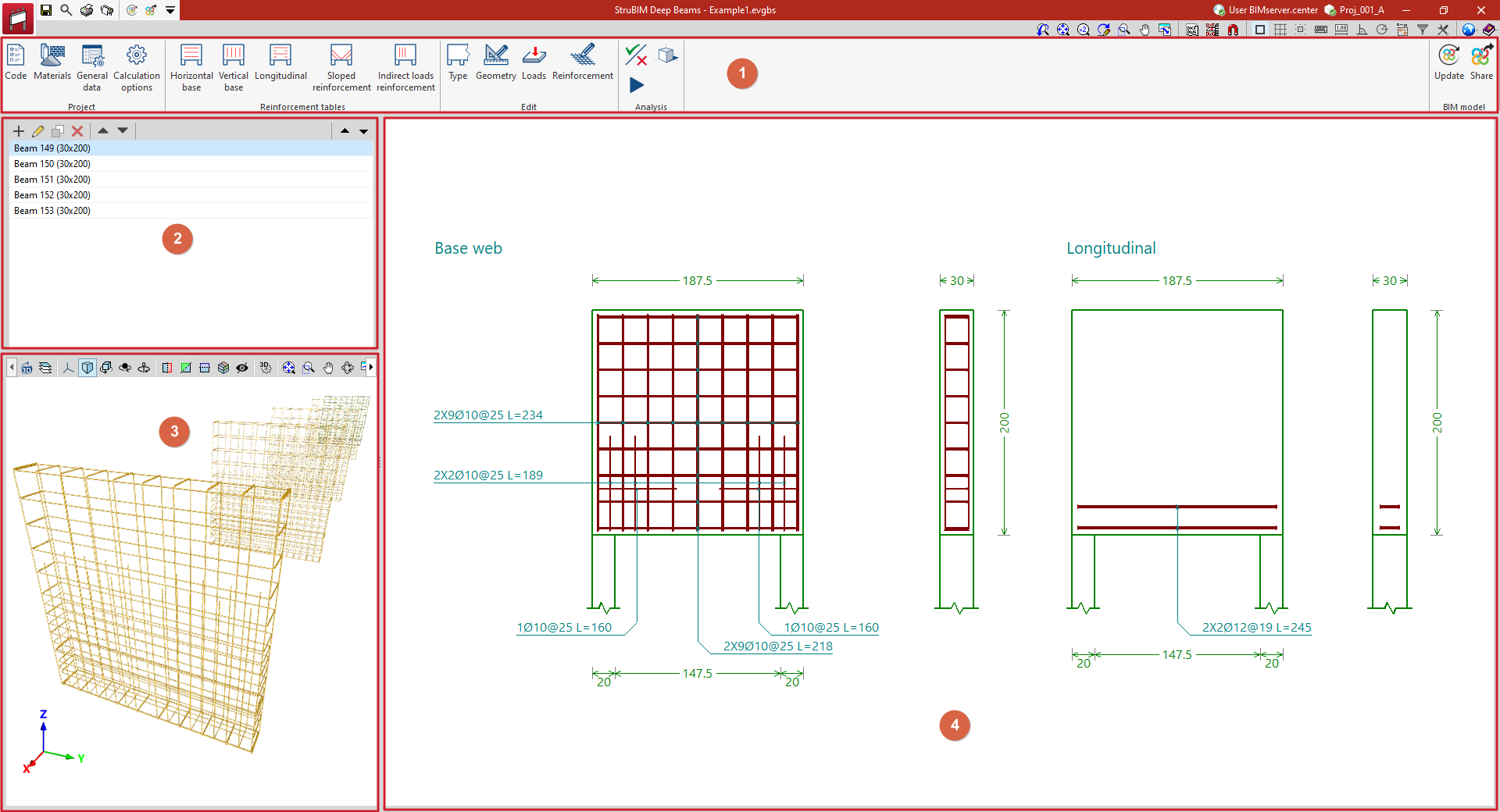
The StruBIM Deep Beams interface features a user-friendly workspace comprising the following areas:
- A top toolbar (1) containing tools for: configuring project parameters; managing reinforcement tables; defining the type and geometry of each deep-flange beam, the loads applied to it, and viewing and editing its reinforcement; checking and designing the beam; and linking the model and exporting the information to a BIMserver.center project.
- On the left-hand side panel, there is a navigator showing the list of deep-flange beams (2) defined in the file and, below that, a 3D view of the imported model (3).
- Finally, the main viewport (4) on the right-hand side of the screen displays the cross-sections and elevations of the selected deep-flange beam, along with the reinforcement layout or design for that beam.