Checks on coupling beams
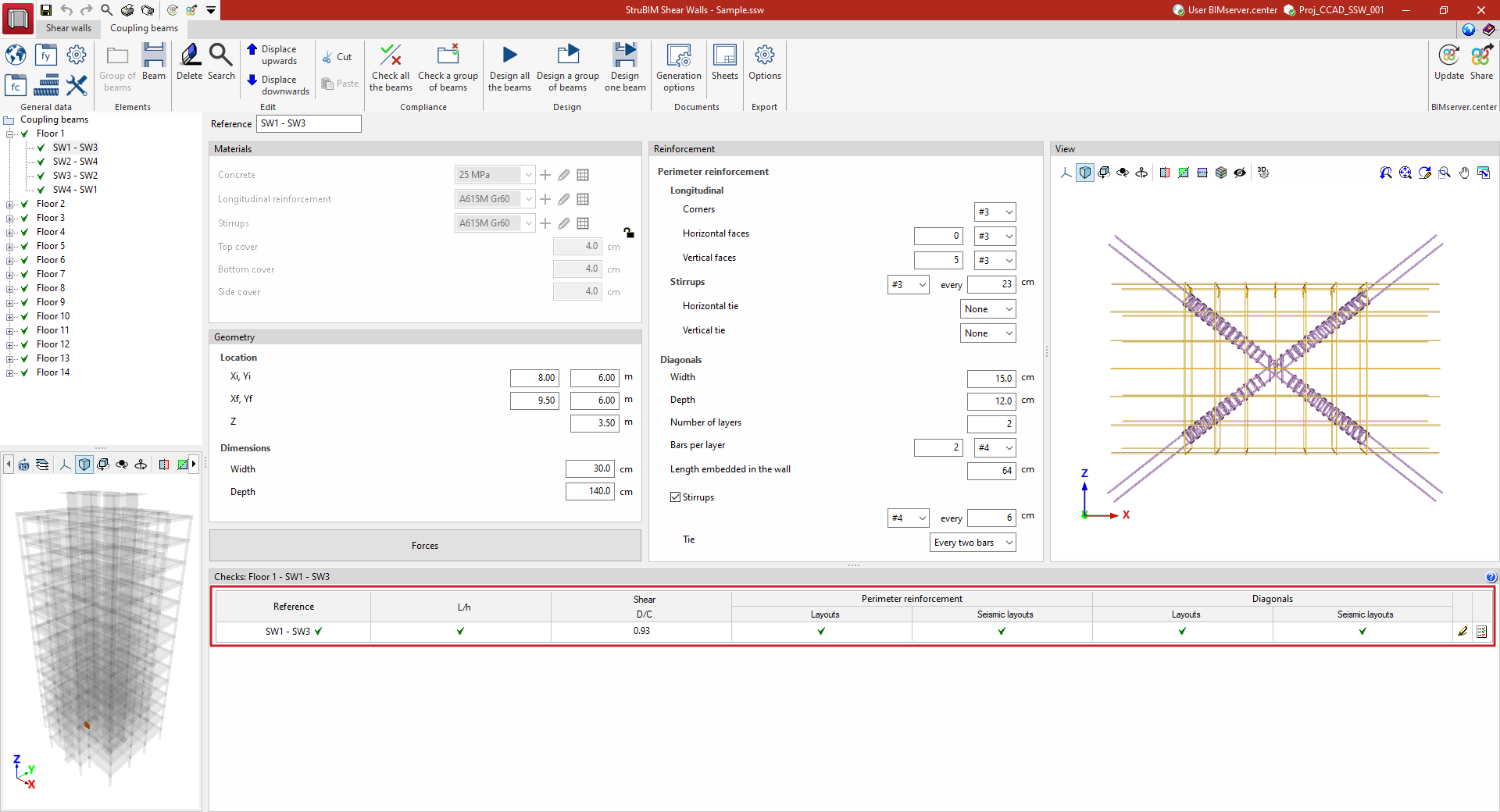
The "Checks" panel, located at the bottom of the interface, displays a table of checks for the coupling beam selected in the side panel.
The table contains the following columns:
- Reference
Reference number of the coupling beam. - L/h
Compliance status of the beam's L/h aspect ratio. - Shear D/C
The demand capacity ratio of the beam's shear force to its shear capacity. - Perimeter reinforcement
Status of compliance of the beam’s perimeter reinforcement with the regulatory “Layouts” and with the regulatory "Seismic layouts”. - Diagonals
Compliance status of the beam’s diagonal bracing with the regulatory “Layouts” and with the regulatory “Seismic layouts”. - Edit
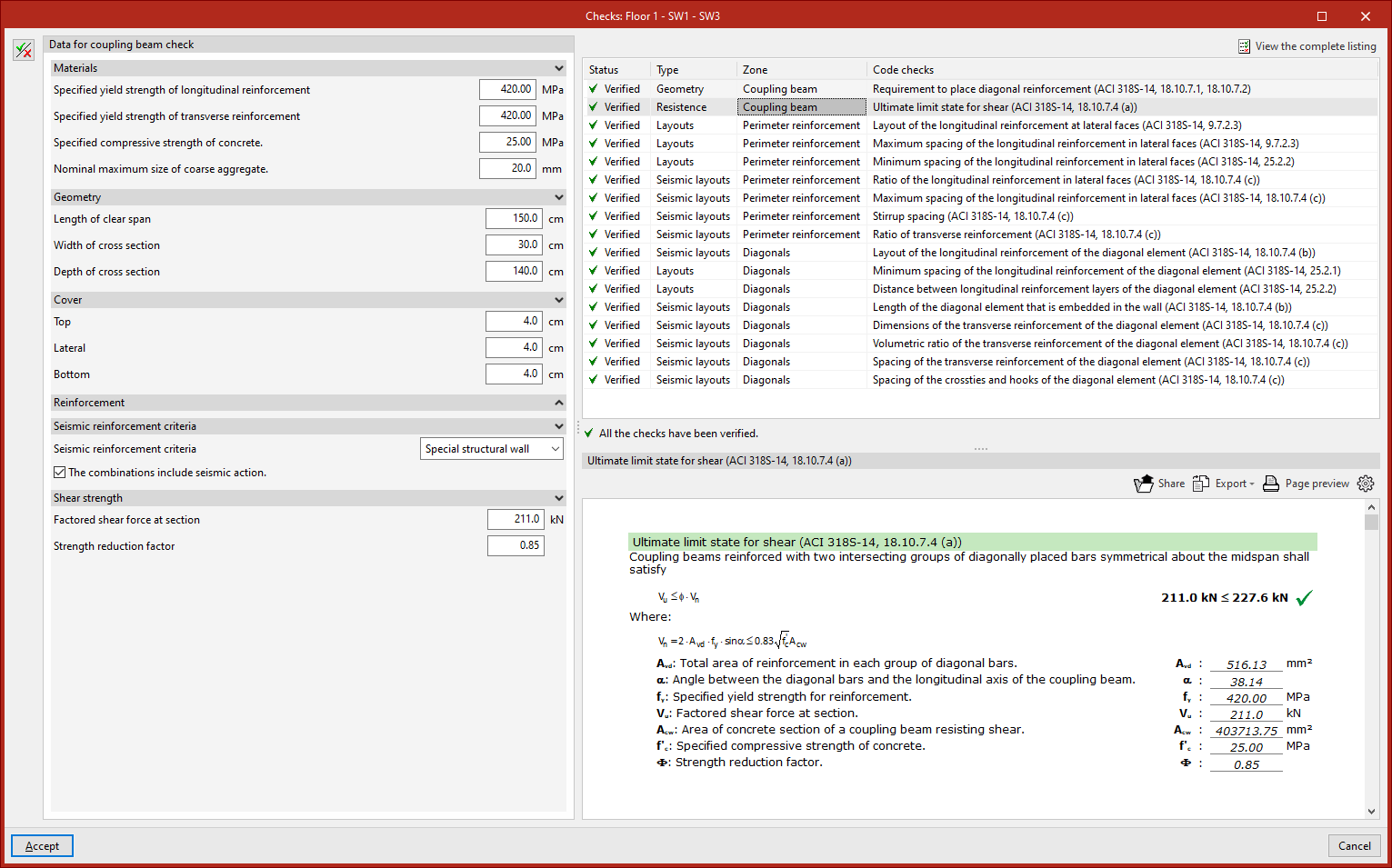
Selecting this option opens a pop-up window where you can do the following:- At the top, a list is shown of each of the regulatory "Checks" carried out on the coupling beam, indicating its compliance "Status", the "Type" of check, the "Zone" where it is carried out, and a summary of the "Check".
- The lower section displays the details of the check selected in the upper section, including a reference to the applicable regulatory section, the terms and data used, and the analyses performed by the program.
- On the left, using the "Show editing panel" option, you can edit the "Data for checking the coupling beam", including details of materials, geometry and cover, reinforcement arrangements, the seismic reinforcement criteria to be considered, and the design shear force.
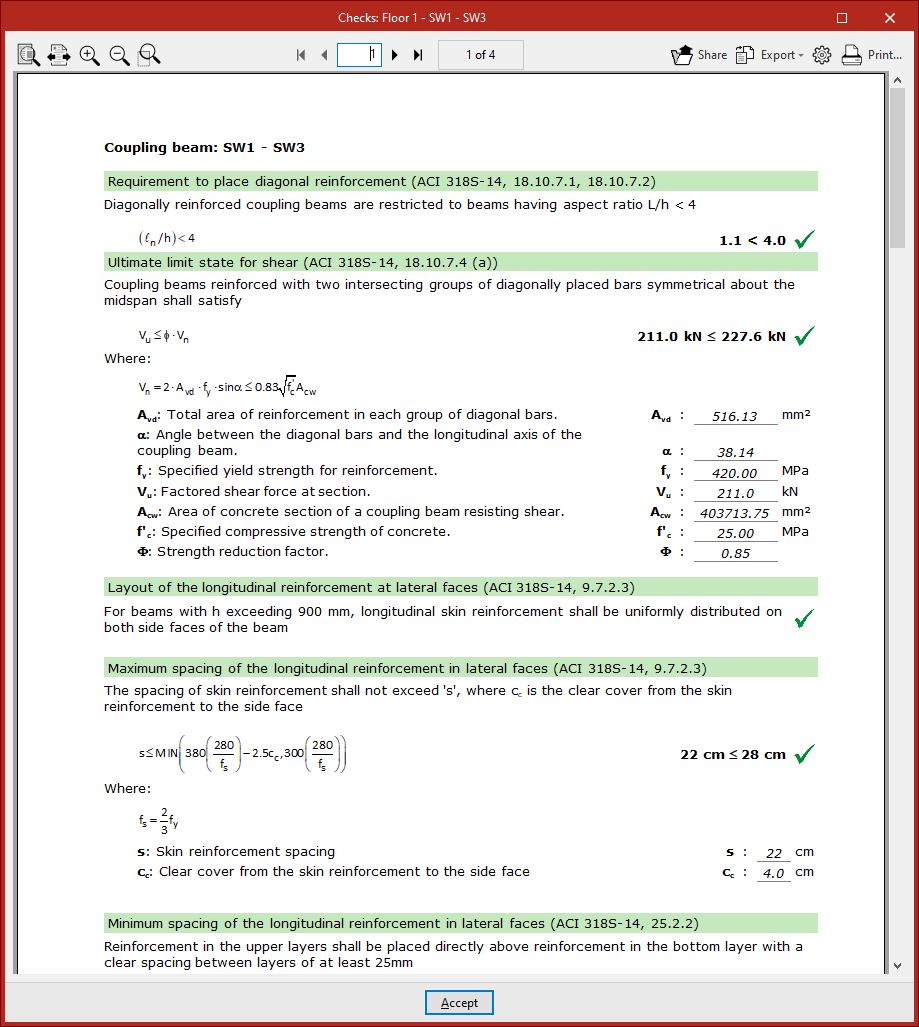
- Report
This option allows you to access the list of detailed checks for the coupling beam. This report can be printed directly or exported in various formats.