Shear wall checks
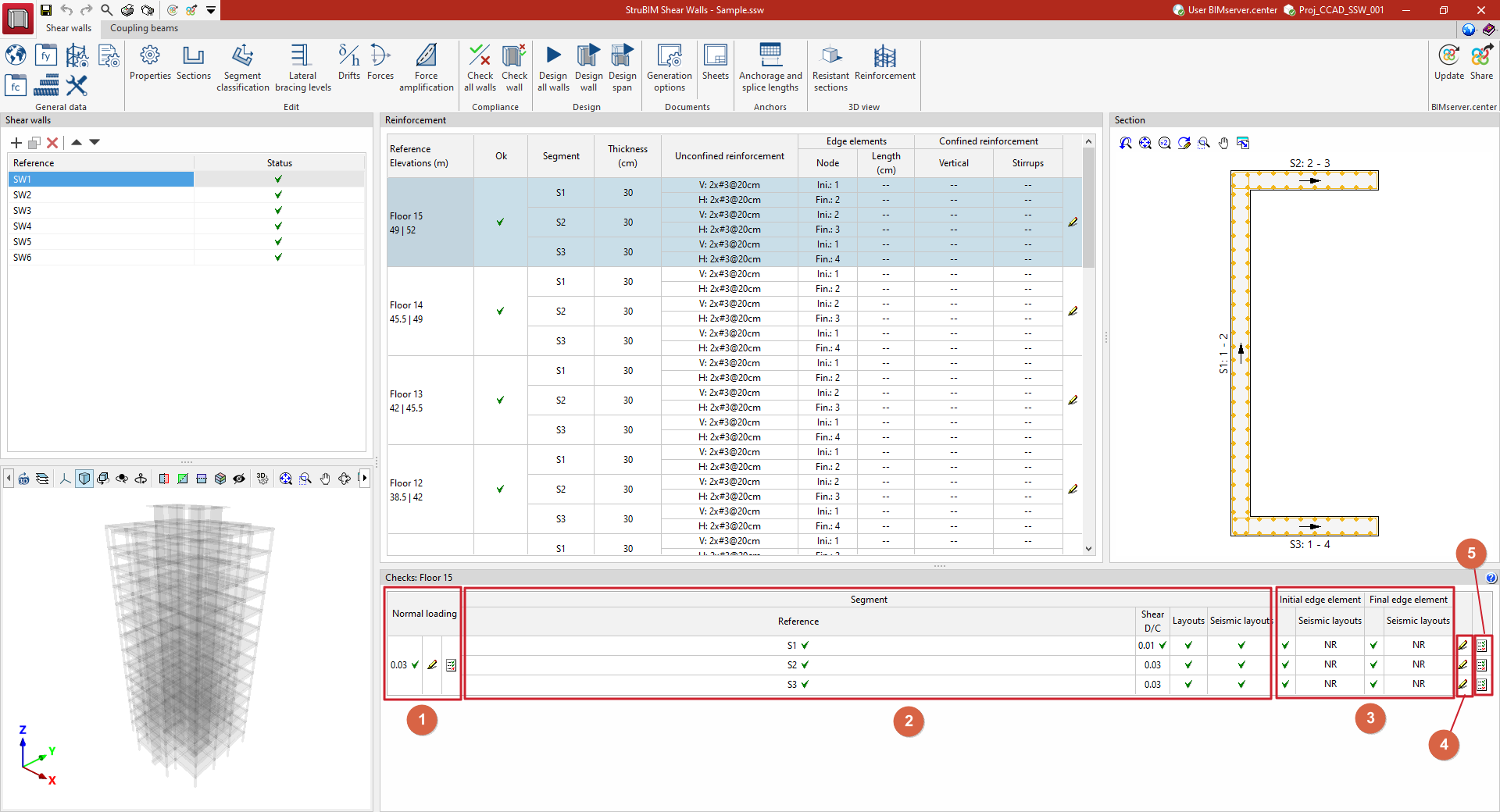
The "Checks" panel, located at the bottom of the interface, displays a table of checks for the reinforcement bar selected in the "Reinforcement" panel. From here, you can access the checks for normal stresses in the cross-section and the detailed check reports.
The table shows the following columns:
- Normal loading
- Segment
- Initial edge element / Final edge element
- Edit
- Report
Each of these is detailed below:
Normal loading
This section provides the following information regarding the standard stress checks for the section:
- Demand Capacity Ratio
- Edit
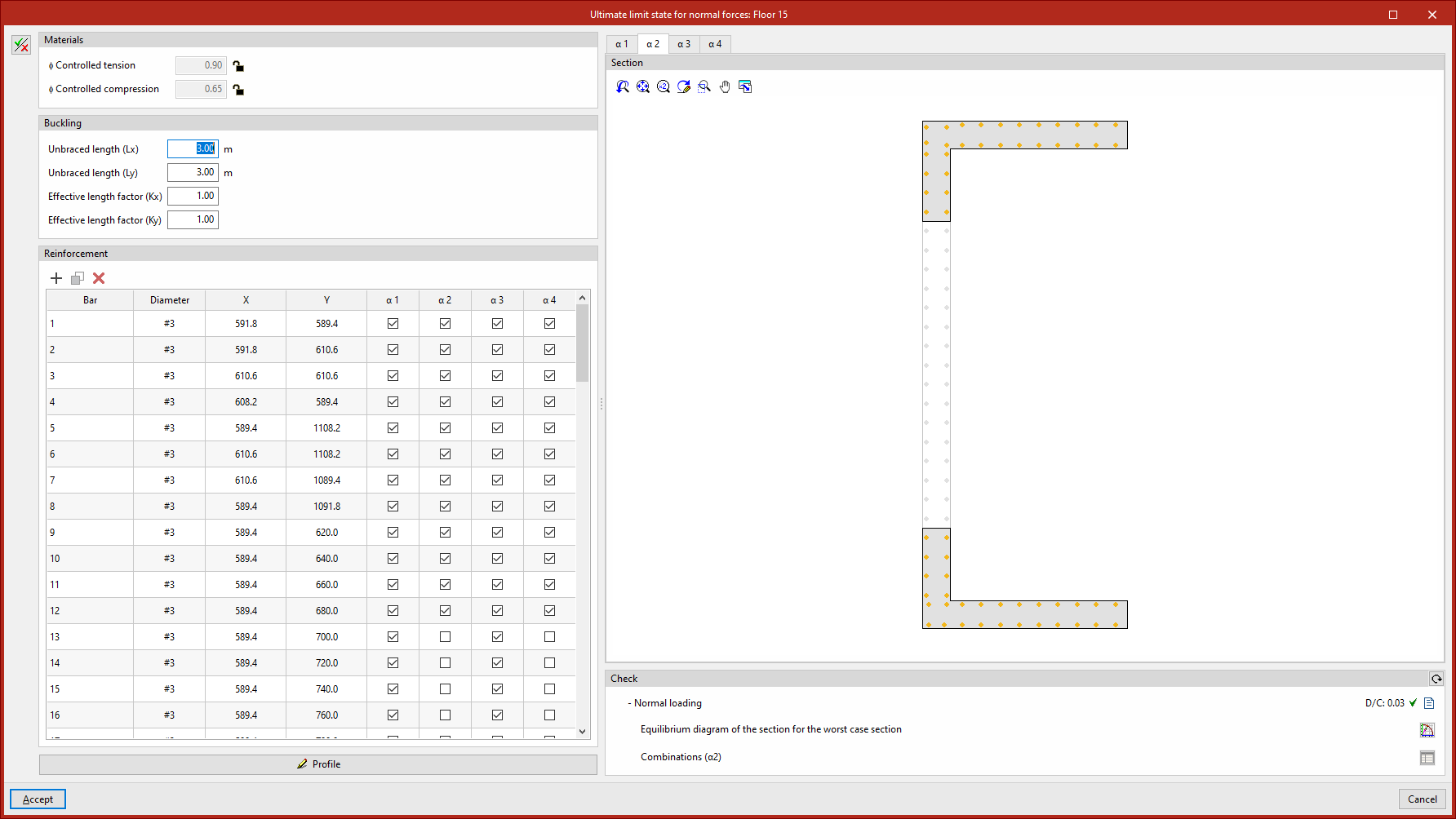
This option opens a pop-up window where you can do the following:- In "Section", the effective areas of the wall cross-section are shown in shading for each of the angular intervals defined under "Segment classification" (accessible via the "α1", "α2", …, "αn" tabs).
- On the left, using the "Show editing panel" option, you can edit the input data for standard section stress checks, including parameters relating to "Materials" and "Buckling", as well as the gauge, layout and contribution of the reinforcement. In addition, you can edit the "Contour" of the effective sections numerically.
- The "Check" section at the bottom displays a summary of the standard checks, which can be refreshed if any changes have been made in this window. It includes:
- Its demand capacity ratio in relation to these checks
- The report of "Worst case checks"
- The "Equilibrium diagram of the section for the worst case section", which is displayed in a separate window, shows the "Equilibrium diagram of the section for the worst case section" and the position of the "Resultant" forces
- Using the "Combinations" option, the ability to view the worst-case stresses and the section equilibrium diagram for each combination.
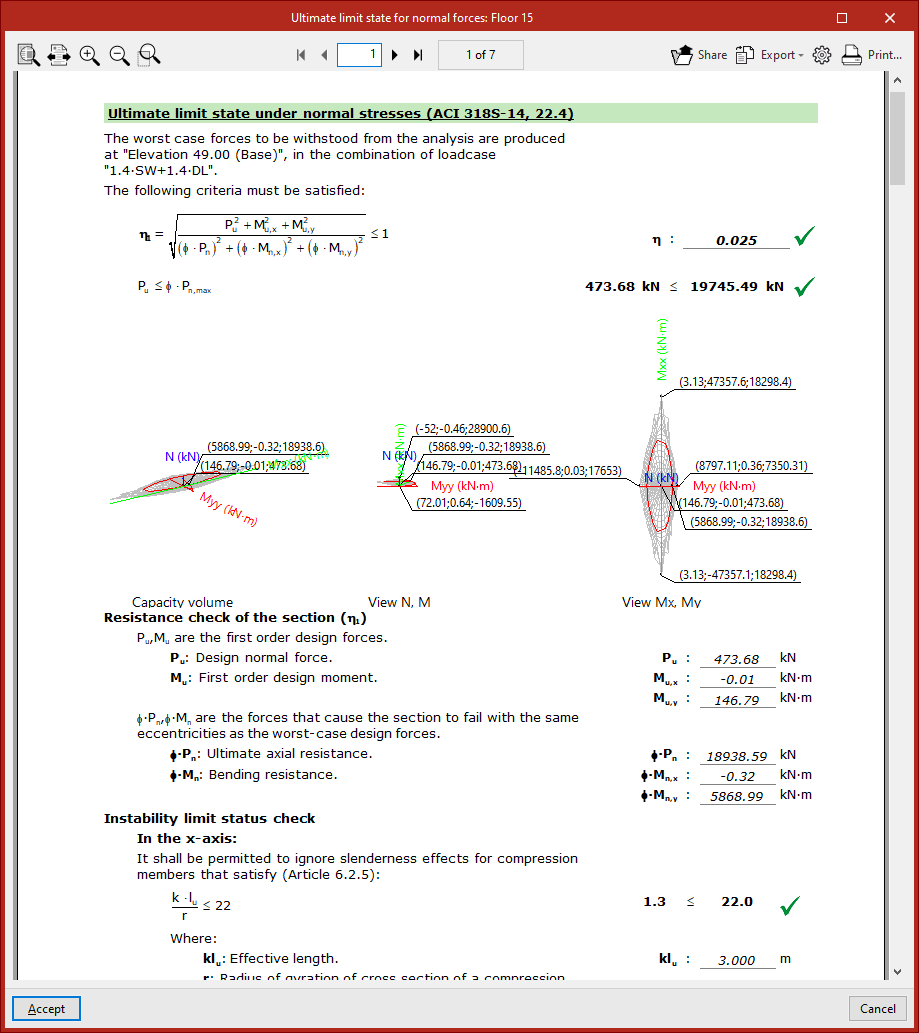
- Report
This option provides access to a specific report for checking the limit state of fatigue under normal loads. This report can be printed directly or exported to various formats.
Segment
This section provides the following information regarding the verification of compliance with regulatory requirements for each section of the wall:
- Reference
Segment reference. - Shear D/C
The demand/capacity ratio of the shear resistance in the wall plane. - Layouts
Status of the segment’s compliance with regulatory requirements. - Seismic layouts
Status of compliance of the segment with regulatory seismic requirements.
Initial edge element / Final edge element
These columns show the compliance statuses of the segment’s start and end edge elements.
Edit
Selecting this option opens a pop-up window where you can do the following:
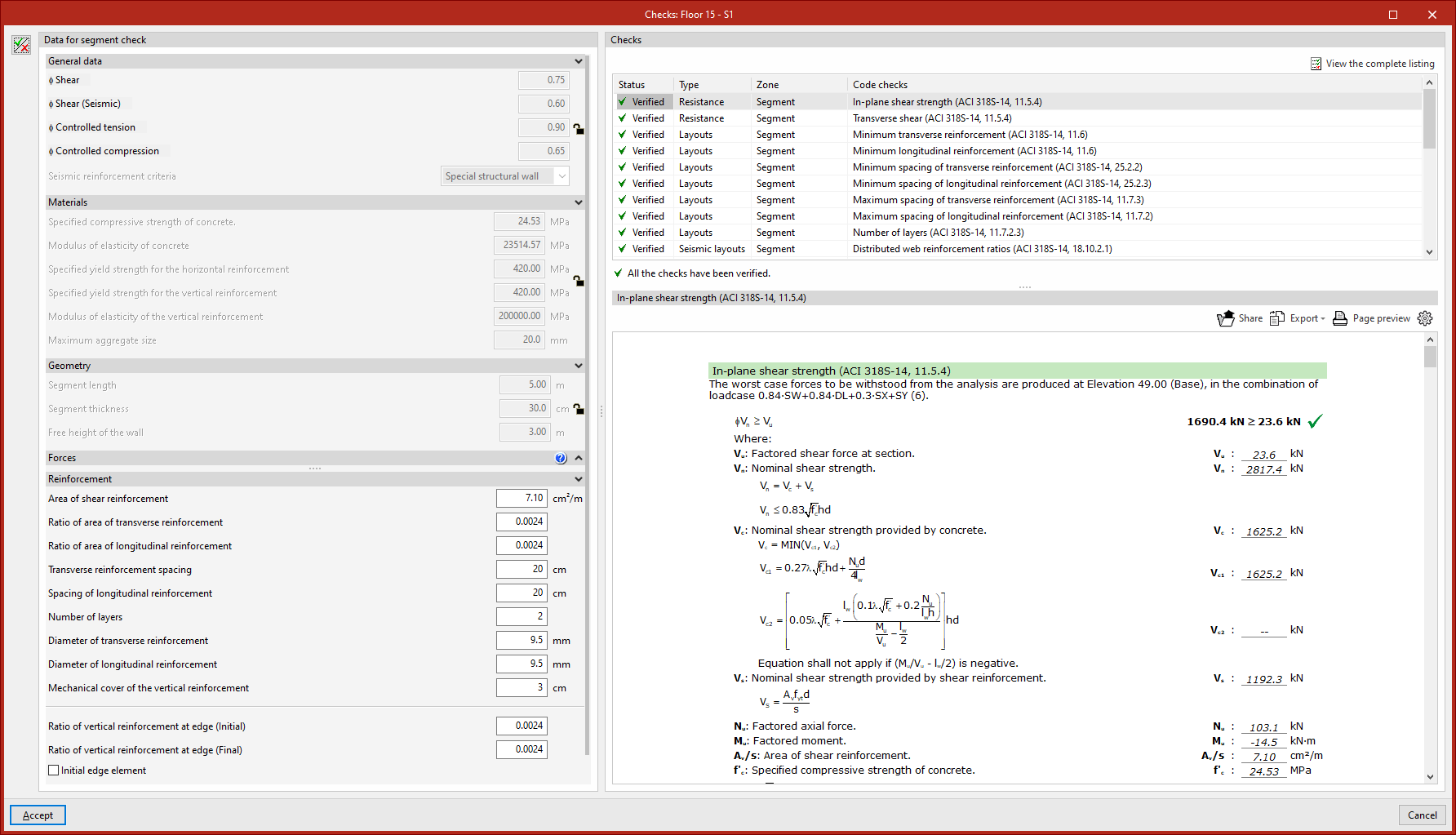
- At the top, a list is displayed of each of the regulatory "Code checks" carried out on the wall section, indicating their compliance "Status", the "Type" of check, the "Zone" where it is carried out, and a summary of the "Code checks".
- The lower section displays the details of the check selected in the upper section, including a reference to the applicable regulatory provision, the terms and data used, and the calculations performed by the program.
- On the left, using the "Show editing panel" option, you can edit the "Segment verification data", including general data, the wall's geometry and materials, the forces considered, and the reinforcement laid out.
Report
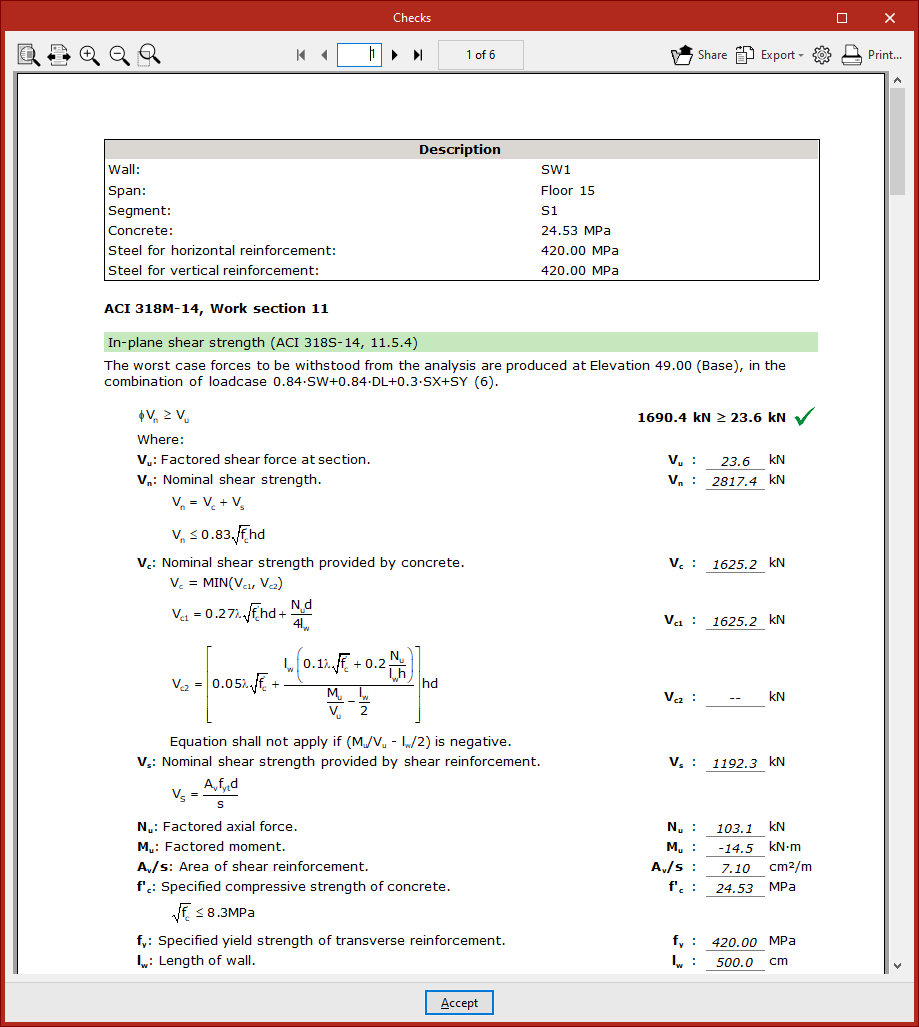
This option provides access to a list of detailed checks against regulatory requirements in each segment. This report can be printed directly or exported in various formats.