


Options in the "Results" tab
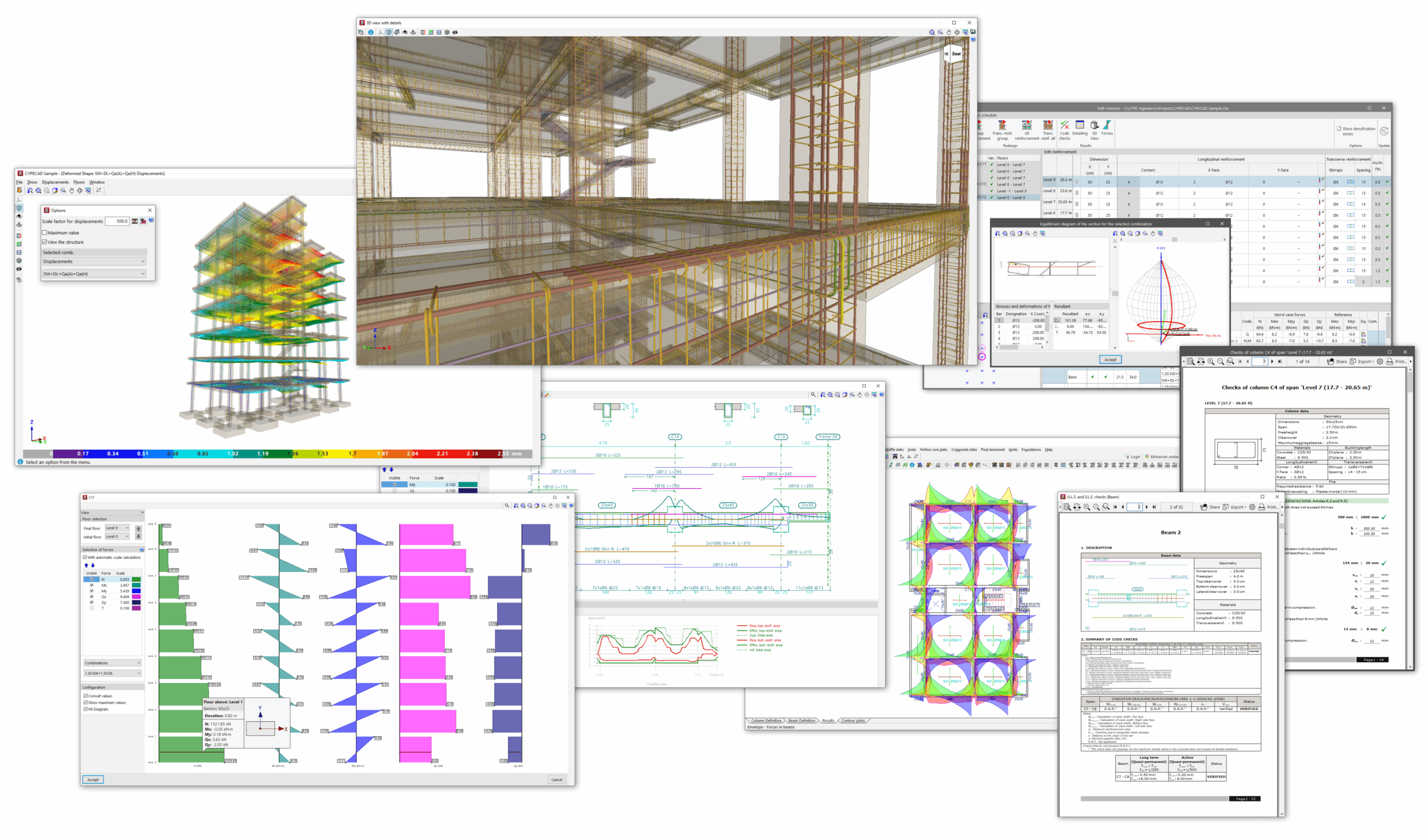
In the "Results" tab of CYPECAD, accessible from the bottom of the general interface, the results obtained from the analysis of the different elements of the model are compiled and can be consulted. It also allows modifications to be made to the reinforcement and the design of the elements.
"Envelopes" menu
The "Envelopes" menu contains the following features:
- consultation on stresses in beams, joists, lightweight slabs and composite slabs;
- consultation on quantities, displacements and forces in floor slabs and waffle slabs, and on excessive lift-offs and forces in foundation slabs;
- consultation on forces, displacements and distortions in columns, shear walls and walls;
- and the visualisation of the analytical model and the deformed shape of the structure.
The following link provides detailed information on the options that appear in the "Envelopes" menu in the "Results" tab:
"Columns/Shear walls" menu
The following features are available in the "Columns/Shear walls" menu:
- access to the specific column editor, which allows you to:
- modification of its assembly or of the sections used,
- and consultation of the checks carried out.
The following link provides detailed information on the options that appear in the "Columns/Shear walls" menu in the "Results" tab:
"Beams/Walls" menu
The following features are available in the "Beams/Walls" menu:
- access to the specific beam editor, which also allows modification of their reinforcement or the sections used, as well as consultation of the checks carried out on them;
- the editing of reinforced concrete walls;
- the verification and design of concrete block walls;
- and the editing and checking of short corbels and sloped beams.
The following link provides detailed information on the options that appear in the "Beams/Walls" menu in the "Results" tab:
"Flat/Waffle slabs" menu
The following features are available in the "Flat/Waffle slabs" menu:
- consultation and editing of assemblies in slabs and hollow core slabs,
- and the punching verification options.
The following link provides detailed information on the options that appear in the "Flat/Waffle slabs" menu in the "Results" tab:
Menu "Joists"
The "Joists" menu contains the following features:
- adjusting the display of the results of joist slabs, such as the moments and shear forces to be covered, or the negative reinforcement;
- checking for errors, verifications and arrows on the joists;
- and editing and/or equalisation after analysing the joists and reinforcement layouts.
"Hollow core slabs" menu
The "Hollow core slabs" menu contains the following features:
- adjusting the display of the results for lightweight slab structures, including data on slabs and negative reinforcement;
- consultation of errors and information on lightweight slab floor panels;
- and editing after analysing the hollow core slabs and the reinforcement layouts.
"Composite slabs" menu
The "Composite slabs" menu contains the following features:
- adjusting the display of composite slab results, including data on steel sheet panels and positive or negative reinforcement;
- consultation of errors and information on composite slab floor slabs;
- and editing after analysing the steel sheet panels and the reinforcement layouts.
"Post-tensioned" menu
The "Post-tensioned" menu contains the following features:
- the configuration and editing options for post-tensioned slab components.
"Connections" menu
The "Connections" menu contains the following features:
- the configuration, consultation and redesign options for the connections analysed in the structure.
"Foundation" menu
The "Foundation" menu contains the following features:
- the management of the ground-structure interaction;
- the introduction of anchor plates and foundation elements such as footings, shoring, centring and tie beams;
- options for editing the geometry and assembly of foundation elements;
- the options for design and checking foundation elements;
- as well as other options related to foundation elements, such as checking forces at the base of footings, eliminating overlaps between them, or defining limits for polygonal footings.
The following link provides detailed information on the options available in the "Foundation" menu, which can be accessed from both the "Beam input" tab and the "Results" tab:
Obtaining reports and drawings
Furthermore, from the "Results" tab, it is possible to obtain lists and print plans of the project and the different elements of the structure, as well as export the information to other programs.
