Update history​​

Open BIM Quantities

As of version 2021.f, "Open BIM Quantities" can read complex properties and quantities. In the IFC standard, complex properties ("IfcComplexProperty") allow users to define a subset of properties as a single "property" entry within a set of properties associated with an element of the BIM model. This function is the same for physical complex quantities ("IfcPhysicalComplexQuantity").

Complex properties and quantities are displayed in the list of parameters associated with the BIM model component in the following format:

[Property reference/complex quantity]. [Property reference/simple quantity]

Complex properties and quantities can be used in the rules of measurement for selecting BIM model elements and defining the generated items.
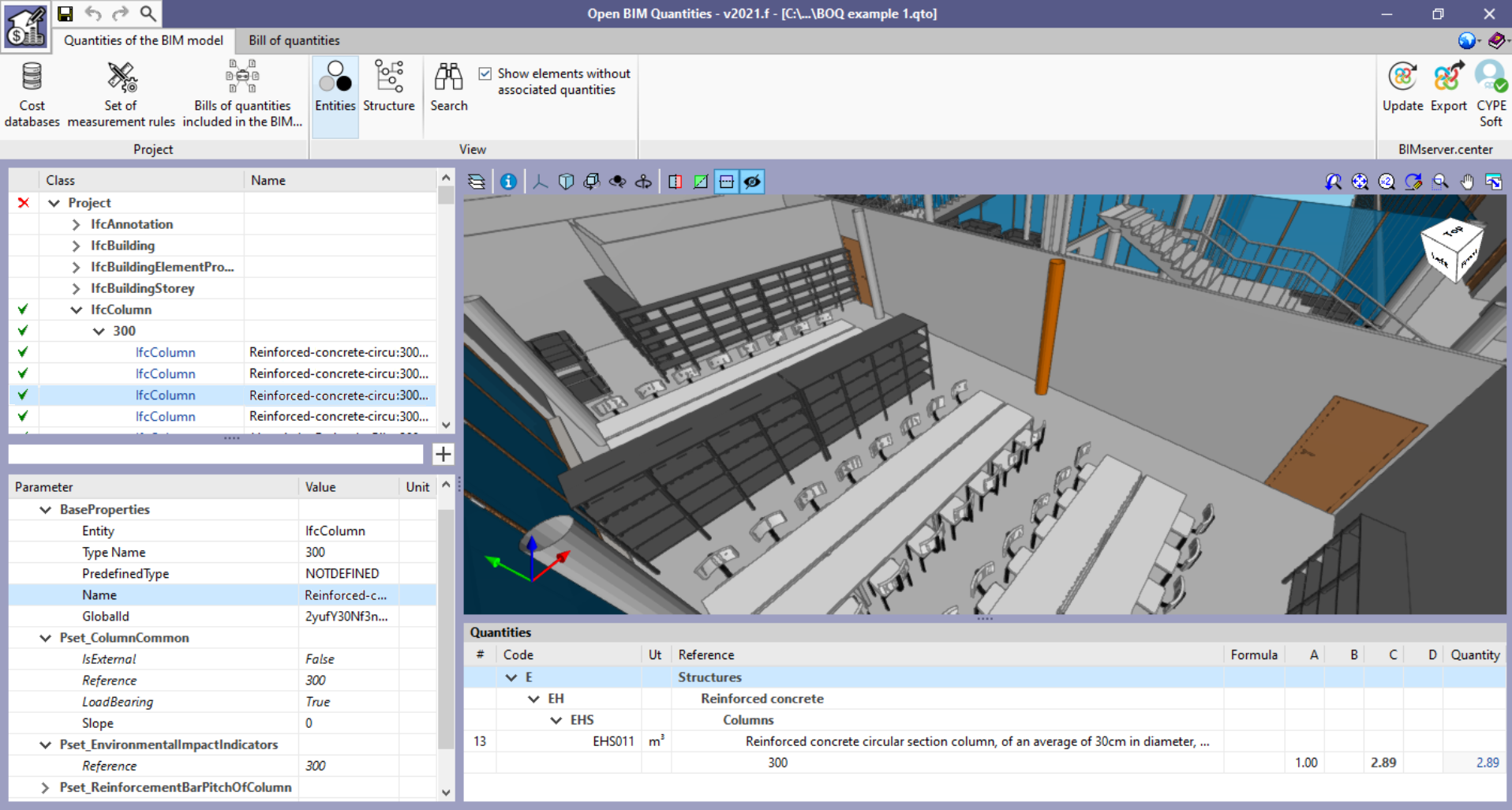
From version 2021.f onwards, "Open BIM Quantities" can incorporate the sets of properties and quantities defined at type level, based on the IFC standard specification. All model components belonging to the same type assume the properties and quantities specified at type level. However, it is possible that element-level definitions may invalidate these type-derived properties and quantities. The different combinations are shown in the list of parameters associated with the model component as follows:

  • If the property or quantity is defined at a component level only, the property or quantity’s reference and value are displayed in plain text.
  • If the property or quantity is defined at type level, the name of the property or quantity and its value are displayed in italics.
  • If the property or quantity is defined at type level, but is different at component level, the name and value at component level are shown in plain text while the type name and value are shown in italics and strikethrough.

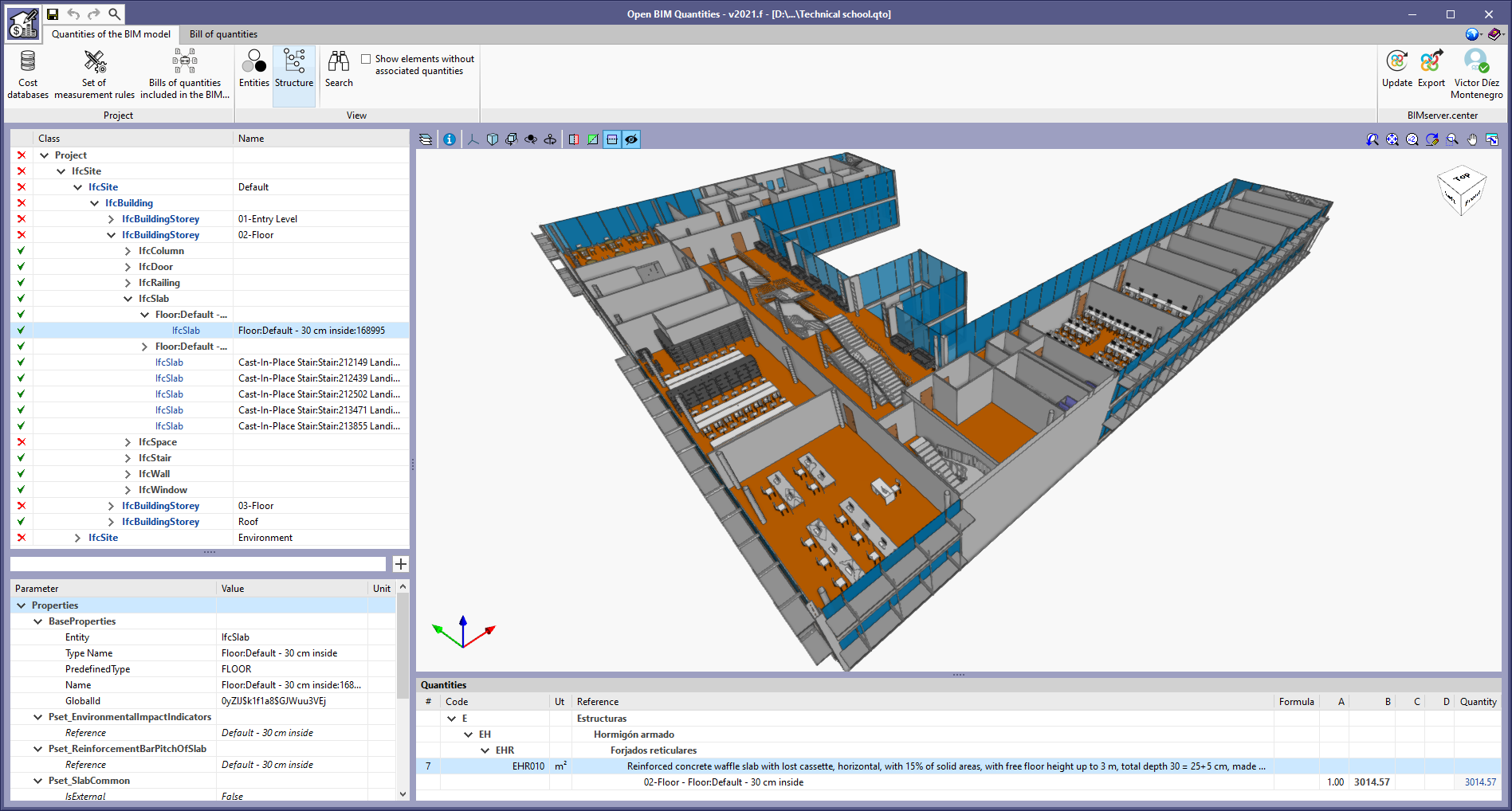
As of version 2021.f, Open BIM Quantities offers two different ways of viewing the BIM model’s cost breakdown structure in the "Quantities of the BIM model" tab. Up until now, elements have always been organised according to the IFC entity they belong to (IfcWall, IfcSlab, IfcSpace, etc.). In this update, the "View" group of options has been added to the application toolbar with two buttons: "Entities" and "Structure". The first one shows the BIM model’s cost breakdown structure in the same way as the previous versions, i.e. it groups the elements according to their IFC entity reference. The second one allows users to organise the breakdown structure based on the project’s spatial structure.

According to the IFC standard, spatial structures are used to provide a hierarchical distribution of models with the aim of organising construction projects. A project’s spatial structure can define as many decomposition levels as necessary for the project.

The elements of the spatial structure are as follows:

  • Site ("IfcSite")
  • Building ("IfcBuilding")
  • Storey or floor ("IfcBuildingStorey")
  • Space ("IfcSpace")

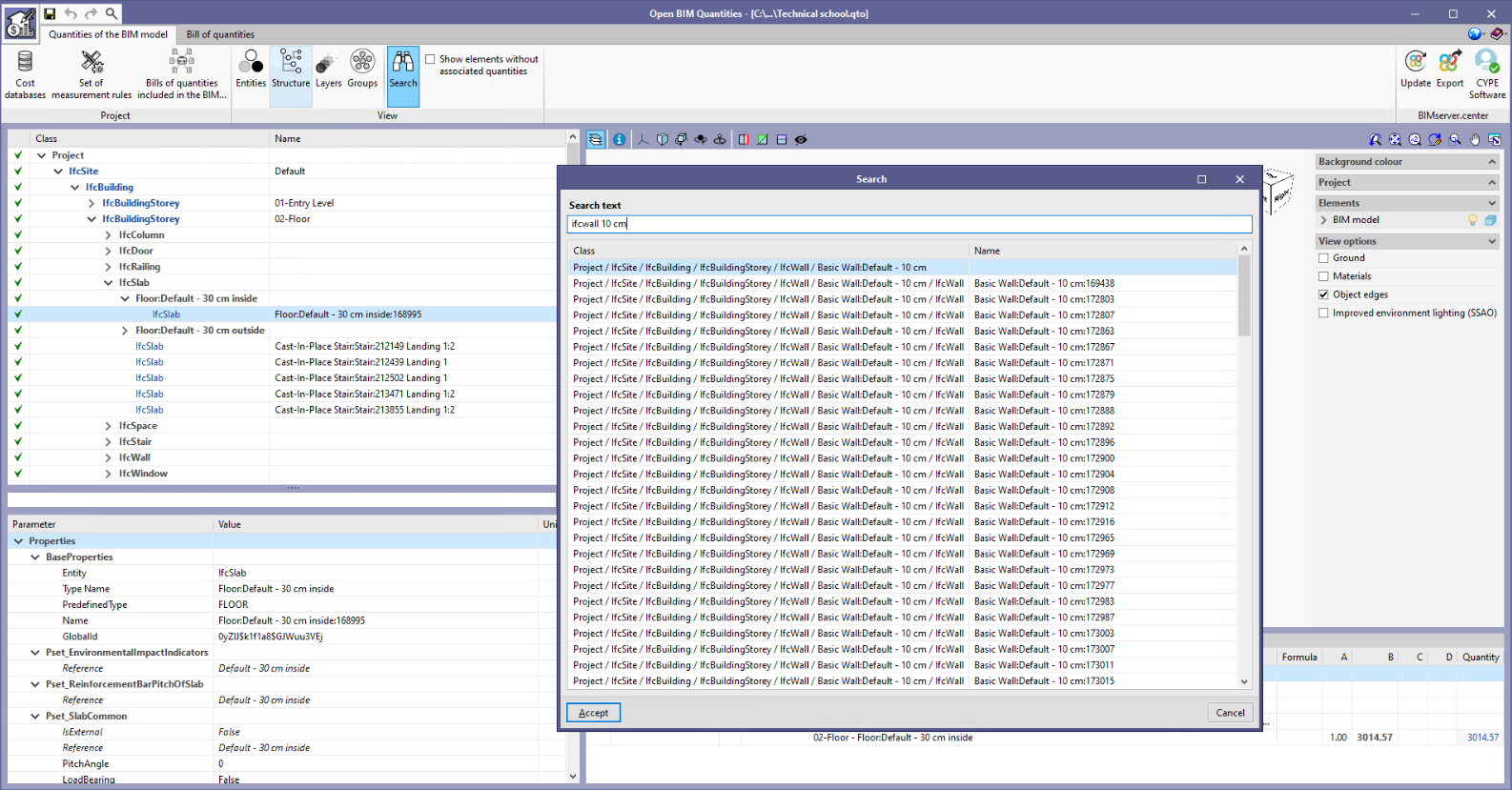
A "Search" tool has been added to the "Quantities of the BIM model" tab in the "Open BIM Quantities" toolbar. This new feature allows users to locate elements in the BIM cost breakdown structure quickly by means of their "Class" and "Name".

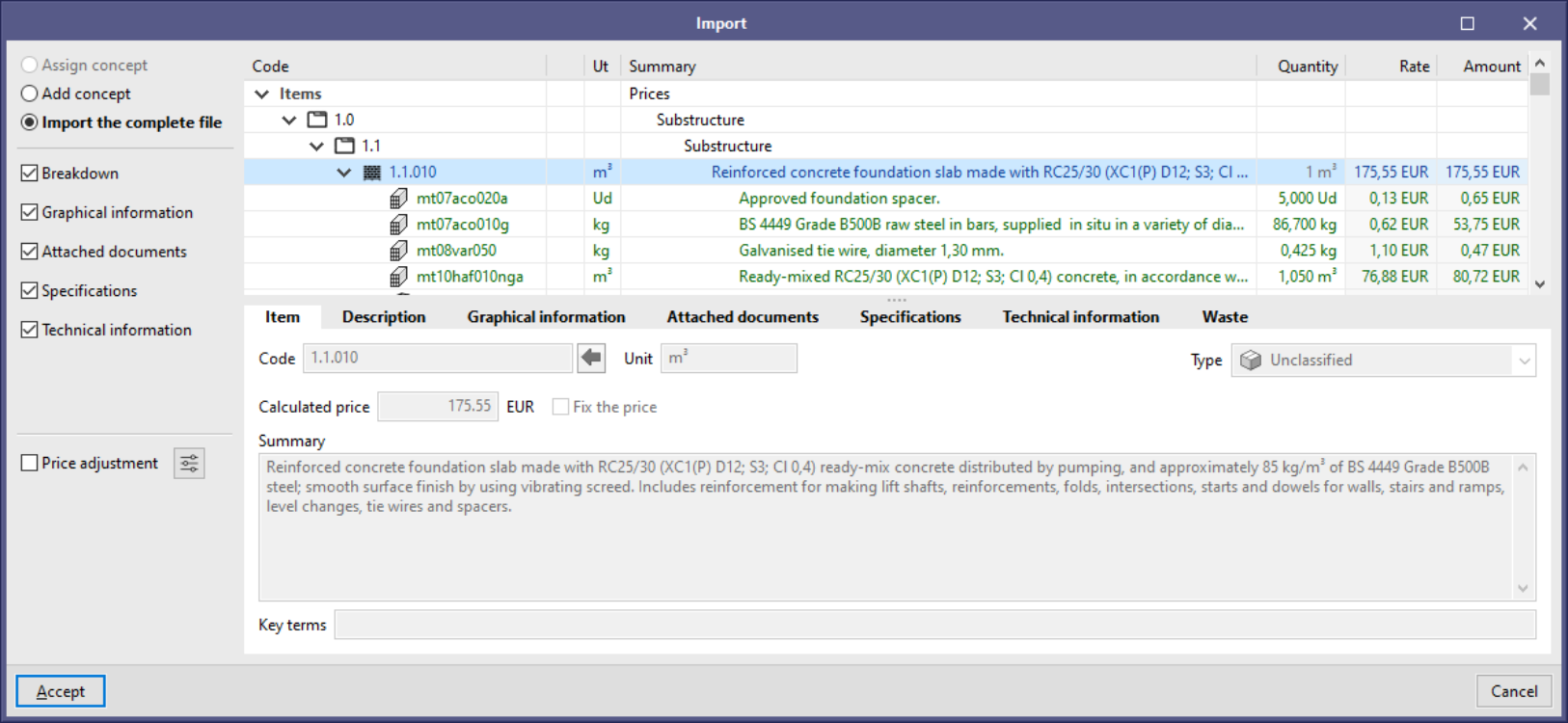
From version 2021.f onwards, when a FIEBDC-3 (.bc3) file is dragged to the project’s price table or cost database, the "Import the entire file" option is available. When selecting this option, every concept in the file will be included instead of just single concepts, as is the case with "Assign concept" and "Add concept".

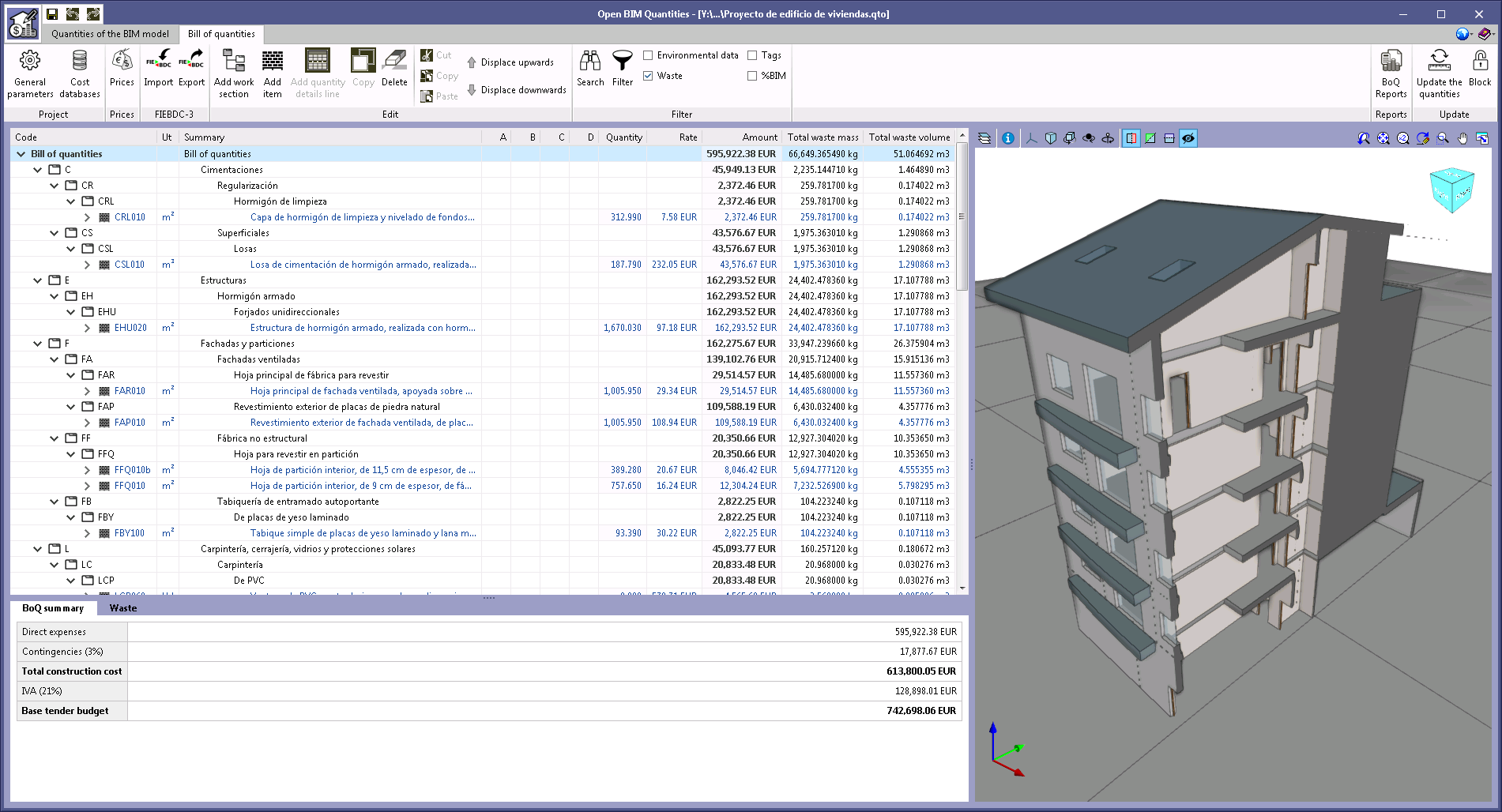
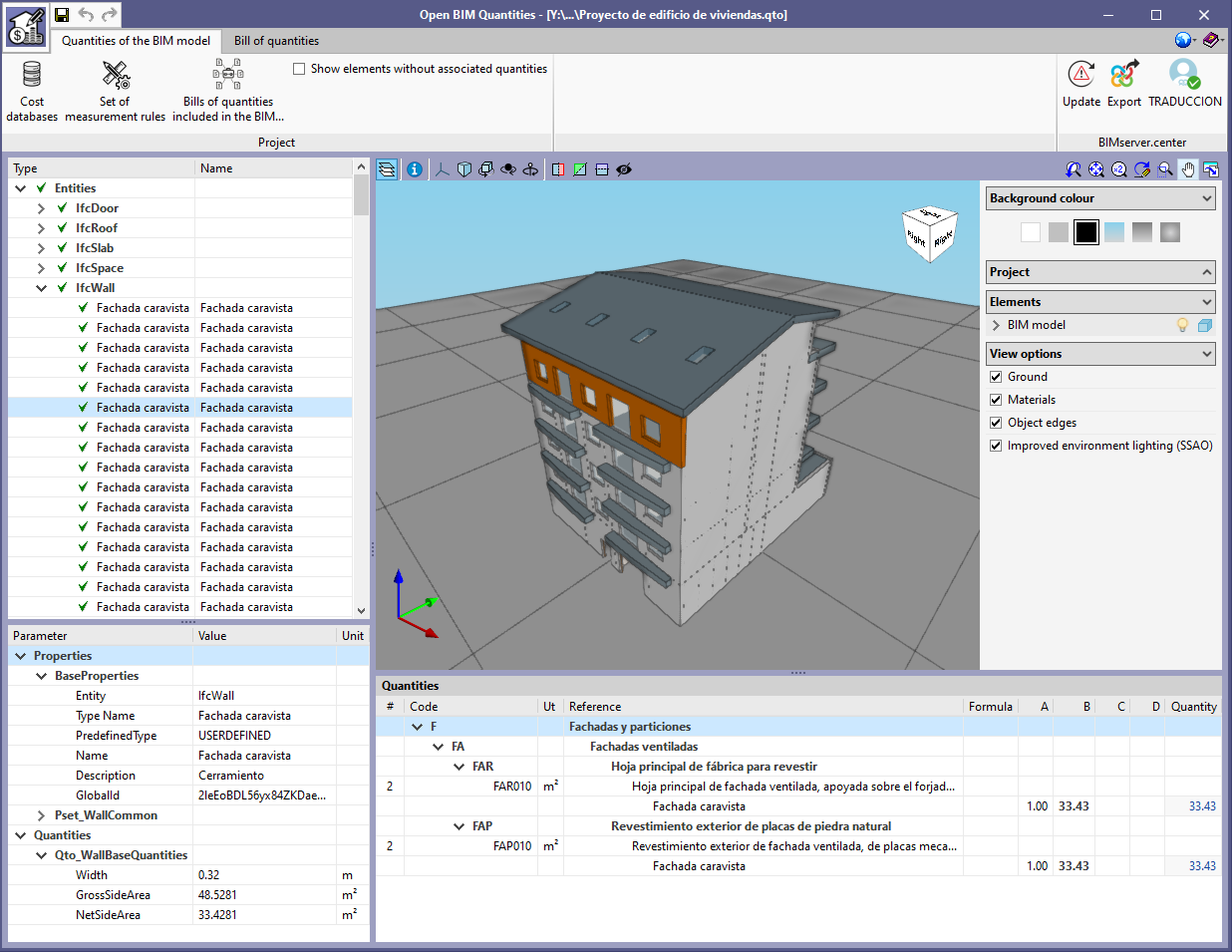
The example job "Proyecto de edificio de viviendas", together with its associated cost database, has been updated to take into account both the specifications and the construction and demolition waste.

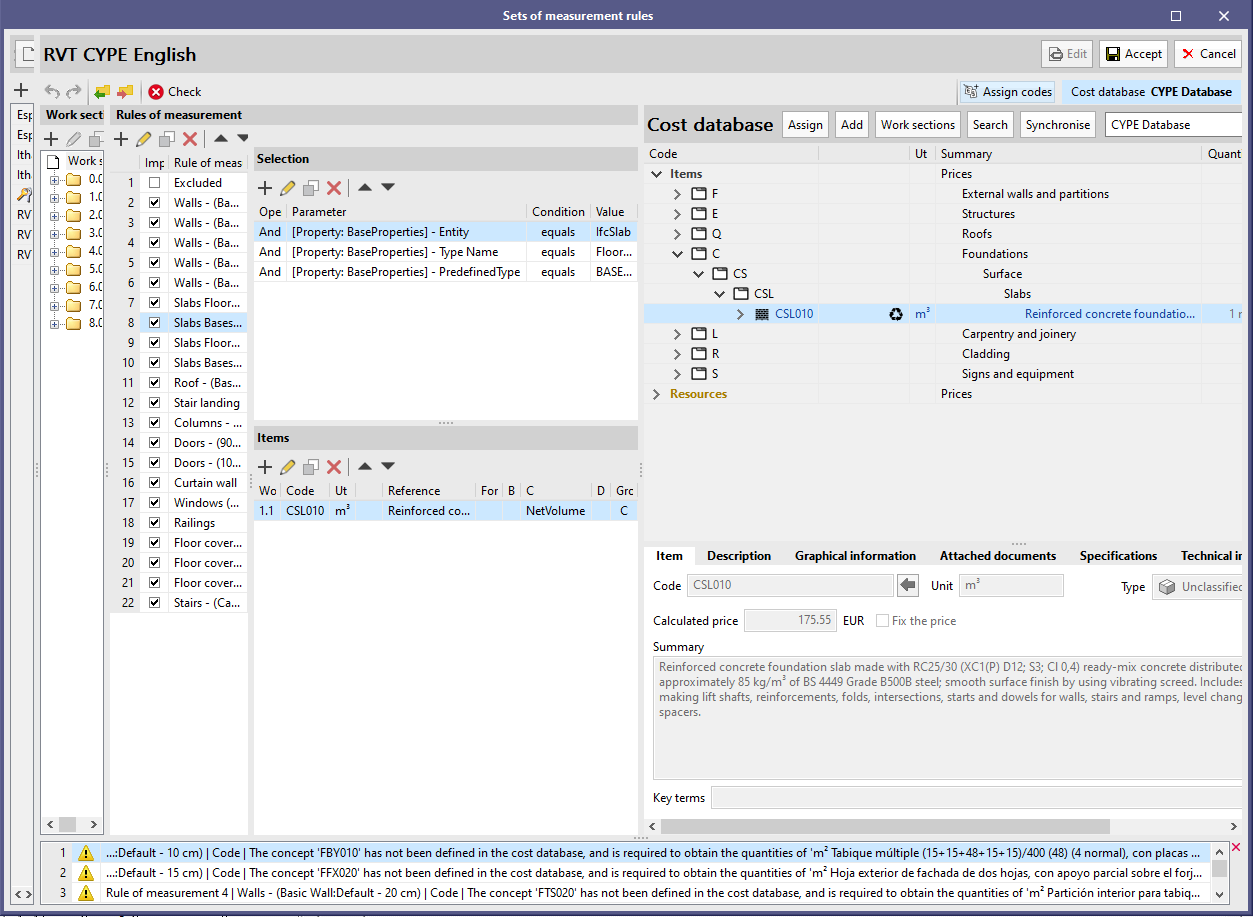
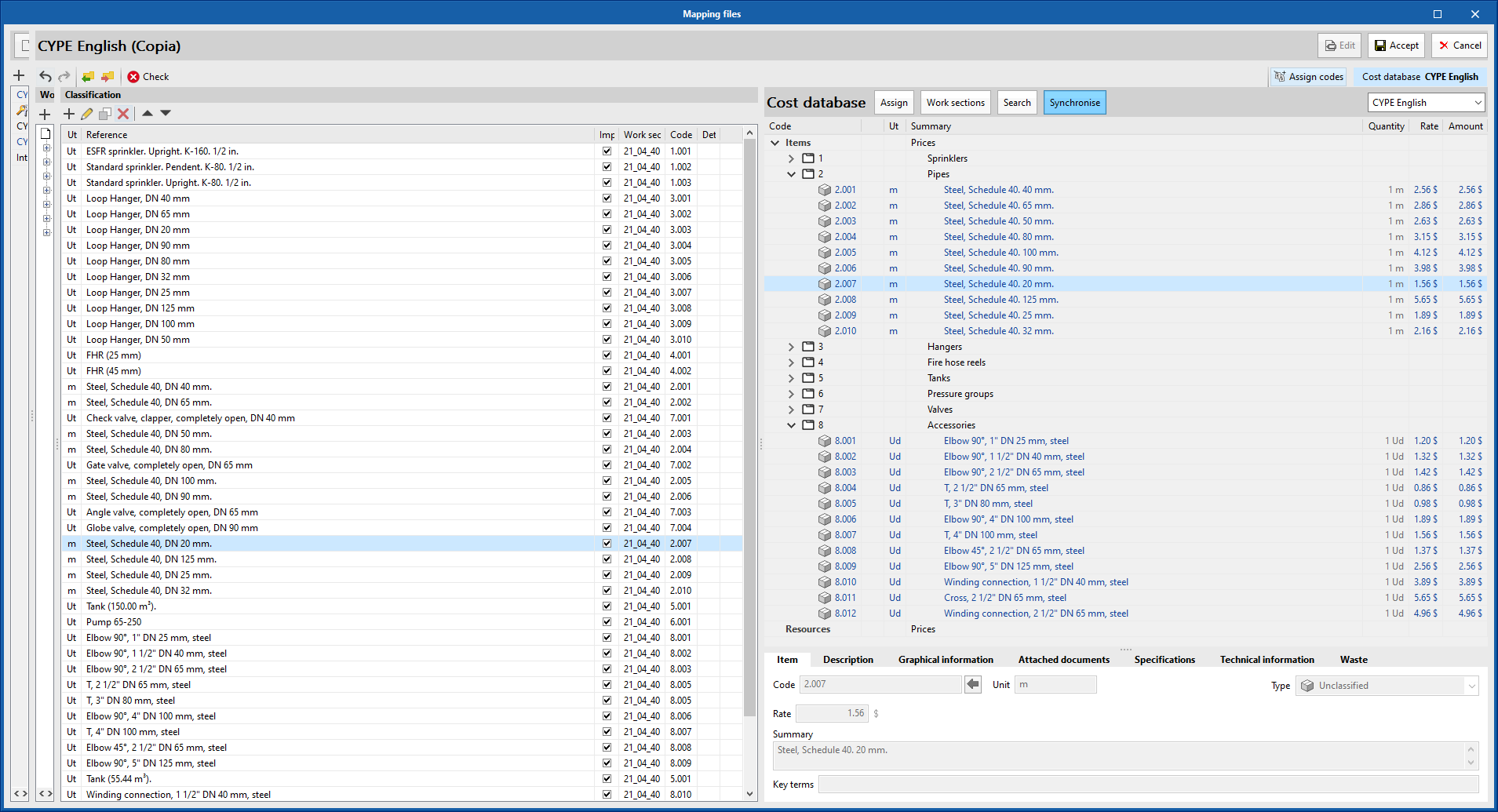
As of the 2021.e version, it is possible to copy the work section structure of the active cost database to the "set of measurement rules" (Open BIM Quantities) or to the "mapping file" (applications with the "bill of quantities" tab). In previous versions the work section structure could already be imported from a FIEBDC-3 (.bc3) file, but now the process has been simplified since it is no longer necessary to export the cost database beforehand.

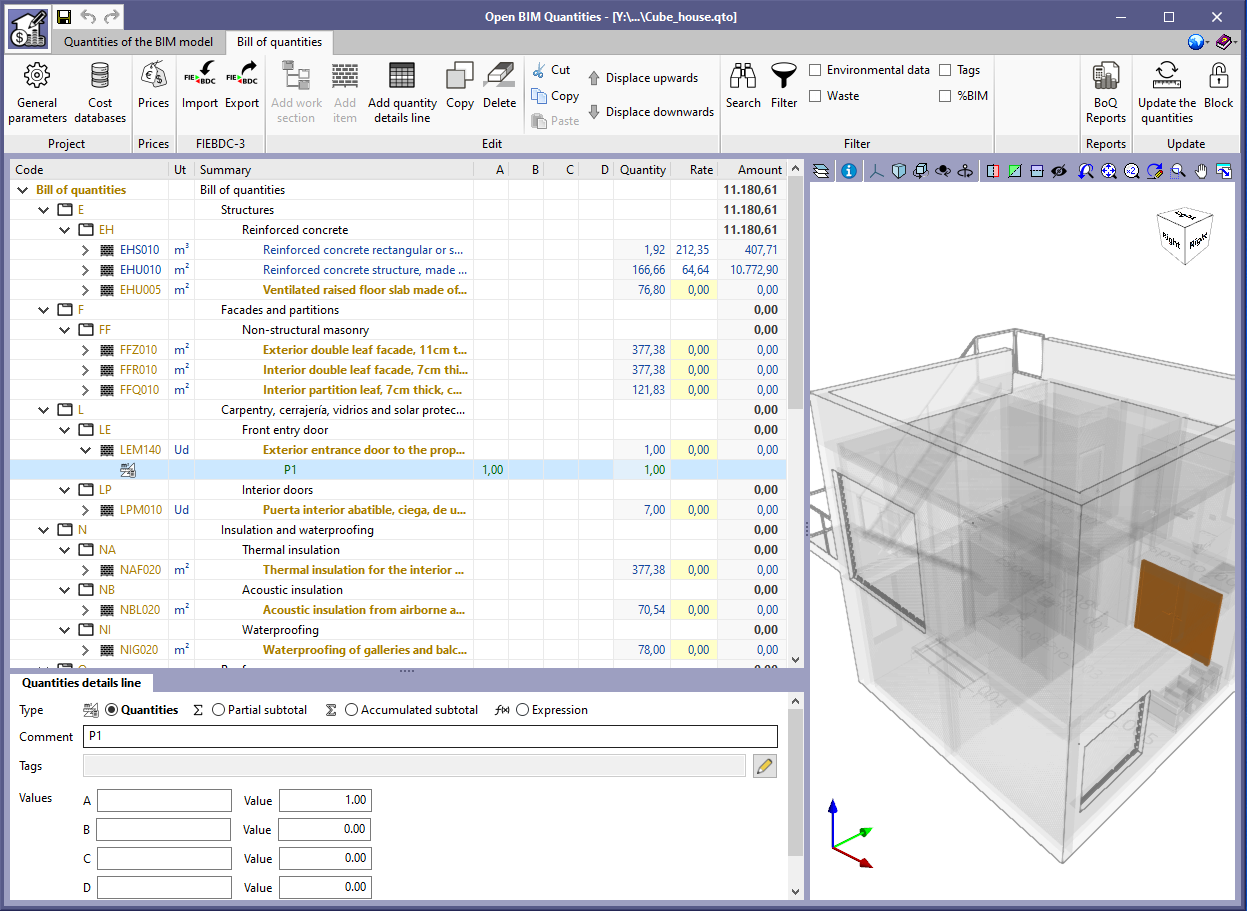
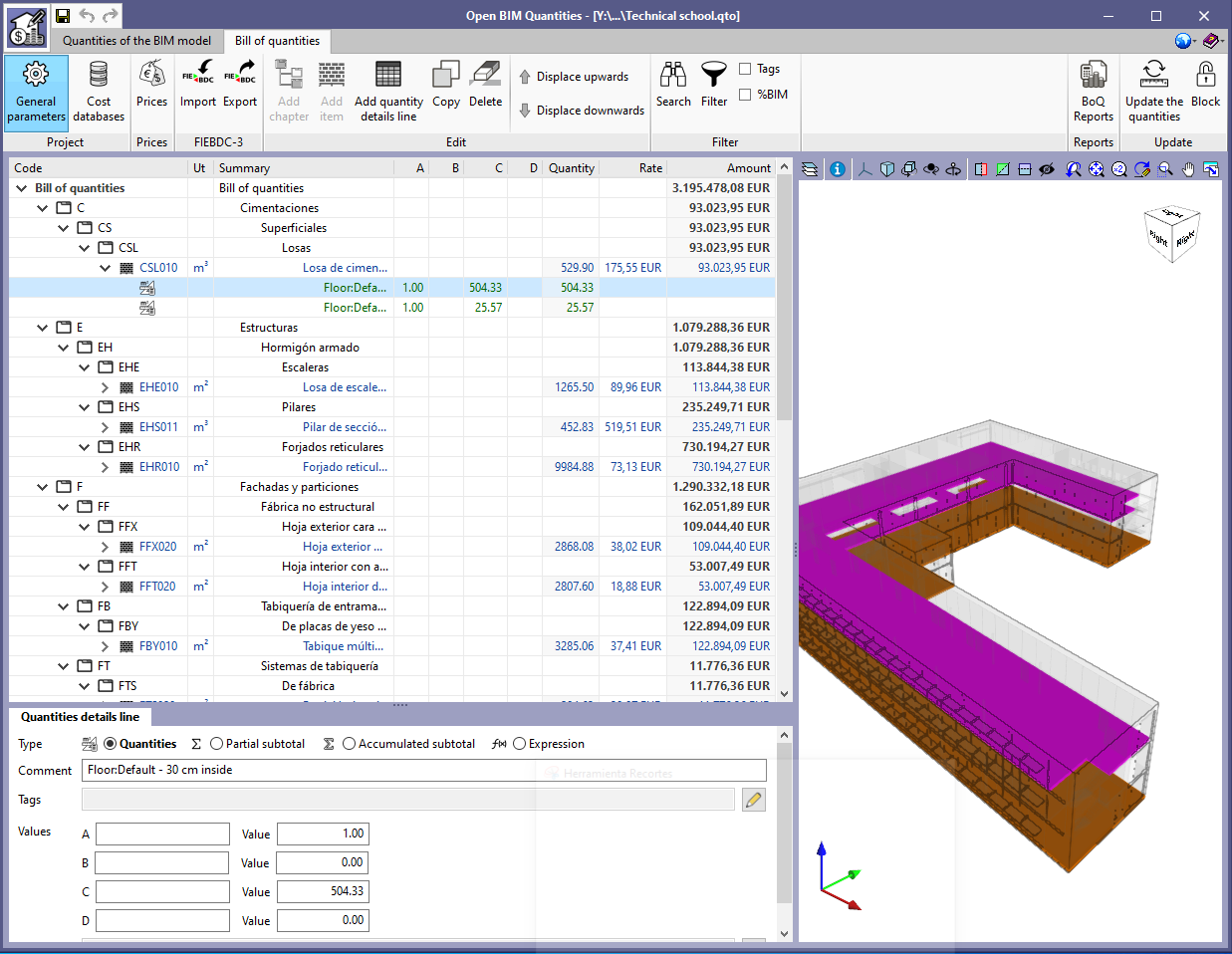
Options have been added to the toolbar to cut, copy and paste the concepts that appear in the bill of quantities table or in the prices of the job. As a result, it is now possible to easily move a concept from one chapter to another.

In order to make it easier for the user to read and enter data, the appearance and size of the "set of measurement rules" (Open BIM Quantities) and "mapping files" ("Bill of quantities" tab) edit panels have been improved.

The application now allows users to considerably reduce the width of the windows containing the "set of measurement rules" (Open BIM Quantities) and "mapping files" ("Bill of quantities" tab) lists, as well as the work section structure. In this way it is possible to free up more space for the rest of the panels where the specialist needs to see the most information ("rules of measurement", "classification" and "cost database").

The following table columns are adjusted to the contents of their cells without taking into account the heading:

  • Import
  • Operator
  • Work section
  • Formula
  • Group
  • Detail line

Thanks to this modification, the empty space is reduced and a greater amount of text is displayed in the reference fields of the items and components of the BIM model.

Two example projects have been included: "Proyecto de edificio de viviendas" and "Technical school" with their corresponding measurement rules and cost databases.

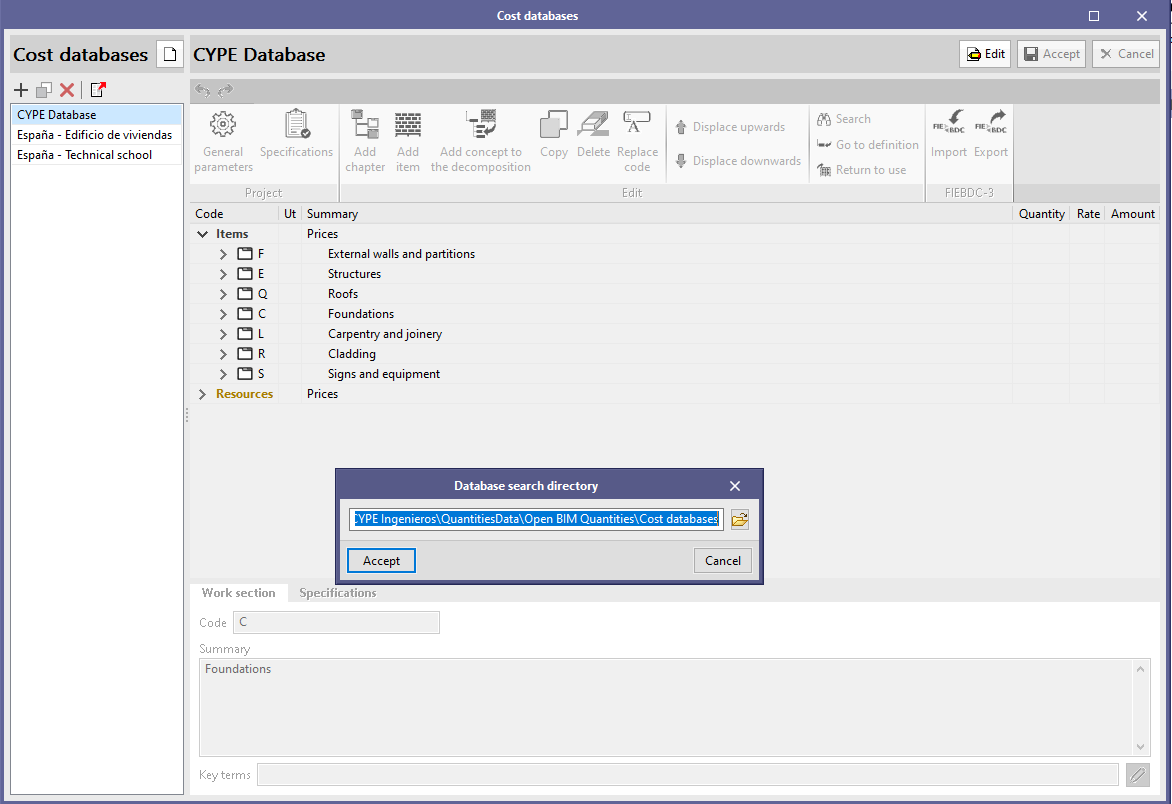
Now it is possible to duplicate cost databases in the same way as is done with mapping files ("Bill of Quantites" tab) and the measurement criteria (Open BIM Quantities). When a cost database is copied, the documents that are associated with the concepts that make up the database ("Graphic information", "Attached documents" and "Specifications") will also be duplicated.

The cost databases can be managed using the corresponding button, which is located in the Open BIM Quantities toolbar and the "Bill of Quantities" tab, in the applications that include it.

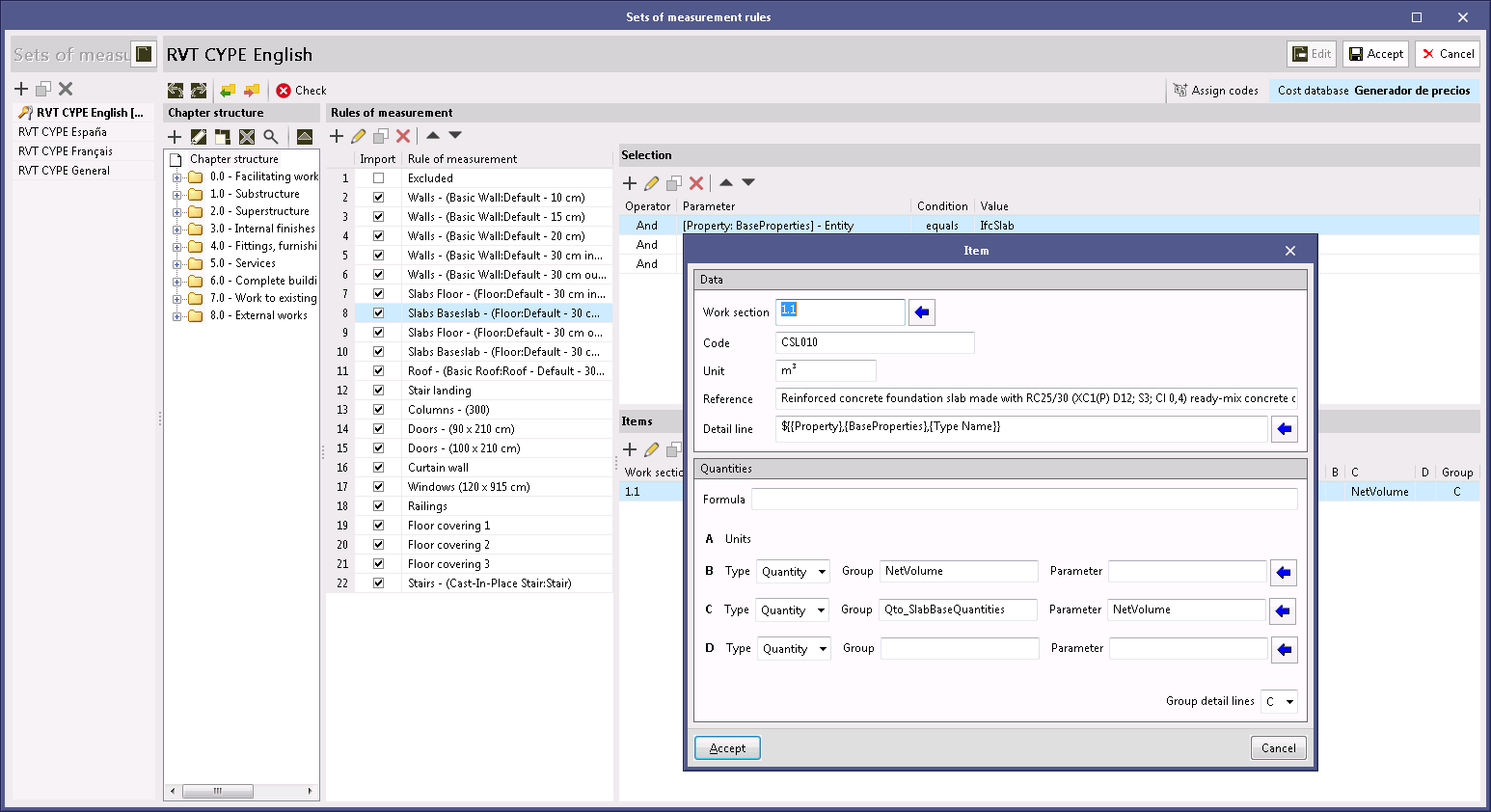
As of the 2021.b version, the properties of an IFC entity (IfcPropertySet) can be used in the "Set of measurement rules" of the project to generate the quantity take-off (variables B, C and D), as was already done previously with the quantities (IfcQuantitySet). The reason for this implementation is due to the existence of BIM modellers that are based on the IFC standard, which export quantity-orientated attribute groups as properties (IfcPorpertySet), instead of quantities (IfcQuantitySet). Now, in the job or project units panel of a "Measurement rule", users must indicate the type of attribute that is to be assigned to each variable, similar to what must be done when selecting the entities of the BIM model.