

Accounts
You must define the supplier and customer accounts for document definition. If you wish to export data to the accounting system, you will need to define the remaining accounts. The accounts that can be defined are located in the "Accounts" section of the "Job control" menu, and are as follows:
- Suppliers. List of suppliers and subcontractors (external or in-house). It is possible to import .csv files containing data on these suppliers.
- Clients. List of customers to whom invoices are issued. It is possible to import .csv files containing data on these customers.
- Financial accounts. Accounts against which due dates are generated.
- Purchases. Accounts against which issued invoices are generated.
- Sales. Accounts against which received invoices are generated.
- Input VAT. VAT/IGIC account for received invoices.
- Output VAT. VAT/IGIC account for issued invoices.
- Income tax suppliers. Income tax account for received invoices.
- Income tax clients. Income tax account for received invoices.
- Equivalence surcharge. Account used by companies operating under this regime. These companies bear the supplier’s VAT and issue invoices with an equivalent surcharge percentage instead of output VAT.
| More information: |
|---|
| The accounts for input and output VAT, supplier and customer income tax, and the equivalent surcharge cannot be defined until the invoices have been issued. |
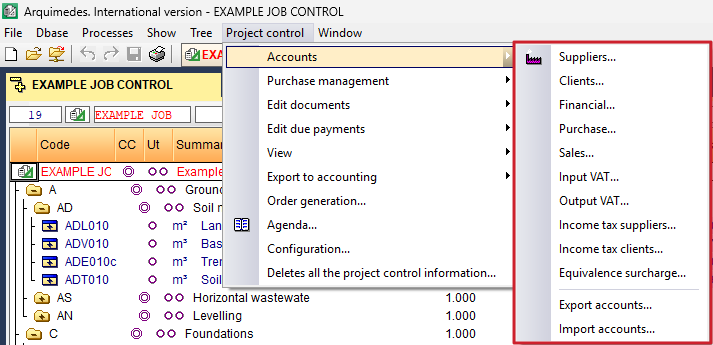
Data relating to supplier accounts, customer accounts, financial accounts, purchase accounts, sales accounts, input VAT, output VAT and the equivalence surcharge can be exported to a file named cuentas.bin for subsequent import into another computer or project. This option is located in the "Job control" menu under "Accounts", under the "Export accounts" option. Similarly, this data can be imported via the "Import accounts" option by selecting the type of import. If accounts with the same code exist, the program will ask you to confirm whether to keep them, overwrite them or import them with a different code.
