Bill of quantities adjustments and price changes
Once the measurement work is complete, the prices are reviewed and the bill of quantities is revised if necessary. This may involve, for example, aligning it with a standard price per square metre, or adjusting the unit prices for labour, materials or machinery, amongst other things.
| Best practice: |
|---|
| Before running certain processes (such as currency conversion, price increases or adjustments to the bill of quantities), you can configure the automatic backup procedure. To do this, go to the "Automatic backup settings" panel, which can be found under the "File" menu, then "Preferences". |
The most common bill of quantities adjustments include the following:
Changing a price
Changing a unit price
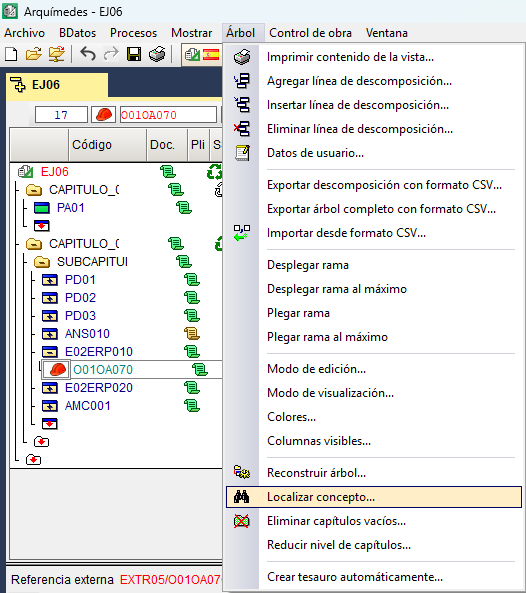
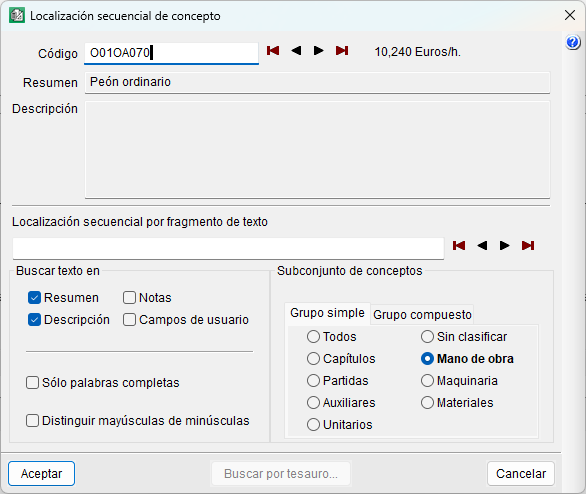
To change a unit price, you must first locate the item. One way to do this is via the "Find item" option in the "Tree" menu, which allows you to search for it using the item code or by entering text. This displays the first item containing the item in the current database within the "Cost breakdown structure". You can also search manually in the "Cost breakdown structure".
Once you have located it, go to the"Cost" column and enter the new value. The change is reflected in the price immediately and affects all other items that include it.
Changing a price for which there is no breakdown
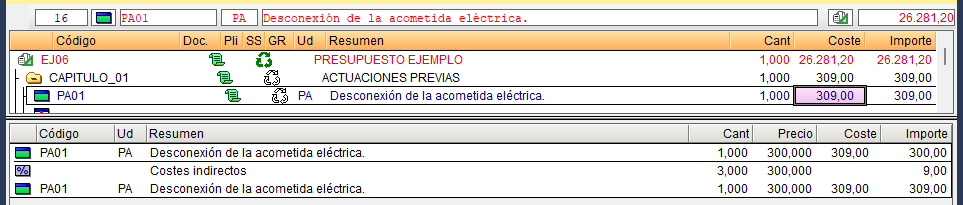
To change the price of an unjustified item, hover over the item’s cost and enter a new amount. As you are editing the final cost field, the corresponding percentage for soft costs is automatically deducted from the amount.