Connection between Archicad® and Arquimedes
To connect Archicad with Arquimedes and export BIM model quantities in BC3 format, you need to install CYPE’s "Archicad Connection" plug-in and also the Goodie for Archicad, "FIE-BDC3 Extension".
In addition, you must create a "Cype" menu within Archicad containing the "Import from Arquimedes" and "Link property objects to criteria…".
| Note: |
|---|
| From Archicad 23 onwards, the connection between Archicad and Arquimedes is only available for the Spanish version of Archicad. Up to and including Archicad 22, Graphisoft only offers the "FIE-BDC3 Extension" in English, French, Spanish and Portuguese. |
Linking Arquimedes items to Archicad elements
First, you need to establish a connection between the Archicad project and Arquimedes by selecting the "Import from Arquimedes" option from the "Cype" menu within Archicad. This option opens the "API Alert" dialog box, where you must tick "Keep element property objects". You only need to create this connection once in each Archicad project.
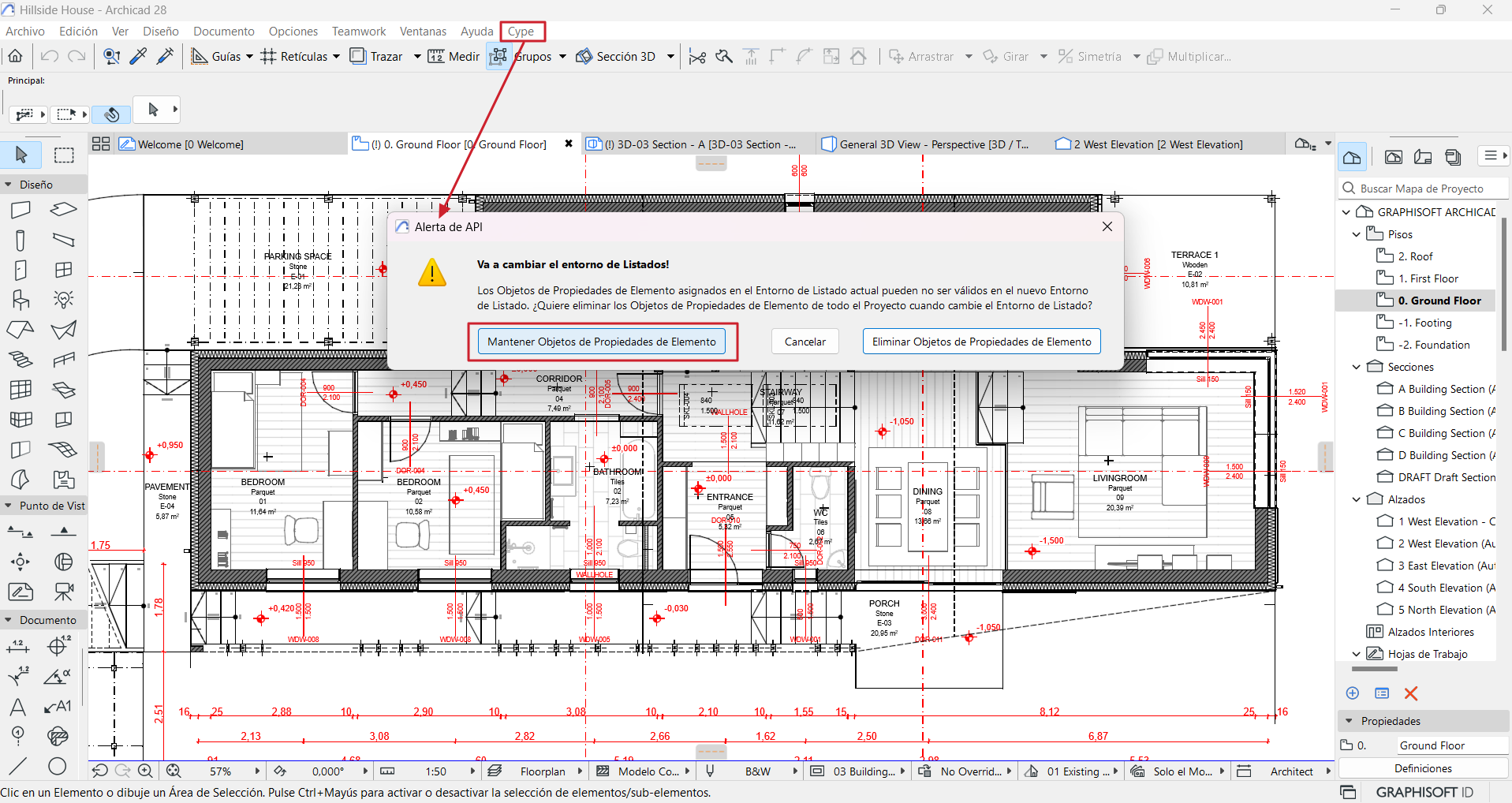
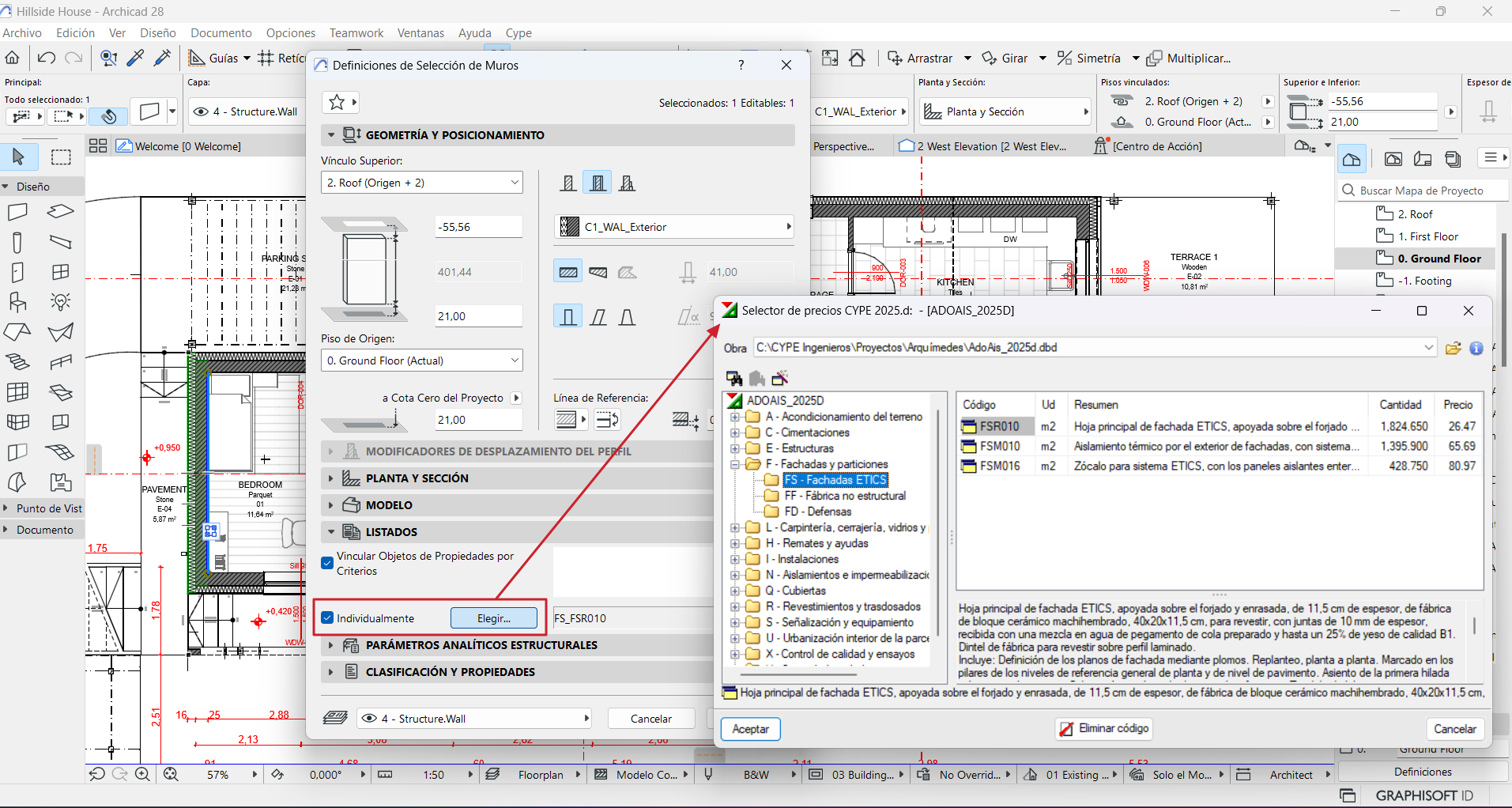
Next, you need to establish links between the elements whose quantities you wish to export and their corresponding Arquimedes item. There are two ways to create this link (and it is possible to use both methods within the same Archicad project):
- Direct linking of element – item
After selecting one or more elements of the same type, the "Define the selection of..." option is activated in the "Edit" menu, under "Element definitions", or via the "Ctrl + T" shortcut. Within the dialog box, select the "Individually" option (or click "Choose" if an item has already been linked and you wish to change its code). This action will cause Archicad to communicate with Arquimedes and open another dialog box called "CYPE price selector". In this dialog, you must select the Arquimedes bill of quantities to which the quantity of the selected element is to be exported and the Arquimedes item to which the selected element or elements are to be linked. - Linking by criteria
This linking is done automatically by setting a series of user-defined criteria, via the "Link property objects to criteria..." dialog box in the "Cype" menu in Archicad.
Importing quantities from Archicad to Arquimedes
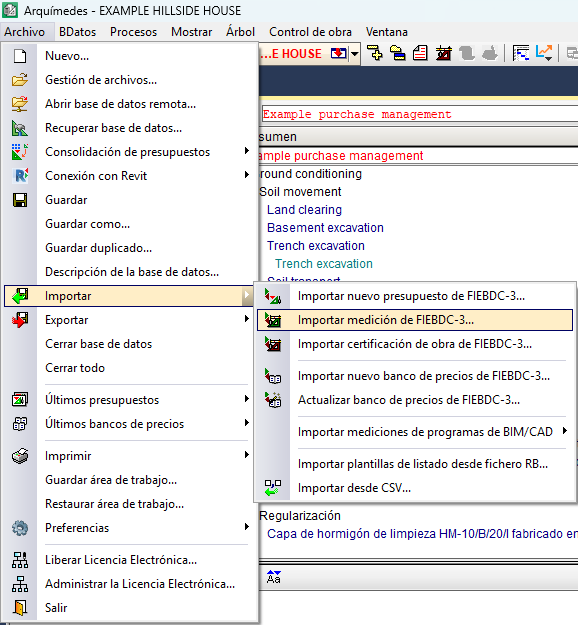
Finally, a file with the .bc3 extension is also created in Archicad using the "Save as" option in the "File" menu.
This file can be read in Arquimedes via "Import FIEBDC-3 quantity...", available in the "File" menu by clicking on "Import" (see the "Measurement in FIEBDC-3 format" section).
| Best practice: |
|---|
| To import the file into Arquimedes and extract the quantities, you must have a license to use Arquimedes and the "Quantities over DXF" module. |