

Printer
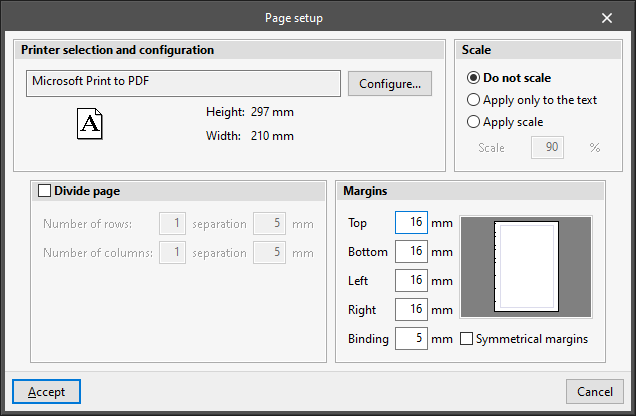
Opens the "Page setup" window with the following options:
- Printer selection and configuration
Selects and configures the printer used for printing documents. - Scale
Adjusts the scale when printing documents:- Do not scale
- Apply only to the text
- Scale (%)
- Apply scale
- Scale (%)
- Divide page (optional)
Prints the page divided into rows and columns:- Number of rows and separation between rows
- Number of columns and separation between columns
- Margins
Modifies the margins on the printed page:- Top
- Bottom
- Left
- Right
- Binding
- Symmetrical margins (optional)